Armoured Commander II - Free PC Download
Über Armoured Commander II
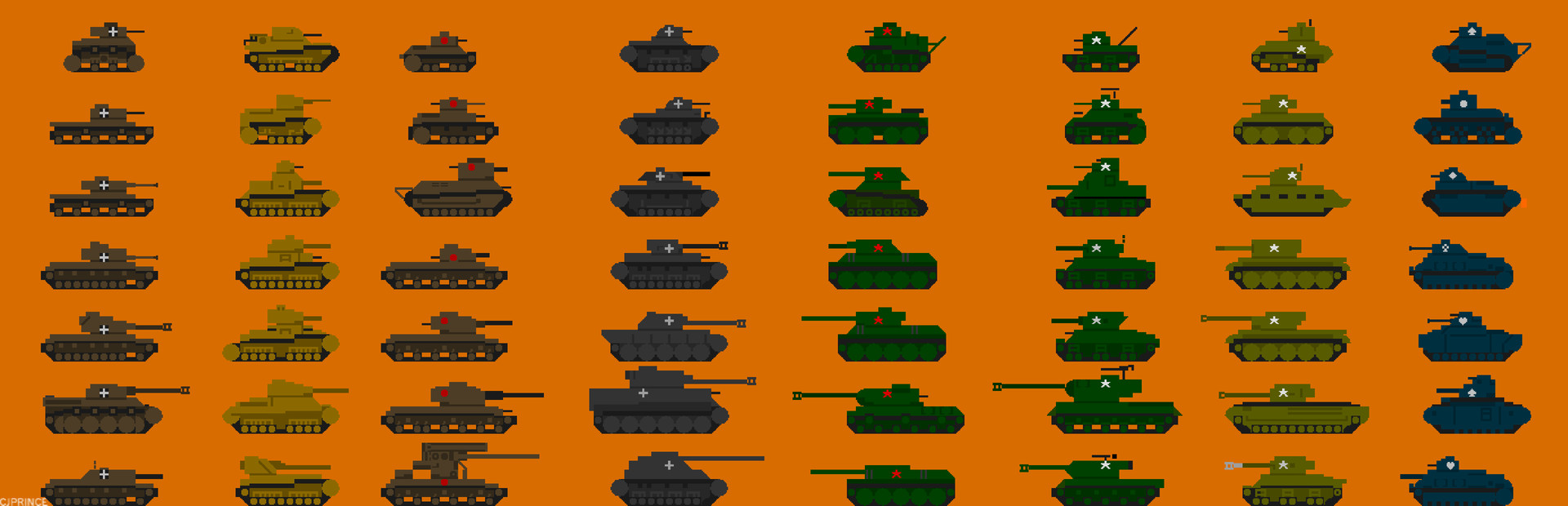
In Armoured Commander II, you play the role of a tank commander in World War II, leading your crew through a campaign in one of the major conflicts of the war. The game features over 50 campaigns set between 1939 and 1945, and over 1300 unit types. The terrain map for each combat day, the weather conditions, and the types of enemies you encounter are randomly and procedurally generated, which means that each playthrough of a campaign will bring new and unexpected challenges. Your commander and crew gain experience and can improve their stats and gain skills over time, but they are also vulnerable to injury and may be seriously wounded or killed during the course of a campaign.
Gameplay
ArmCom2 is a game of survival rather than destruction. You will frequently find yourself outnumbered and outgunned. Your success in a campaign will depend on your ability to deal with a variety of challenges, and to make best use of all the tactics and tools that you have at your disposal. Different tanks, historical eras, and regions of the world will produce a very different play experiences, from the initial armoured clashes in Asia and Poland in 1939, to the final drive on Berlin and the Pacific Islands of the Japanese Empire in 1945.
The gameplay is turn-based, so you can pause and consider your options at any point in the game. You can choose to take on the role of your Commander, meaning that if your Commander is killed in the game your campaign ends (Permadeath), or you can continue playing through an entire campaign, replacing your tank and crew as needed. Once a campaign ends, you can choose to continue with your crew in a new campaign.
Different campaigns are designed to include historically-based vehicles for you to command, friendly support units, enemy units, and different types of missions. Some campaigns will be easier than others, and historical battles such as Kursk or Operation Overlord are included. The weather, terrain, and length of combat day will vary based on your location in the world and the date in the calendar.
Mods are supported: an extension for the Vortex mod manager is available, or mods can be manually installed by the player.
No DRM is used in the game and it will run without Steam connectivity if required (although achievements will not be recorded). The source code (excluding assets such as portraits, campaign and unit definitions) is open source and included with the game.
No generative AI was used in creating this game.
Dieser Text stammt direkt von der Store-Seite des Spiels und wird automatisch übernommen. Wir schreiben und bearbeiten ihn nicht, er kann also Spoiler enthalten.
Systemanforderungen
- Min
- Windows 7
- Empf
- -
- Min
- Intel i5 4300M or equivalent
- Empf
- -
- Min
- 1 GB RAM
- Empf
- -
- Min
- Must support SDL2 or OpenGL
- Empf
- -
- Min
- 150 MB available space
- Empf
- -
- Min
- Any card that supports SDL2
- Empf
- -
Dies sind die vom Entwickler angegebenen Anforderungen, die möglicherweise nicht zu 100 % genau sind. Wenn deine Hardware unter dem Minimum liegt, probiere das Spiel trotzdem aus; viele Spiele laufen auch außerhalb der Spezifikationen gut. Im Zweifel schau dir Performance-Benchmarks auf YouTube an.
Armoured Commander II installieren
Armoured Commander II ist ein vorinstalliertes PC-Spiel, aktuell (31.05.2026 | Build 23494714), 31.3 MB. Aktualisiert Jun 2026.
- Lade alle Teile von einem Mirror herunter und speichere sie im selben Ordner.
- Entpacke das erste Archiv mit 7-Zip oder WinRAR. Die übrigen Teile werden automatisch entpackt.
- Öffne den entpackten Ordner und starte die .exe des Spiels. Ein Installer ist nicht nötig.
- Vorinstalliert heißt: Nach dem Entpacken ist das Spiel spielbereit. Nichts einzurichten.
Herunterladen
Lade die Dateien von einem der untenstehenden Mirror herunter. Alle Teile werden benötigt. Speichere sie im selben Ordner und entpacke dann die erste Datei.
Wir nehmen keine Fix-Anfragen an, wenn nur ein Host ausfällt. Nutze bitte einen anderen Mirror oben. Links defekt? Sag uns Bescheid.
Wir schützen Archive nie mit Passwörtern und verstecken keine Installer. Wenn eine Seite nach einem Passwort oder einer Zahlung fragt, ist das die Werbung des Hosters, nicht wir. Siehe unseren Sicherheitsleitfaden.