
Barn Finders Free Download
Duality Games2020Simulation, Casual
30.5GBBuild 21421564Updated 3 hours ago
About Barn Finders
Search for valuable items stashed in abandoned barns. Take part in storage auctions, bid high and buy yourself a chance to find exclusive items hidden in the past.
Search for valuables stashed in abandoned barns ranging from old clocks, musical instruments, antiques, gold, weaponry to even vintage cars and motorcycles and sell them for a profit.
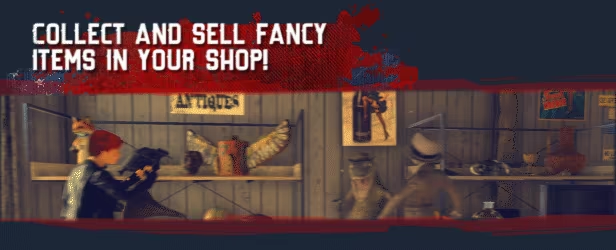 Run your family business. Look for valuable items and sell them in your pawnshop. Every item has a value, so collect everything and search everywhere!
 Bid on auctions and sales to get access to closed-off properties. Who knows what kind of dusty treasures you can find there?
 Visit 12 original locations and unearth their secrets in the land of Ammeryka (largely simmilar to the real America, but not quite). Barns are just the beginning. How about a visit to an old military base or . . . the moon?
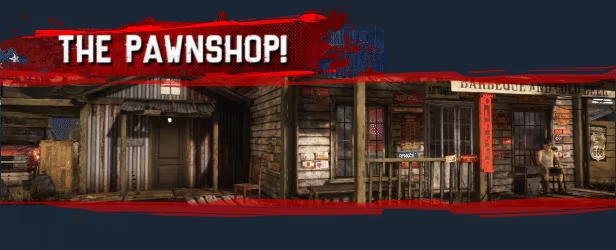 Take care of developing your shop. Empty shelves mean an empty wallet. Customers will come back if they have something to come back for. Fix found items, clean the dirty ones and sell them all. And if there are no customers, you can always play basketball in your backyard. And somehow, make money while playing..
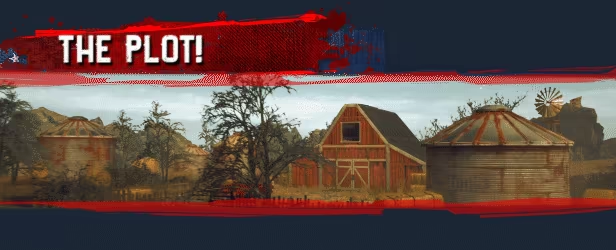 Uncle Billy will keep you busy. Together you’ll explore different locations, but the real work is all for you to do. That is, until you go solo. Eventually.
 Being a real Barn Finder is a state of mind - a job for the brave and the bold. Your competitors are specialists and they are just waiting for you to slip up.
Features:
Hundreds of items to find and sell
Improve the quality of goods for sale by cleaning and repairing damaged ones as needed
Find parts of exclusive cars, motorbikes, rebuild them and then sell for a big payout.
Discover crazy stories of the locations you visit and items you collect.
From the store page, unedited. May contain spoilers.
This release
Reviews and playtime
Very Positive
82% of 3,991
The game
Genres and features



How to install Barn Finders
Pre-installed, so there is no setup wizard. Follow these in order.
- 01
Create a games folder
Make a folder like C:\Games\ and keep every game in it. Avoid Program Files, Downloads and the Desktop.
- 02
Exclude it from Windows Defender
Defender often deletes cracked files by mistake while they extract. Add C:\Games\ as an excluded folder:
Windows Security -> Virus & threat protection -> Manage settings -> Exclusions -> Add an exclusion -> Folder
- 03
Download into C:\Games\
This release comes in 2 parts. Save every part into that folder, all from the same mirror.
- 04
Extract it there
Use 7-Zip or WinRAR. Keep about 67.1 GB free while it unpacks.
- One file
- Right-click it -> Extract here.
- Several parts
- Extract only part1 (or .001). The other parts are read automatically.
- 05
Open README.html
It is inside the extracted folder and explains how to start the game.
Still stuck? Read the install help
Download
Set up your games folder and the Defender exclusion before you extract. The Install tab has the steps.
Download every part. You need all of them.
We don't accept fix requests when only one host is down. Please use another mirror above. Links broken? Let us know.
We never password-protect files or hide installers. If a page asks for a password or payment, that is the host's ad, not us. See our safety guide.
System requirements
- Min
- Windows 7
- Rec
- Windows 10
- Min
- i5 3550 / FX-8350
- Rec
- i5 4570 / Ryzen 7 1700x
- Min
- 6 GB RAM
- Rec
- 16 GB RAM
- Min
- GTX 660Ti / R9 270X
- Rec
- GTX 1060 6GB / RX 480 GB 8GB
Version 11
21 GB available space
These are the developer's listed requirements and may not be 100% accurate. If your specs fall below the minimum, try the game anyway; many games run fine below the listed requirements. When in doubt, check YouTube for performance benchmarks.