
Bubsy: Paws on Fire!
Choice Provisions2019Action, Adventure
2.6GBBuild 3855691Updated 1 day ago
About Bubsy: Paws on Fire!
From the developers of the BIT.TRIP series comes Bubsy: Paws on Fire!, the latest and greatest in bobcat-based gaming.
Special Offer
About the Game
From the developers of the BIT.TRIP series comes Bubsy: Paws on Fire!, the latest and greatest in bobcat-based gaming.
Oinker P. Hamm is determined to capture every animal in the universe for his “Amazootorium.” Bubsy, fearing mostly for himself, is just as determined to stop him. Two archrivals, stitched together by the cruel knitting needles of fate. No matter who emerges victorious, there is one thing we know for certain: There’s going to be a whole lot of yarn along the way.
So, so much yarn.
Features:
- Four playable characters, each with their own unique mechanics! Fly and shoot your way through the air as The Woolie, take it underground with Arnold’s bonus levels, or run your way to victory with Bubsy and Virgil Reality!
- An all-new story featuring the unlikely alliance between Bubsy and his archrivals, The Woolies!
- Over 100 levels set across three different worlds!
- Three boss battles!
- A unique combo system and set of leaderboards for every character!
- A shop with costumes and cosmetics, all of which players can unlock just by playing the game. There are no in-game purchases!
- Unique character dialog for every level!
- A variety of collectible types, ensuring maximum replayability!
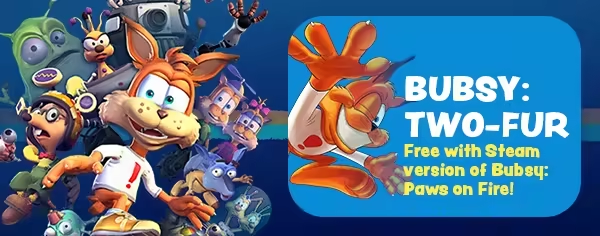
- The return of Oinker, Terri, Terry, and many other characters from previous Bubsy incarnations! We even have Virgil Reality from the Bubsy cartoon pilot—we dug deep!
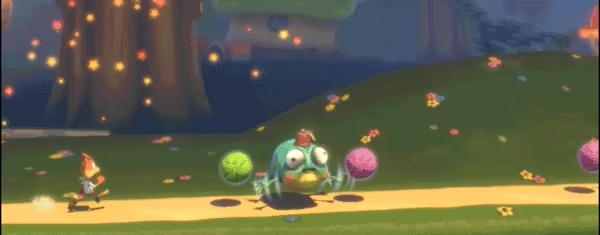
From the store page, unedited. May contain spoilers.
This release
Reviews and playtime
Mixed
63% of 90
The game
Genres and features



How to install Bubsy: Paws on Fire!
Pre-installed, so there is no setup wizard. Follow these in order.
- 01
Create a games folder
Make a folder like C:\Games\ and keep every game in it. Avoid Program Files, Downloads and the Desktop.
- 02
Exclude it from Windows Defender
Defender often deletes cracked files by mistake while they extract. Add C:\Games\ as an excluded folder:
Windows Security -> Virus & threat protection -> Manage settings -> Exclusions -> Add an exclusion -> Folder
- 03
Download into C:\Games\
Save the archive straight into that folder. This release is one 2.6GB file.
- 04
Extract it there
Use 7-Zip or WinRAR. Keep about 5.7 GB free while it unpacks.
- One file
- Right-click it -> Extract here.
- Several parts
- Extract only part1 (or .001). The other parts are read automatically.
- 05
Open README.html
It is inside the extracted folder and explains how to start the game.
Still stuck? Read the install help
Download
Set up your games folder and the Defender exclusion before you extract. The Install tab has the steps.
FilesYard
The whole game in one file
VikingFile
The whole game in one file
We don't accept fix requests when only one host is down. Please use another mirror above. Links broken? Let us know.
We never password-protect files or hide installers. If a page asks for a password or payment, that is the host's ad, not us. See our safety guide.
System requirements
- Min
- Windows Vista SP1
- Rec
- Windows 10
- Min
- Intel Core i5
- Rec
- Intel Core i7
- Min
- 4 GB RAM
- Rec
- 8 GB RAM
- Min
- GeForce GT740
- Rec
- GeForce GTX1060
- Min
- Version 10
- Rec
- Version 12
3 GB available space
These are the developer's listed requirements and may not be 100% accurate. If your specs fall below the minimum, try the game anyway; many games run fine below the listed requirements. When in doubt, check YouTube for performance benchmarks.