
Cozy Crunch - Free PC Download
Über Cozy Crunch
A cozy, upgrade filled, adventure that goes from curious kitty to unstoppable leaf-crunching beast. Stomp, explore, and uncover cozy forest secrets with your magical fairy guide.
Time your triple stomps to the music for a special attack
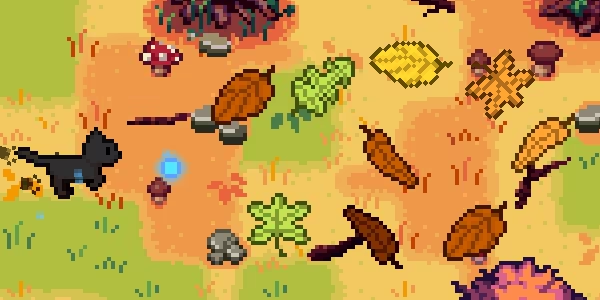
Collect hidden treasures
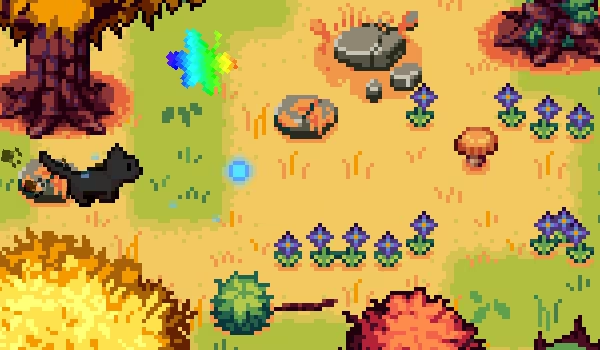
Survive wild winds
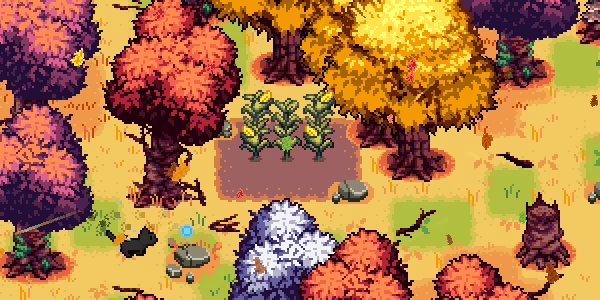
Customize your character
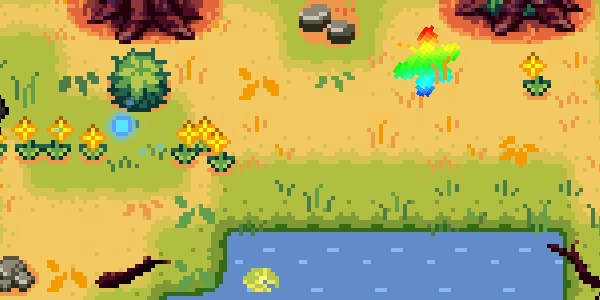
Cozy Crunch is a gentle, whimsical adventure where you guide a curious cat through a crunchy leaf-filled forest using a magical fairy (your mouse cursor). Stomp leaves, uncover secrets, and explore hand-crafted areas filled with cozy atmosphere and charming surprises.
Features:
Simple point and click controls
4 hand crafted areas
A hidden rhythm mechanic - time your triple stomps to the music to unleash powerful waves
Relaxing original soundtrack
Character customization (50+ variations)
Multiple progression paths with quests, hidden items, and upgrades
Steam achievements
Game Duration: ~3-4+ hours
Wishlist Cozy Crunch and prepare to leaf your worries behind
What Streamers are Saying
“I’ve come to the conclusion this game is weirdly therapeutic!” -ImCade
About the game
Hi! I’m Jo, a solo indie developer, and this is my first game. Cozy Crunch is inspired by the charm of classic online flash games. Simple, relaxing, and designed to be enjoyed in a single cozy evening. I hope it brings you a bit of calm and delight, just like it did for me while creating it.
Note: A HUGE thank you to our fans for providing the German, Italian, Russian, and Brazilian Portuguese in-game translations! To make the game accessible to everyone, the store page and all other translations were created with AI assistance. We always welcome new fan translations!
Dieser Text stammt direkt von der Store-Seite des Spiels und wird automatisch übernommen. Wir schreiben und bearbeiten ihn nicht, er kann also Spoiler enthalten.
Systemanforderungen
- Min
- Windows 10
- Min
- 100 MB RAM
Dies sind die vom Entwickler angegebenen Anforderungen, die möglicherweise nicht zu 100 % genau sind. Wenn deine Hardware unter dem Minimum liegt, probiere das Spiel trotzdem aus; viele Spiele laufen auch außerhalb der Spezifikationen gut. Im Zweifel schau dir Performance-Benchmarks auf YouTube an.
Cozy Crunch installieren
Cozy Crunch ist ein vorinstalliertes PC-Spiel, aktuell Build 21403749, 205.8 MB. Aktualisiert Jul 2026.
- Lade alle Teile von einem Mirror herunter und speichere sie im selben Ordner.
- Entpacke das erste Archiv mit 7-Zip oder WinRAR. Die übrigen Teile werden automatisch entpackt.
- Öffne den entpackten Ordner und starte die .exe des Spiels. Ein Installer ist nicht nötig.
- Vorinstalliert heißt: Nach dem Entpacken ist das Spiel spielbereit. Nichts einzurichten.
Herunterladen
Lade die Dateien von einem der untenstehenden Mirror herunter. Alle Teile werden benötigt. Speichere sie im selben Ordner und entpacke dann die erste Datei.
Pixeldrain drosselt kostenlose Downloads auf wenige MB/s. Die Schaltfläche Schnellen Link kopieren liefert einen Bypass-Link ohne Tempolimit. Füge ihn in deinen Downloadmanager oder in die Adressleiste deines Browsers ein.
Wir nehmen keine Fix-Anfragen an, wenn nur ein Host ausfällt. Nutze bitte einen anderen Mirror oben. Links defekt? Sag uns Bescheid.
Wir schützen Archive nie mit Passwörtern und verstecken keine Installer. Wenn eine Seite nach einem Passwort oder einer Zahlung fragt, ist das die Werbung des Hosters, nicht wir. Siehe unseren Sicherheitsleitfaden.