
Ambrosia Sky - Free PC Download
Über Ambrosia Sky
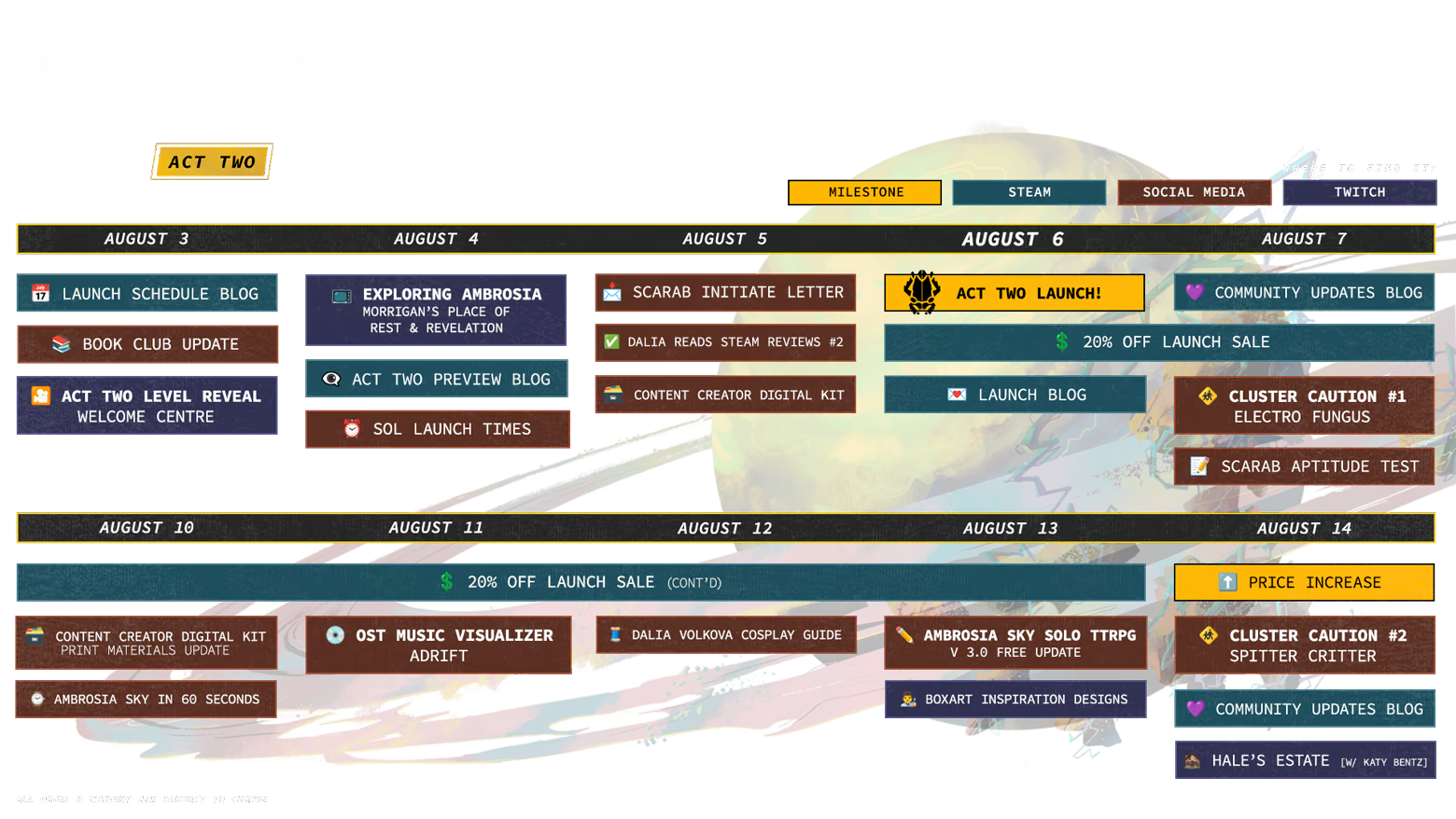
Act Two Launch Schedule
About the Game

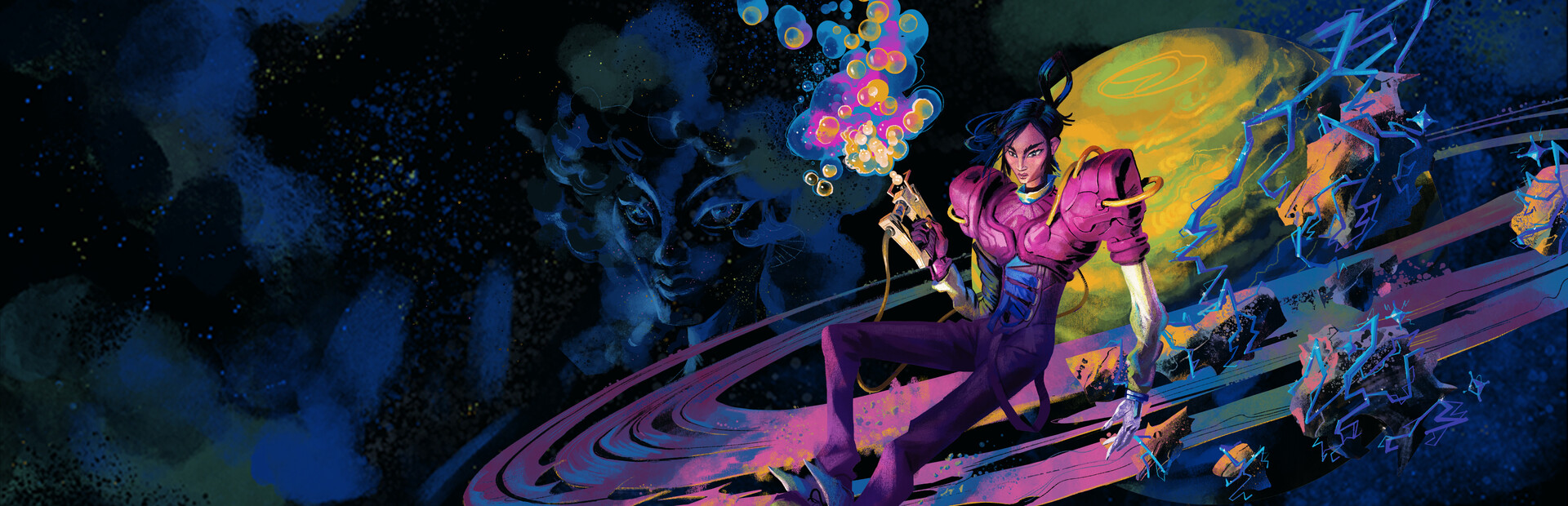
Ambrosia Sky is a first-person immersive sim where the only thing standing between you and the answers you seek are treacherous zero-G anomalies, deadly alien fungus with their own unique abilities, and the creeping guilt that maybe if you hadn’t abandoned this place all those years ago, everyone you used to know might still be alive.

Ambrosia Sky will be your sombre homecoming to a colony that is overrun with a vibrant, alien ecosystem. Adapt and survive encounters with various forms of hostile fungi that will burn, electrocute, and overwhelm you. Harvest their fruit to craft powerful new chemical agents to fight back or open new avenues of exploration. And pick through the desiccated remains of a once populous colony as you journey into strange depths to unravel the dark mystery that left its inhabitants dead, missing, or maybe even complicit.

Ambrosia Sky’s unique gameplay blends rewarding exploration with meditative cleaning. Use your chemical sprayer to cleanse unique strains of deadly fungi, each one trying to burn, electrocute, or trap you. Study their behaviours and harvest their fruiting bodies to craft powerful upgrades, such as electrical foam you can use to reroute power to power doors or consoles.

The stylized world of Ambrosia Sky is a living ecosystem home to both the hostile fungus and the remnants of those who once lived there. Explore a series of environments across a range of mission types, using your tether to traverse unstable gravity fields or reach hidden passages to uncover the mystery of the Cluster.

Your mission isn’t purely personal. As part of an enigmatic order of scientists in pursuit of human immortality, you are also tasked with finding victims of the contamination whose DNA can be studied. Find these chosen deceased, perform a sacred ritual to further your research and understand the disaster through the lives of the people destroyed by it.
ABOUT THE DEVELOPMENT TEAM
Soft Rains is a Toronto, Canada-based game studio focused on delivering world-class development experience in our work, from world-building and memorable storytelling to immersive gameplay and art.
Dieser Text stammt direkt von der Store-Seite des Spiels und wird automatisch übernommen. Wir schreiben und bearbeiten ihn nicht, er kann also Spoiler enthalten.
Systemanforderungen
- Min
- Windows 10 or later (64-bit)
- Empf
- Windows 10 or later (64-bit)
- Min
- Quad-core Intel or AMD processor, 2.4 GHz or faster
- Empf
- Quad-core Intel or AMD processor, 3.0 GHz or faster
- Min
- -
- Empf
- 16 GB RAM
- Min
- NVIDIA GeForce GTX 1080 or equivalent with 8 GB VRAM
- Empf
- NVIDIA GeForce RTX 2080 or equivalent with 8 GB VRAM
- Min
- Version 11
- Empf
- Version 11
- Min
- 8 GB available space
- Empf
- 16 GB available space
Dies sind die vom Entwickler angegebenen Anforderungen, die möglicherweise nicht zu 100 % genau sind. Wenn deine Hardware unter dem Minimum liegt, probiere das Spiel trotzdem aus; viele Spiele laufen auch außerhalb der Spezifikationen gut. Im Zweifel schau dir Performance-Benchmarks auf YouTube an.
Ambrosia Sky installieren
Ambrosia Sky ist ein vorinstalliertes PC-Spiel, aktuell Build 24442818, 3.2 GB. Aktualisiert Aug 2026.
- Lade alle Teile von einem Mirror herunter und speichere sie im selben Ordner.
- Entpacke das erste Archiv mit 7-Zip oder WinRAR. Die übrigen Teile werden automatisch entpackt.
- Öffne den entpackten Ordner und starte die .exe des Spiels. Ein Installer ist nicht nötig.
- Vorinstalliert heißt: Nach dem Entpacken ist das Spiel spielbereit. Nichts einzurichten.
Herunterladen
Lade die Dateien von einem der untenstehenden Mirror herunter. Alle Teile werden benötigt. Speichere sie im selben Ordner und entpacke dann die erste Datei.
Pixeldrain drosselt kostenlose Downloads auf wenige MB/s. Die Schaltfläche Schnellen Link kopieren liefert einen Bypass-Link ohne Tempolimit. Füge ihn in deinen Downloadmanager oder in die Adressleiste deines Browsers ein.
Wir nehmen keine Fix-Anfragen an, wenn nur ein Host ausfällt. Nutze bitte einen anderen Mirror oben. Links defekt? Sag uns Bescheid.
Wir schützen Archive nie mit Passwörtern und verstecken keine Installer. Wenn eine Seite nach einem Passwort oder einer Zahlung fragt, ist das die Werbung des Hosters, nicht wir. Siehe unseren Sicherheitsleitfaden.