Azur Lane: Crosswave - Free PC Download
Über Azur Lane: Crosswave
About Azur Lane: Crosswave
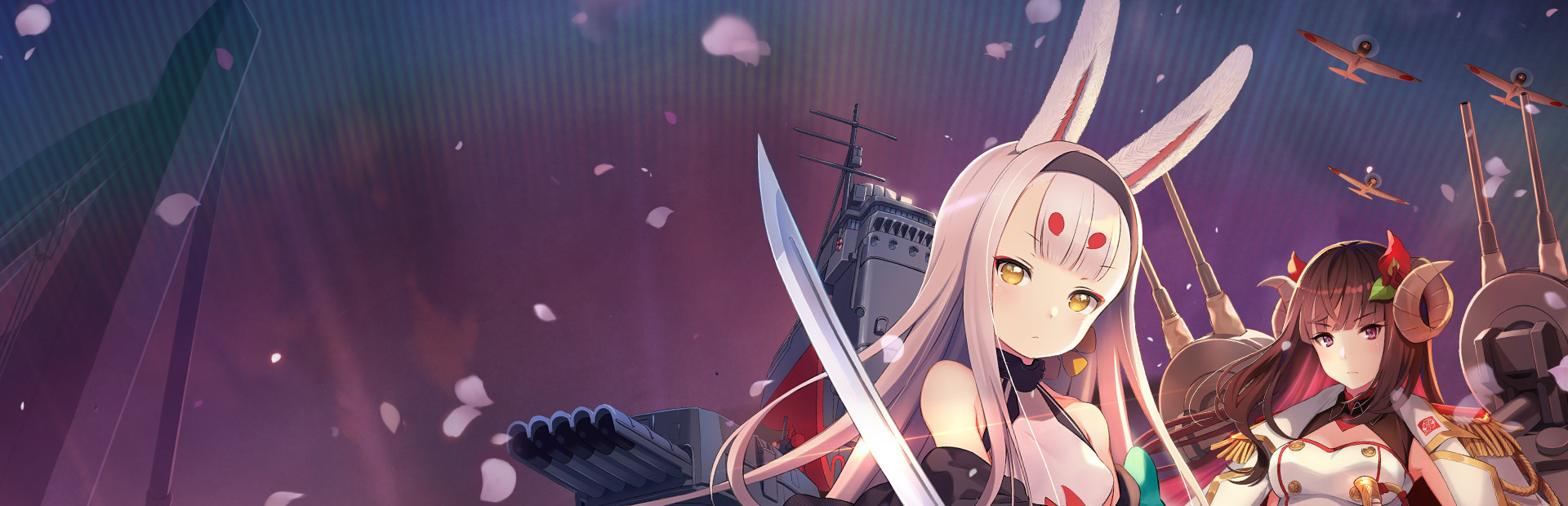
Taking place in a world where personified battleships from across the globe duke it out, Azur Lane: Crosswave takes the spirit of the mobile game and uses the Unreal Engine to bring its characters to life in a massive 3D world, so fans can see them like they’ve never seen them before. The in-game character designs will also feature cel-shaded anime style 3D graphics that stay true to the original art.About Azur Lane
Azur Lane is a side-scrolling shooter created by Shanghai Manjuu and Xiamen Yongshi, originally released in 2017 for iOS and Android platforms. The Shanghai-based publisher, Yostar, published the Japanese and English version of the mobile game, popularizing the game to more mobile users across the world. The game takes place in a world where personified battleships from around the globe engage in side-scrolling shooter gameplay.Story
Enter the four nations: Eagle Union, Royal Navy, Iron Blood, and Sakura Empire. The military of each nation marched towards yet another season of diligent training. Suddenly, in the middle of their normal routines, a Joint Military Exercise was enacted. In this monumental event, a select few from each nation were chosen, causing all of them to train even harder in anticipation of rigourous battles ahead. But how did this event come to exactly? Are there ulterior motives at play?Key Features
Retrofitted in 3D – Azur Lane mobile, the beloved side-scrolling shooter, is now retrofitted for the Steam as a cel-shaded, 3D action shooter with the help of Unreal Engine! Choose from 25+ characters and 30+ support characters to help lead your fleet to victory. Azur Lane: Crosswave also introduces 2 brand-new playable characters, Shimakaze and Suruga!4 Modes to Choose From – Choose from 4 different modes: Story, Extreme Battle, Photo, or Episode Mode. Story Mode goes through 7 riveting chapters in the footsteps of newcomers, Shimakaze and Suruga. In Extreme Battle Mode, choose from 100+ challenging fleets to battle for rare items and special materials. In Photo Mode, you can pose characters, change facial expressions, alter backgrounds, and camera angles to create a picturesque moment. Episode Mode includes 50+ sub-stories that deliver bonus character backgrounds!
Arm Your Armada – Before setting sail, beef up your characters by equipping them with rare items found after a successful battle or by crafting items at Akashi’s Laboratory. Here, Commanders can exchange blueprints to create new gear, convert materials into rare items, and earn rewards. Experiment with different fleet arrangements to gain special Fleet Effects that can provide in-game stat bonuses.
Ready, Aim, Fire - In Azur Lane: Crosswave, you can now control, aim, and fire at incoming battleships, aircraft carriers, and other enemies. Depending on the character’s subtype, players can dash to evade attacks or activate defensive shields, unleash torpedoes or aircrafts, and switch-on character-specific special attacks to defeat unruly enemies!
Dieser Text stammt direkt von der Store-Seite des Spiels und wird automatisch übernommen. Wir schreiben und bearbeiten ihn nicht, er kann also Spoiler enthalten.
Systemanforderungen
- Min
- Windows 7 64bit (DirectX 11 equivalent)
- Empf
- Windows 10 64bit (DirectX 11 equivalent)
- Min
- Intel CPU Core-I5 3.2GHz or above
- Empf
- Intel CPU Core i7 3770 or above
- Min
- 8 GB RAM
- Empf
- 8 GB RAM
- Min
- NVIDIA GeForce GTX 750Ti or AMD R7 260X equivalent
- Empf
- GeForce GTX 970 or AMD RX 560 2GB equivalent
- Min
- Version 11
- Empf
- Version 12
- Min
- 4 GB available space
- Empf
- 4 GB available space
- Min
- DirectSound (DirectX) compatible sound card
- Empf
- DirectSound (DirectX) compatible sound card
- Min
- Optimal 4k performance may require better than Recommended System Requirements
- Empf
- Optimal 4k performance may require better than Recommended System Requirements
Dies sind die vom Entwickler angegebenen Anforderungen, die möglicherweise nicht zu 100 % genau sind. Wenn deine Hardware unter dem Minimum liegt, probiere das Spiel trotzdem aus; viele Spiele laufen auch außerhalb der Spezifikationen gut. Im Zweifel schau dir Performance-Benchmarks auf YouTube an.
Azur Lane: Crosswave installieren
Azur Lane: Crosswave ist ein vorinstalliertes PC-Spiel, aktuell (13.10.2020 | Build 5668371), 3.6 GB. Aktualisiert Jul 2026.
- Lade alle Teile von einem Mirror herunter und speichere sie im selben Ordner.
- Entpacke das erste Archiv mit 7-Zip oder WinRAR. Die übrigen Teile werden automatisch entpackt.
- Öffne den entpackten Ordner und starte die .exe des Spiels. Ein Installer ist nicht nötig.
- Vorinstalliert heißt: Nach dem Entpacken ist das Spiel spielbereit. Nichts einzurichten.
Herunterladen
Lade die Dateien von einem der untenstehenden Mirror herunter. Alle Teile werden benötigt. Speichere sie im selben Ordner und entpacke dann die erste Datei.
Pixeldrain drosselt kostenlose Downloads auf wenige MB/s. Die Schaltfläche Schnellen Link kopieren liefert einen Bypass-Link ohne Tempolimit. Füge ihn in deinen Downloadmanager oder in die Adressleiste deines Browsers ein.
Wir nehmen keine Fix-Anfragen an, wenn nur ein Host ausfällt. Nutze bitte einen anderen Mirror oben. Links defekt? Sag uns Bescheid.
Wir schützen Archive nie mit Passwörtern und verstecken keine Installer. Wenn eine Seite nach einem Passwort oder einer Zahlung fragt, ist das die Werbung des Hosters, nicht wir. Siehe unseren Sicherheitsleitfaden.