Clone Drone in the Danger Zone - Free PC Download
Über Clone Drone in the Danger Zone
🤖 CONGRATULATIONS HUMAN! 🤖
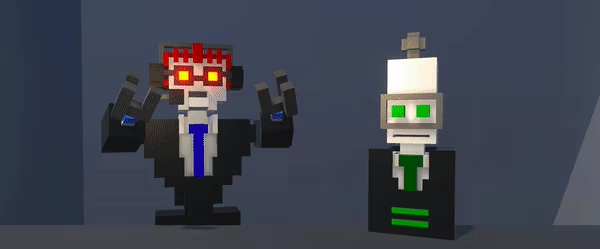
Apologies for the brief agony while we harvested your mind. But now your thought patterns are safely encased in this sleek, shiny robot!
WITH A LASER SWORD.
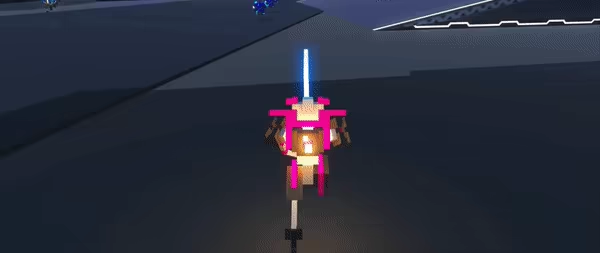
SURVIVE AND PERHAPS YOU WILL EARN UPGRADES.
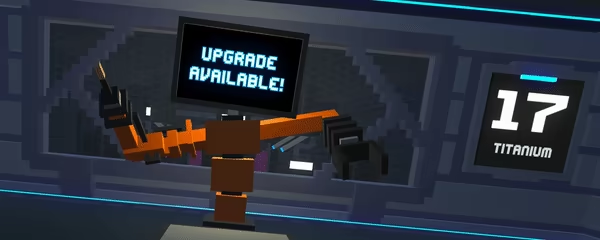
GOOD LUCK IN THE ARENA.
We hope you survive longer than the last contestant...
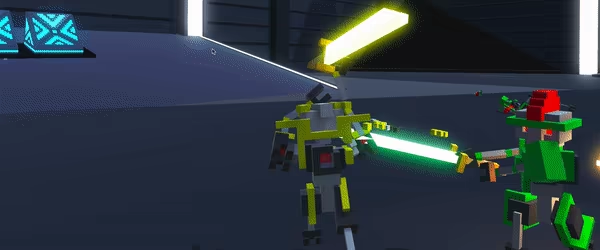
Oh, and the one before that...
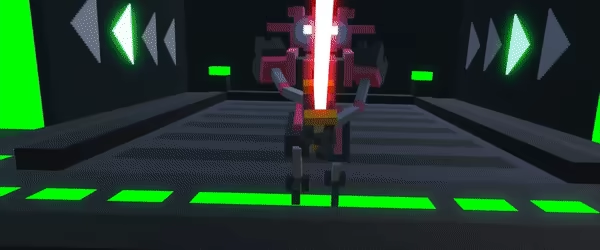
Singleplayer Game Modes
- Story Mode - One part epic tale of human defiance, another part laser swords.
- Endless Mode - Challenge yourself to fight through 86 level variants spread across 7 difficulty tiers. Can you make it to 🏆TITANIUM🏆 ?
- Twitch Mode - TWITCH PLAYS YOU. Your Twitch stream viewers earn coins, bet on your gameplay and spawn enemies to kill you.
- Challenge Mode - Bow-only, hammer-only, can you still survive the arena?
Multiplayer Game Modes
- Last Bot Standing - A Battle-Royale-like game mode with short, 5-10 minute play sessions and up to 15 players. Survive, and shower in the remains of your fellow robot competitors.
- Private Duels - Challenge your friend to a 1v1 duel!
- Online Co-op! - Use the power of human friendship (and laser swords!) to survive in the arena!
Features (in the game right now!)
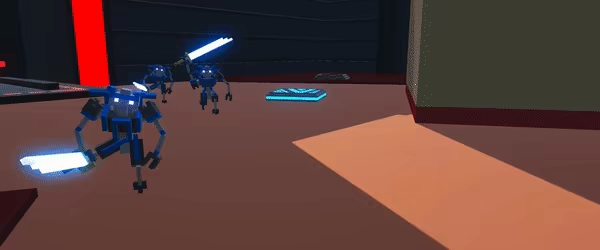
- Epic Voxel Dismemberment: In addition to looking cool, the ability to cut off body parts is central to the gameplay. Jumping on one leg is a common occurrence. Large enemies need to be cut down to size before a fatal blow can be delivered.
- Sharp Sword Combat: Combat is fast and intense, putting great emphasis on movement, timing and positioning. You are never safe, as any blow can instantly kill or dismember.
- Entertaining Commentary: Commentatron and Analysis-Bot provide a play-by-play of your performance and react to your activities.
- Upgrade your robot: jetpack, bow, kicking, deflection, clones, armor, FIRE BREATH 🔥🔥🔥.
- Terrifying robotic enemies that actually get pretty hard! Sword robots, bow robots, Spidertron 5000, Spidertron 6000, gigantic hammer bots. So many things to dismember.
- Level Editor: Make custom levels and challenges and share them with other humans! Explore the rich Workshop library of awesome human-built levels!
- Achievements! Unlock upgrades, emotes and multiplayer skins by achieving a rich variety of things!
- Emotes! Do the Funky Pillar Dance, mock your foes, or flap your arms delightfully!
Dieser Text stammt direkt von der Store-Seite des Spiels und wird automatisch übernommen. Wir schreiben und bearbeiten ihn nicht, er kann also Spoiler enthalten.
Systemanforderungen
- Min
- Windows 7 or newer
- Min
- Modern quad-core (AMD FX-Series or newer, Intel Core i5 or faster)
- Min
- 2 GB RAM
- Min
- AMD Radeon HD 5770 or faster, Nvidia GeForce GT 640 or faster
- Min
- 1 GB available space
Dies sind die vom Entwickler angegebenen Anforderungen, die möglicherweise nicht zu 100 % genau sind. Wenn deine Hardware unter dem Minimum liegt, probiere das Spiel trotzdem aus; viele Spiele laufen auch außerhalb der Spezifikationen gut. Im Zweifel schau dir Performance-Benchmarks auf YouTube an.
Clone Drone in the Danger Zone installieren
Clone Drone in the Danger Zone ist ein vorinstalliertes PC-Spiel, aktuell Build 25044987, 1.3GB. Aktualisiert Nov 2026.
- Lade alle Teile von einem Mirror herunter und speichere sie im selben Ordner.
- Entpacke das erste Archiv mit 7-Zip oder WinRAR. Die übrigen Teile werden automatisch entpackt.
- Öffne den entpackten Ordner und starte die .exe des Spiels. Ein Installer ist nicht nötig.
- Vorinstalliert heißt: Nach dem Entpacken ist das Spiel spielbereit. Nichts einzurichten.
Herunterladen
Lade die Dateien von einem der untenstehenden Mirror herunter. Alle Teile werden benötigt. Speichere sie im selben Ordner und entpacke dann die erste Datei.
Wir nehmen keine Fix-Anfragen an, wenn nur ein Host ausfällt. Nutze bitte einen anderen Mirror oben. Links defekt? Sag uns Bescheid.
Wir schützen Archive nie mit Passwörtern und verstecken keine Installer. Wenn eine Seite nach einem Passwort oder einer Zahlung fragt, ist das die Werbung des Hosters, nicht wir. Siehe unseren Sicherheitsleitfaden.