Fishing: Barents Sea - Free PC Download
Über Fishing: Barents Sea
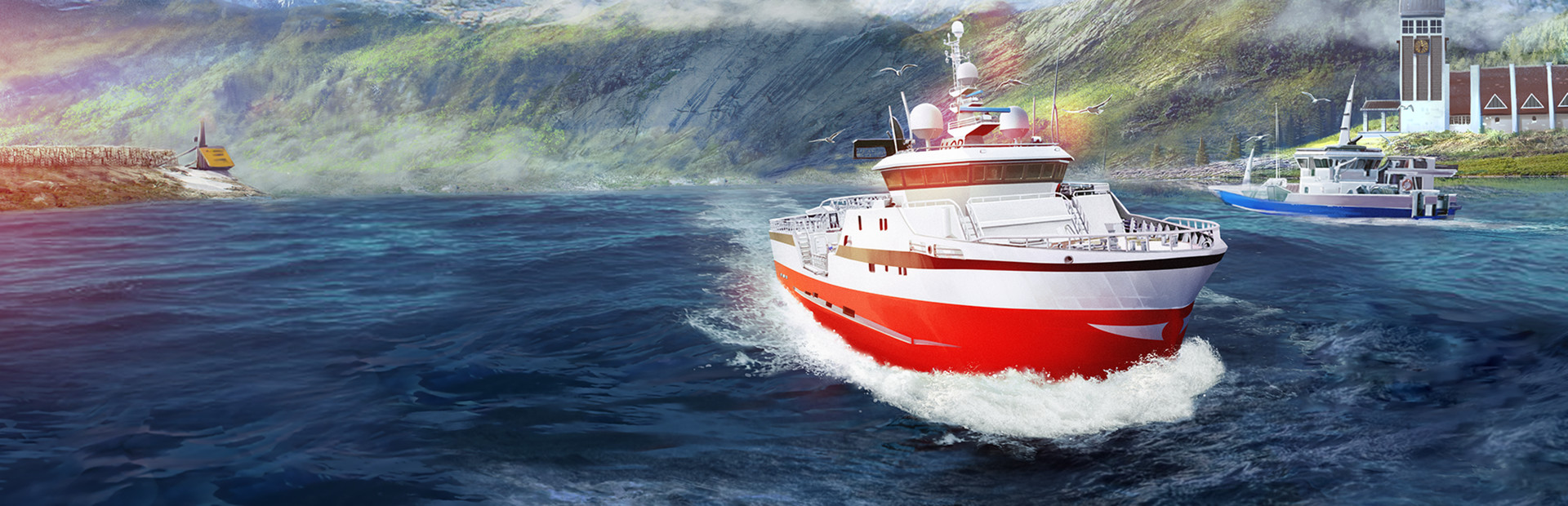
Learn how to catch different kinds of fish with various fishing equipment on several different boats. Every method is easy to learn, but hard to master – time to show what you are made of!
Use officially licensed Scanmar equipment like door sensors and the TrawlEye to have complete control over your trawl. Upgrade it to make sure you get the biggest catch! But be sure to stay under your yearly fishing quotas, every step and every fishing run needs to be planned. 20 years of weather data recreate a realistic environment for the schools of fish in the Barents Sea, which move according to season and water temperature. It's up to you to keep track of everything.
Visit the harbor pub to hire crew members or accept missions. At the port you are also able to repair or upgrade your ships, get a loan from the bank or buy supplies and bait at the shop.
Freely explore an open world environment which recreates the stunning landscapes of northern Norway. Look for the best fishing zones with the help of your sonar, radar and GPS and catch yourself the biggest profit.
Features:
- Unreal™ 4 Engine for a beautiful open world environment
- A huge map based on real landscapes in Norway
- Dynamic day, night and moon cycles
- Seasonal time effects and shifting weather
- Seven playable ships
- Semi-realistic fishing methods - easy to learn, hard to master
- Advanced fish AI that influences your prey’s behavior
- Includes licensed Catch Control Systems by Scanmar and officially licensed Hermes trawler
- Inventory system to store knives, hooks and binoculars
- Beautiful and lively environment with AI ships and fishing boats
Dieser Text stammt direkt von der Store-Seite des Spiels und wird automatisch übernommen. Wir schreiben und bearbeiten ihn nicht, er kann also Spoiler enthalten.
Systemanforderungen
- Min
- Windows Vista/7/8/10 64-bit
- Empf
- Windows 10 64-bit
- Min
- 3 GHz Dual Core
- Empf
- Quad-Core Processor with 3 GHz or better recommended
- Min
- 4 GB RAM
- Empf
- 8 GB RAM
- Min
- DirectX 11 compatible graphics card with 1 GB VRAM (Nvidia Geforce GTX 750 or better or comparable AMD card)
- Empf
- DirectX 11 compatible graphics card with 3 GB+ RAM (Nvidia Geforce GTX 1060 or better or comparable AMD card)
- Min
- Version 11
- Empf
- Version 11
- Min
- 10 GB available space
- Empf
- 10 GB available space
- Min
- Broadband Internet connection
- Empf
- Broadband Internet connection
Dies sind die vom Entwickler angegebenen Anforderungen, die möglicherweise nicht zu 100 % genau sind. Wenn deine Hardware unter dem Minimum liegt, probiere das Spiel trotzdem aus; viele Spiele laufen auch außerhalb der Spezifikationen gut. Im Zweifel schau dir Performance-Benchmarks auf YouTube an.
Fishing: Barents Sea installieren
Fishing: Barents Sea ist ein vorinstalliertes PC-Spiel, aktuell Build 9422920, 5.5GB. Aktualisiert Sep 2026.
- Lade alle Teile von einem Mirror herunter und speichere sie im selben Ordner.
- Entpacke das erste Archiv mit 7-Zip oder WinRAR. Die übrigen Teile werden automatisch entpackt.
- Öffne den entpackten Ordner und starte die .exe des Spiels. Ein Installer ist nicht nötig.
- Vorinstalliert heißt: Nach dem Entpacken ist das Spiel spielbereit. Nichts einzurichten.
Herunterladen
Lade die Dateien von einem der untenstehenden Mirror herunter. Alle Teile werden benötigt. Speichere sie im selben Ordner und entpacke dann die erste Datei.
Pixeldrain drosselt kostenlose Downloads auf wenige MB/s. Die Schaltfläche Schnellen Link kopieren liefert einen Bypass-Link ohne Tempolimit. Füge ihn in deinen Downloadmanager oder in die Adressleiste deines Browsers ein.
Wir nehmen keine Fix-Anfragen an, wenn nur ein Host ausfällt. Nutze bitte einen anderen Mirror oben. Links defekt? Sag uns Bescheid.
Wir schützen Archive nie mit Passwörtern und verstecken keine Installer. Wenn eine Seite nach einem Passwort oder einer Zahlung fragt, ist das die Werbung des Hosters, nicht wir. Siehe unseren Sicherheitsleitfaden.