
Game Shop Panic - Free PC Download
Über Game Shop Panic
Let's Play Videos & Live Streaming OK
Monetization through video uploading and live streaming of this game is permitted.
You are just a store clerk.
No magic, no skills, no cooldowns. The only things that can clean up this messy store are your own two hands.
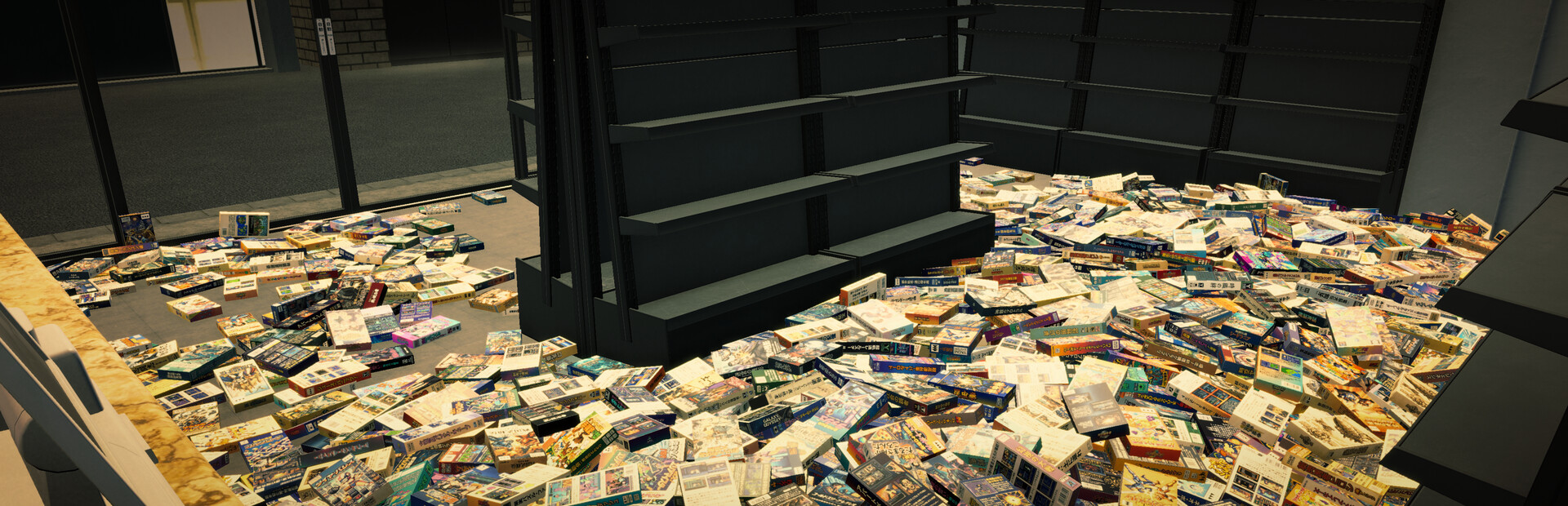
Pick up retro game cartridges spanning three generations—8-bit, 16-bit, and 32-bit—stacked high on the floor, one by one, and place them manually onto the shelves of the correct genre.
No flashy effects, no time pressure. Just a quiet tidying-up game where you can organize at your own pace inside a small store.
As you quietly keep working, you might pick up a few oddly specific, slightly useless skills along the way—think of them as small rewards for a job well done.
● Basic Rules
Put all the game software onto the correct shelves. That’s literally it.
● Save Slots
You can create up to 9 save files for each stage.
● Skills
You can acquire somewhat subtle skills that might not be very useful.
● BGM
You can choose a playlist, but there are only 3 tracks available.
Dieser Text stammt direkt von der Store-Seite des Spiels und wird automatisch übernommen. Wir schreiben und bearbeiten ihn nicht, er kann also Spoiler enthalten.
Systemanforderungen
- Min
- Windows 11 (64-bit versions)
- Empf
- -
- Min
- Intel Core i5-7500 / AMD Ryzen 3 1200
- Empf
- -
- Min
- 4 GB RAM
- Empf
- -
- Min
- Nvidia Geforce GTX 650 or AMD Radeon HD 7750
- Empf
- -
- Min
- Version 11
- Empf
- -
- Min
- 1 GB available space
- Empf
- -
Dies sind die vom Entwickler angegebenen Anforderungen, die möglicherweise nicht zu 100 % genau sind. Wenn deine Hardware unter dem Minimum liegt, probiere das Spiel trotzdem aus; viele Spiele laufen auch außerhalb der Spezifikationen gut. Im Zweifel schau dir Performance-Benchmarks auf YouTube an.
Game Shop Panic installieren
Game Shop Panic ist ein vorinstalliertes PC-Spiel, aktuell Build 24986217, 510.9MB. Aktualisiert Nov 2026.
- Lade alle Teile von einem Mirror herunter und speichere sie im selben Ordner.
- Entpacke das erste Archiv mit 7-Zip oder WinRAR. Die übrigen Teile werden automatisch entpackt.
- Öffne den entpackten Ordner und starte die .exe des Spiels. Ein Installer ist nicht nötig.
- Vorinstalliert heißt: Nach dem Entpacken ist das Spiel spielbereit. Nichts einzurichten.
Herunterladen
Lade die Dateien von einem der untenstehenden Mirror herunter. Alle Teile werden benötigt. Speichere sie im selben Ordner und entpacke dann die erste Datei.
Wir nehmen keine Fix-Anfragen an, wenn nur ein Host ausfällt. Nutze bitte einen anderen Mirror oben. Links defekt? Sag uns Bescheid.
Wir schützen Archive nie mit Passwörtern und verstecken keine Installer. Wenn eine Seite nach einem Passwort oder einer Zahlung fragt, ist das die Werbung des Hosters, nicht wir. Siehe unseren Sicherheitsleitfaden.