gogh: Focus with Your Avatar - Free PC Download
Über gogh: Focus with Your Avatar
MAKE STUDY AND WORK MORE ENJOYABLE
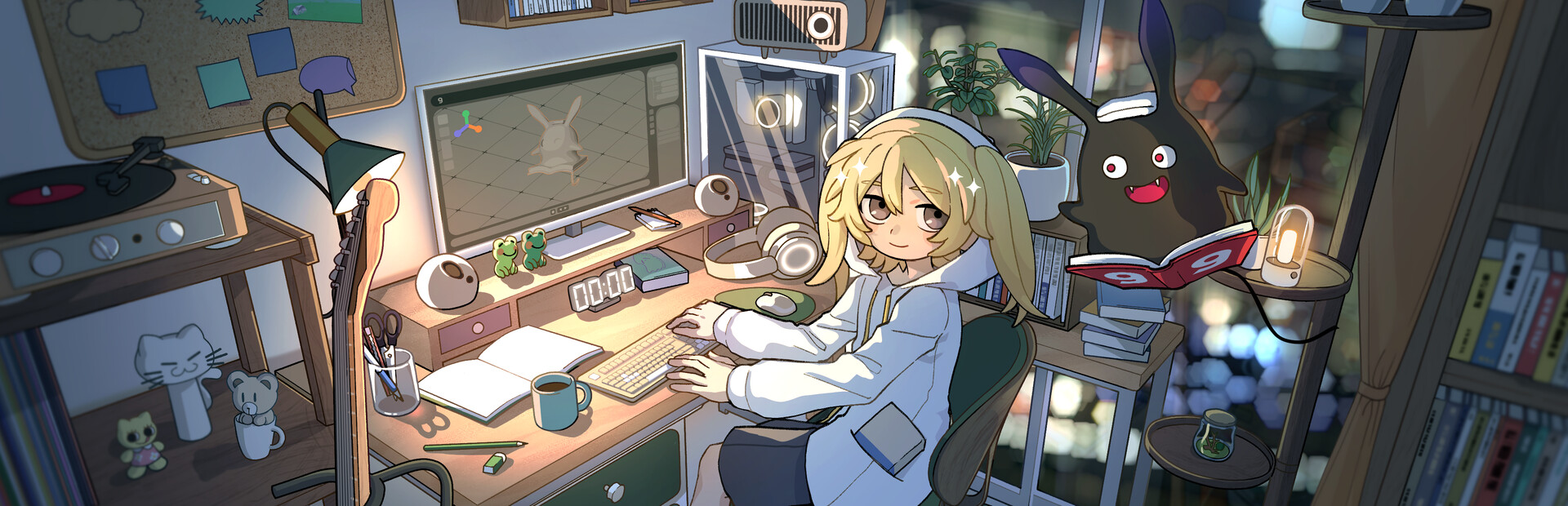
Spend your time at the desk alongside your own characters, friends, players from around the world. Focus together, stay motivated, or just enjoy some quiet company.
FOCUS TOGETHER! MULITPLAYER ROOMS FOR UP TO 16 PLAYERS
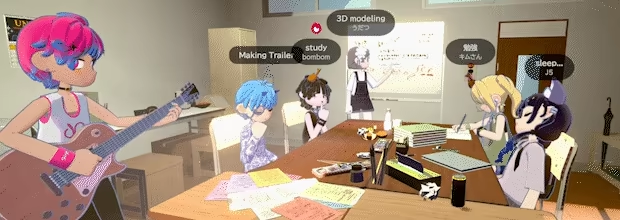
Make avatars hang out together, share what you're working on, greet each other with emotes, and enjoy peaceful focus sessions together.
CREATE YOUR FAVOURITE CHARACTERS
Create characters with different hairstyles, outfits, and colors, then place multiple avatars throughout your room.
Take photos, switch poses and expressions, and let your avatars change animations between focus and break sessions.

BUILD SPACES FROM YOUR IMAGINATION
Build cozy workspaces, art studios, rainy-day libraries, ruins, rooms for your favourite bands ...
Freely place furniture and decorations, customize colors, and add your own images and GIFs to create spaces that are uniquely yours.

PRODUCTIVITY TOOLS, LOFI MUSIC
Practical tools to support your daily work and study sessions, including:
Pomodoro Timer
Countdown and Count-up Timers
To-Do Lists
Daily Habits
Journal
Focus Statistics
Set the mood with lo-fi music, ambient sounds, weather effects, and different times of day.
AVATAR AS DESKTOP COMPANION
Mini Window Mode that make avatar stays in the corner of your desktop and work with you.
DISCOVER AND VISIT NEW SPACES
Publish your own spaces, visit rooms created by other players, or share and download creations through the Workshop. With countless spaces created by the community, every day can feel like working somewhere new.
Watch Party
Watch YouTube together with friends using Watch Party.
Face Tracking
Use face tracking in solo mode to bring your avatar to life. Stream, record videos, or create content using your gogh avatar.
More Features
Photo Mode with support for transparent backgrounds and green screen videos.
Create your own playlists using local music files.
Stream virtual camera footage onto supported room items (single-player only).
Meet Kuroda 42, a mysterious little companion that evolves as you focus.
Native support for Apple Silicon Macs.
Dieser Text stammt direkt von der Store-Seite des Spiels und wird automatisch übernommen. Wir schreiben und bearbeiten ihn nicht, er kann also Spoiler enthalten.
Systemanforderungen
- Min
- Windows 10 / 11
- Empf
- Windows 10 / 11
- Min
- Intel Core i5-1235U
- Empf
- Intel Core i7-6700 / AMD Ryzen 5 2600
- Min
- 8 GB RAM
- Empf
- 16 GB RAM
- Min
- Intel Iris Xe Graphics
- Empf
- NVIDIA GTX 1060 / Radeon RX580
- Min
- Version 11
- Empf
- Version 11
- Min
- 3 GB available space
- Empf
- 3 GB available space
Dies sind die vom Entwickler angegebenen Anforderungen, die möglicherweise nicht zu 100 % genau sind. Wenn deine Hardware unter dem Minimum liegt, probiere das Spiel trotzdem aus; viele Spiele laufen auch außerhalb der Spezifikationen gut. Im Zweifel schau dir Performance-Benchmarks auf YouTube an.
gogh: Focus with Your Avatar installieren
gogh: Focus with Your Avatar ist ein vorinstalliertes PC-Spiel, aktuell Build 25646368, 1.4GB. Aktualisiert Oct 2026.
- Lade alle Teile von einem Mirror herunter und speichere sie im selben Ordner.
- Entpacke das erste Archiv mit 7-Zip oder WinRAR. Die übrigen Teile werden automatisch entpackt.
- Öffne den entpackten Ordner und starte die .exe des Spiels. Ein Installer ist nicht nötig.
- Vorinstalliert heißt: Nach dem Entpacken ist das Spiel spielbereit. Nichts einzurichten.
Herunterladen
Lade die Dateien von einem der untenstehenden Mirror herunter. Alle Teile werden benötigt. Speichere sie im selben Ordner und entpacke dann die erste Datei.
Wir nehmen keine Fix-Anfragen an, wenn nur ein Host ausfällt. Nutze bitte einen anderen Mirror oben. Links defekt? Sag uns Bescheid.
Wir schützen Archive nie mit Passwörtern und verstecken keine Installer. Wenn eine Seite nach einem Passwort oder einer Zahlung fragt, ist das die Werbung des Hosters, nicht wir. Siehe unseren Sicherheitsleitfaden.