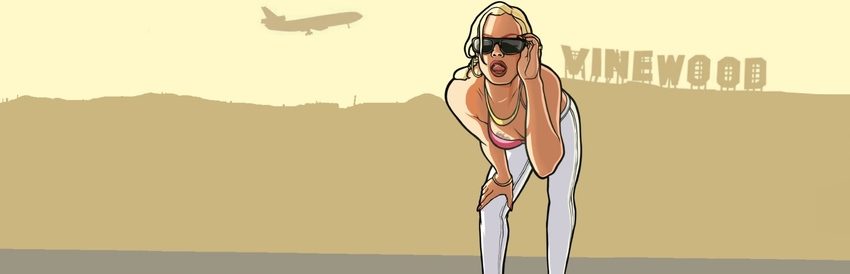

Grand Theft Auto: San Andreas - Free PC Download
Über Grand Theft Auto: San Andreas
Now, it's the early 90s. Carl's got to go home. His mother has been murdered, his family has fallen apart and his childhood friends are all heading towards disaster.
On his return to the neighborhood, a couple of corrupt cops frame him for homicide. CJ is forced on a journey that takes him across the entire state of San Andreas, to save his family and to take control of the streets.
Dieser Text stammt direkt von der Store-Seite des Spiels und wird automatisch übernommen. Wir schreiben und bearbeiten ihn nicht, er kann also Spoiler enthalten.
Systemanforderungen
- Min
- Microsoft® Windows® 2000/XP
- Empf
- -
- Min
- 1Ghz Pentium III or AMD Athlon Processor
- Empf
- Intel Pentium 4 or AMD Athlon XP Processor
- Min
- 256MB of RAM
- Empf
- 384MB of RAM (the more the better!)
- Min
- 64MB Video Card (Geforce 3 or better)
- Empf
- 128MB (or greater) Video Card (Geforce 6 Series Recommended)
- Min
- 3.6GB of free hard disk space (minimal install)
- Empf
- 4.7GB of free hard disk space (full install)
- Min
- -
- Empf
- DirectX 9 compatible Sound Card (Sound Blaster Auidgy 2 Recommended)
Dies sind die vom Entwickler angegebenen Anforderungen, die möglicherweise nicht zu 100 % genau sind. Wenn deine Hardware unter dem Minimum liegt, probiere das Spiel trotzdem aus; viele Spiele laufen auch außerhalb der Spezifikationen gut. Im Zweifel schau dir Performance-Benchmarks auf YouTube an.
Grand Theft Auto: San Andreas installieren
Grand Theft Auto: San Andreas ist ein vorinstalliertes PC-Spiel, aktuell (9.12.2014 | Build 459558), 0B. Aktualisiert Sep 2026.
- Lade alle Teile von einem Mirror herunter und speichere sie im selben Ordner.
- Entpacke das erste Archiv mit 7-Zip oder WinRAR. Die übrigen Teile werden automatisch entpackt.
- Öffne den entpackten Ordner und starte die .exe des Spiels. Ein Installer ist nicht nötig.
- Vorinstalliert heißt: Nach dem Entpacken ist das Spiel spielbereit. Nichts einzurichten.
Herunterladen
Lade die Dateien von einem der untenstehenden Mirror herunter. Alle Teile werden benötigt. Speichere sie im selben Ordner und entpacke dann die erste Datei.
Wir nehmen keine Fix-Anfragen an, wenn nur ein Host ausfällt. Nutze bitte einen anderen Mirror oben. Links defekt? Sag uns Bescheid.
Wir schützen Archive nie mit Passwörtern und verstecken keine Installer. Wenn eine Seite nach einem Passwort oder einer Zahlung fragt, ist das die Werbung des Hosters, nicht wir. Siehe unseren Sicherheitsleitfaden.
Kommentare16
Das könnte dir auch gefallen

Grand Theft Auto III
Action, Simulation, Racing
Grand Theft Auto: Vice City
Action, Simulation, Sandbox

Grand Theft Auto: Vice City - The Definitive Edition
Action, Shooter, Adventure
Mafia II (Classic)
Action, Shooter, Simulation
Grand Theft Auto V Legacy
Action, Simulation, Shooter
Red Dead Redemption 2
Adventure, Action, Shooter