
Hood Warfare 2 - Free PC Download
Über Hood Warfare 2
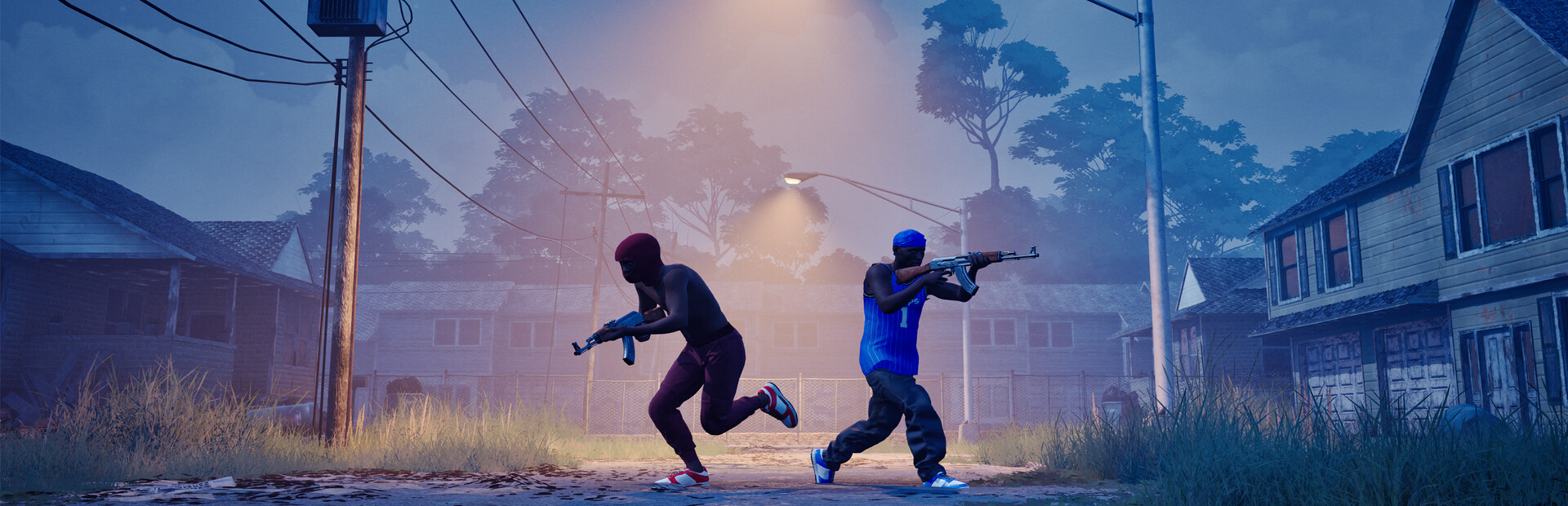
Rival gangs fight for control of Chicago. Pick a side, customize your weapons, and fight other players across a variety of action-packed game modes. Spin the block and take over the streets in this chaotic multiplayer FPS.
Hood Warfare 2 brings back the chaotic FPS gameplay and humor of the original, now built in Unreal Engine 5 with updated visuals, new weapon animations, and a new set of maps. Fight through downtown, the suburbs, The Trenches, and Chicago Mall. Hold down the streets or take the fight indoors, with different routes and positions to learn on each map.
Weapon customization gets an upgrade, too. Change out sights, magazines, grips, suppressors, and other attachments to get your gun how you want it. Set up your loadout with perks and equipment before heading into a match.
Hood Warfare 2 features six game modes:
Turf War: Gangs fight for control of turf around the map. Earn points for the territory your gang holds, and push the other team off theirs.
GangBang: A classic team shootout. Two gangs go head-to-head, and the gang with the most kills wins.
Chaos: Every man for himself. There is no loyalty to a gang in this mode. Get the most kills to come out on top.
Hit A Lick: Take the bag from the enemy’s hood and bring it back to yours. Keep an eye on your own bag while your crew goes after theirs.
Destroy The Block: One gang has the bomb. The other has to stop them. Plant or defuse to win, with only one life per round.
Chain Snatch: Getting the kill is only half the job. Snatch the chains enemies drop to earn points, and collect your teammates’ chains before the other gang gets them.
Build your reputation by playing matches and leveling up to unlock more weapons and equipment. Attachments are earned through weapon challenges, while kills with each gun unlock new skins to flex on the opposing gang.
Play online with friends and other players, or set up a match against bots. Choose your map, mode, and match settings, and add bots to fill out the teams.
Disclaimer
Hood Warfare nor Trapstargames promotes nor condones any form of real life gang violence. This game does not attempt to portray any real life events and is merely a work of fiction for entertainment purposes. The issues of gang violence are a complex issue that Hood Warfare does not attempt to replicate or promote. Like all video games, this is a piece of media for entertainment.
Dieser Text stammt direkt von der Store-Seite des Spiels und wird automatisch übernommen. Wir schreiben und bearbeiten ihn nicht, er kann also Spoiler enthalten.
Systemanforderungen
- Min
- Windows 10 64-bit (version 1909 or newer)
- Empf
- Windows 11 64-bit
- Min
- Intel Core i5-9600K or AMD Ryzen 5 3600 (6 cores)
- Empf
- Intel Core i5-12600K or AMD Ryzen 5 7600
- Min
- 8 GB RAM
- Empf
- 16 GB RAM
- Min
- NVIDIA GeForce GTX 1660, AMD Radeon RX 5600 XT 6 GB
- Empf
- NVIDIA GeForce RTX 3060 Ti, RTX 4060 8 GB
- Min
- Version 12
- Empf
- Version 12
- Min
- 25 GB available space
- Empf
- 30 GB available space
- Min
- DirectX compatible
- Empf
- DirectX compatible
- Min
- Broadband Internet connection
- Empf
- Broadband Internet connection
Dies sind die vom Entwickler angegebenen Anforderungen, die möglicherweise nicht zu 100 % genau sind. Wenn deine Hardware unter dem Minimum liegt, probiere das Spiel trotzdem aus; viele Spiele laufen auch außerhalb der Spezifikationen gut. Im Zweifel schau dir Performance-Benchmarks auf YouTube an.
Hood Warfare 2 installieren
Hood Warfare 2 ist ein vorinstalliertes PC-Spiel, aktuell Build 25888787, 12.9GB. Aktualisiert Oct 2026.
- Lade alle Teile von einem Mirror herunter und speichere sie im selben Ordner.
- Entpacke das erste Archiv mit 7-Zip oder WinRAR. Die übrigen Teile werden automatisch entpackt.
- Öffne den entpackten Ordner und starte die .exe des Spiels. Ein Installer ist nicht nötig.
- Vorinstalliert heißt: Nach dem Entpacken ist das Spiel spielbereit. Nichts einzurichten.
Herunterladen
Lade die Dateien von einem der untenstehenden Mirror herunter. Alle Teile werden benötigt. Speichere sie im selben Ordner und entpacke dann die erste Datei.
Wir nehmen keine Fix-Anfragen an, wenn nur ein Host ausfällt. Nutze bitte einen anderen Mirror oben. Links defekt? Sag uns Bescheid.
Wir schützen Archive nie mit Passwörtern und verstecken keine Installer. Wenn eine Seite nach einem Passwort oder einer Zahlung fragt, ist das die Werbung des Hosters, nicht wir. Siehe unseren Sicherheitsleitfaden.