Ken ga Kimi - Free PC Download
Über Ken ga Kimi
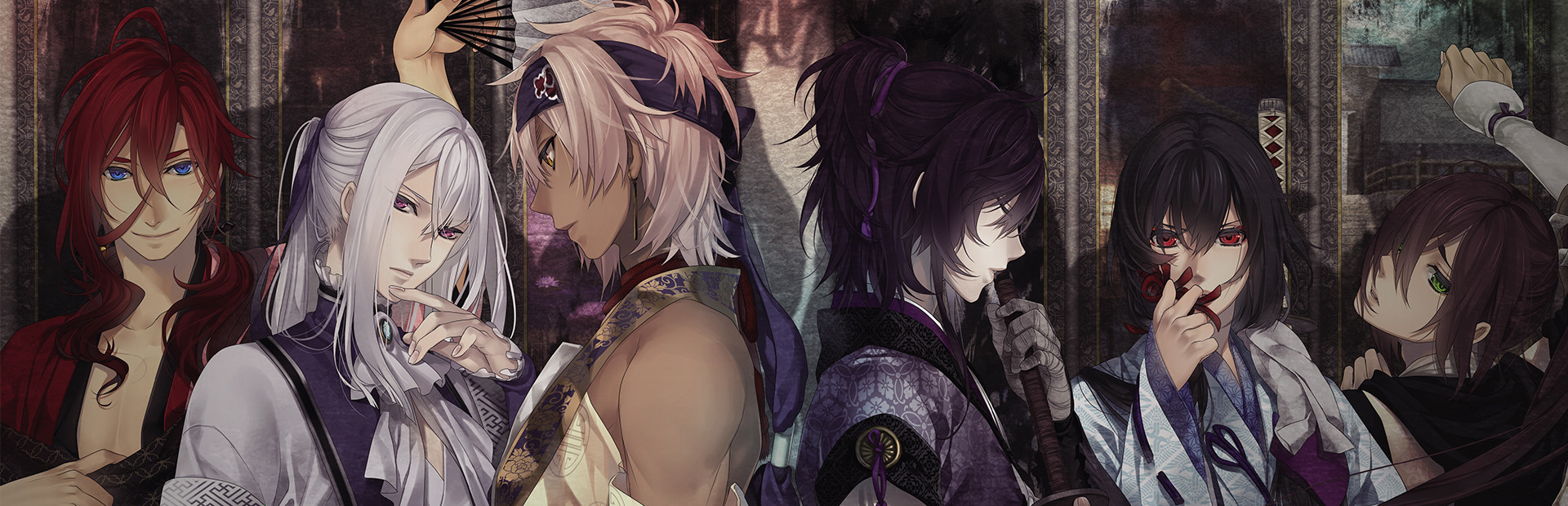
Ken ga Kimi has been critically acclaimed since it was first released in 2013, and now you can experience both the original story and new contents in simplified Chinese, traditional Chinese and Japanese!
How to play Ken ga Kimi
- How to advance the story
The story consists of two parts which are prequel "False Bridal Procession in Tōkaidō" and sequel "Sword Retrieving Imperial Match".
The sequel tells the story about the heroine and the character she fell in love with, which will be separated into "Ken(sword)" and "Kimi(you)" based on your choice.
Ken— He chose the road of samurai which is along with death and separation.
Kimi— He has changed because of your influence, the rest of your life is a life with happiness.
In sequel, "Magatama Selection" will take the role of trigger to advance the story instead of the normal selection in prequel.
Magatama Selection includes four attributes that called "shikon(four souls)": courage, wisdom, love, and friendship.
Shikon's state changes depending on player's selection. That is, your selection will increase the value of a particular shikon, and eventually these different states will divide the ending into "Ken" and "Kimi". In general, every main character has 4 different endings according to player's selection.
In addition, "Epilog" with a new scenario will be unlocked after the story advanced to an ending. Each ending has one epilog.
- Additional Content
This game is ported based on Ken ga Kimi for V, compared with the original pc version the following contents are added:
New date scene
Epilog of each ending
New CGs of original story
New opening & ending songs
Omikuji fortune system with character voices
Main character voices including "jealousness" and "proud of my wife"
Sub-character voices including "good night" and "tell your love"
Controls
- About ADV
Confirm/Next: Left Click/D(Keyboard)/A(Xbox Controller)
Dictionary: Left Click/Z(Keyboard)/X(Xbox Controller)
Menu: Left Click/S(Keyboard)/Y(Xbox Controller)
AUTO: Q(Keyboard)/W(Keyboard)/LB/RB Once
SKIP: Q(Keyboard)/W(Keyboard)/LB/RB Twice
Quickload: 1/View
Quicksave: 2/Menu
Select: Arrow Keys(Keyboard)/Arrow Keys(Xbox Controller)/Left Stick
History: Arrow Keys←↑→(Keyboard&Xbox Controller)
Display Window: Left Click/Right Click/X(Keyboard)/B(Xbox Controller)
Cancel AUTO/SKIP: Left Click/Right Click/Q(Keyboard)/W(Keyboard)/LB/RB
- Others
Confirm: Left Click/D(Keyboard)/A(Xbox Controller)
Back: Right Click/X(Keyboard)/B(Xbox Controller)
Page: Q(Keyboard)/W(Keyboard)/LB/RB
Delete(Enter Name): Z(Keyboard)/X(Xbox Controller)
Initialize(Enter Name&Setting): S(Keyboard)/Y(Xbox Controller)
Touch CG(Gallery): Z(Keyboard)/X(Xbox Controller)
Hide Manual(Gallery): S(Keyboard)/Y(Xbox Controller)
Play BGM: D(Keyboard)/A(Xbox Controller)
Pause BGM: Z(Keyboard)/X(Xbox Controller)
Synopsis
The story happened in 1633.
At that time, only those who competed in "Sword Retrieving"
and gained the "Tenka-Goken(Five Swords under Heaven)" which have the power of apparition extermination
can be honored as Bushido(a true samurai).
Sword Retrieving Imperial Match was held across the country,
which produced a host of heroes with extraordinary capabilities.
There was also the "Sword Retrieving Imperial Match" held by Bakufu.
Participating in this match and winning the championship,
the samurai could obtain an official promotion and a title and everything he wished for.
Above all, the "Tenka-Goken"—
Onimaru Kunitsuna
Dōjigiri
Ōtenta
Mikazuki Munechika
Juzumaru
It wa
Dieser Text stammt direkt von der Store-Seite des Spiels und wird automatisch übernommen. Wir schreiben und bearbeiten ihn nicht, er kann also Spoiler enthalten.
Systemanforderungen
- Min
- Windows7 64bit
- Empf
- Windows10 64bit
- Min
- Intel Core2DUO 2GHz
- Empf
- Intel Core2DUO 2GHz
- Min
- 1 GB RAM
- Empf
- 4 GB RAM
- Min
- DirectX9.0 Compatible Graphics Card with 128MB VRAM
- Empf
- DirectX9.0 Compatible Graphics Card with 128MB VRAM
- Min
- Version 9.0
- Empf
- Version 11
- Min
- 26 GB available space
- Empf
- 35 GB available space
- Min
- DirectX9.0 Compatible Sound Card/PCM Sound Card
- Empf
- DirectX9.0 Compatible Sound Card/PCM Sound Card
Dies sind die vom Entwickler angegebenen Anforderungen, die möglicherweise nicht zu 100 % genau sind. Wenn deine Hardware unter dem Minimum liegt, probiere das Spiel trotzdem aus; viele Spiele laufen auch außerhalb der Spezifikationen gut. Im Zweifel schau dir Performance-Benchmarks auf YouTube an.
Ken ga Kimi installieren
Ken ga Kimi ist ein vorinstalliertes PC-Spiel, aktuell Build 8415370, 11 GB. Aktualisiert Jul 2026.
- Lade alle Teile von einem Mirror herunter und speichere sie im selben Ordner.
- Entpacke das erste Archiv mit 7-Zip oder WinRAR. Die übrigen Teile werden automatisch entpackt.
- Öffne den entpackten Ordner und starte die .exe des Spiels. Ein Installer ist nicht nötig.
- Vorinstalliert heißt: Nach dem Entpacken ist das Spiel spielbereit. Nichts einzurichten.
Herunterladen
Lade die Dateien von einem der untenstehenden Mirror herunter. Alle Teile werden benötigt. Speichere sie im selben Ordner und entpacke dann die erste Datei.
Pixeldrain drosselt kostenlose Downloads auf wenige MB/s. Die Schaltfläche Schnellen Link kopieren liefert einen Bypass-Link ohne Tempolimit. Füge ihn in deinen Downloadmanager oder in die Adressleiste deines Browsers ein.
Wir nehmen keine Fix-Anfragen an, wenn nur ein Host ausfällt. Nutze bitte einen anderen Mirror oben. Links defekt? Sag uns Bescheid.
Wir schützen Archive nie mit Passwörtern und verstecken keine Installer. Wenn eine Seite nach einem Passwort oder einer Zahlung fragt, ist das die Werbung des Hosters, nicht wir. Siehe unseren Sicherheitsleitfaden.
Kommentare
Das könnte dir auch gefallen

Homicipher
Horror, Visual Novel, Interactive Fiction

Beauties and the Stranded
Dating Sim, FMV, Interactive Fiction

DRAMAtical Murder
Visual Novel
YOU and ME and HER: A Love Story
Visual Novel, Horror, Adventure

Class of '09
Casual, Visual Novel, RPG

Danganronpa 2: Goodbye Despair
Mystery, Visual Novel, Horror