
Ken ga Kimi: Momoyo Tsuzuri - Free PC Download
Über Ken ga Kimi: Momoyo Tsuzuri
KEN ga KIMI is Japanese legend ADV and is highly recommended since released at Japan.
KEN ga KIMI Momoyo Tsudzuri is the FD of the original game and it has 100 stories included.
◆100 Stories Added Up!
Player can enjoy stories couldn't be told in KEN ga KIMI.
There are also many new event graphic for the stories.
◆Famous Voice Actor and Unique Charactors!
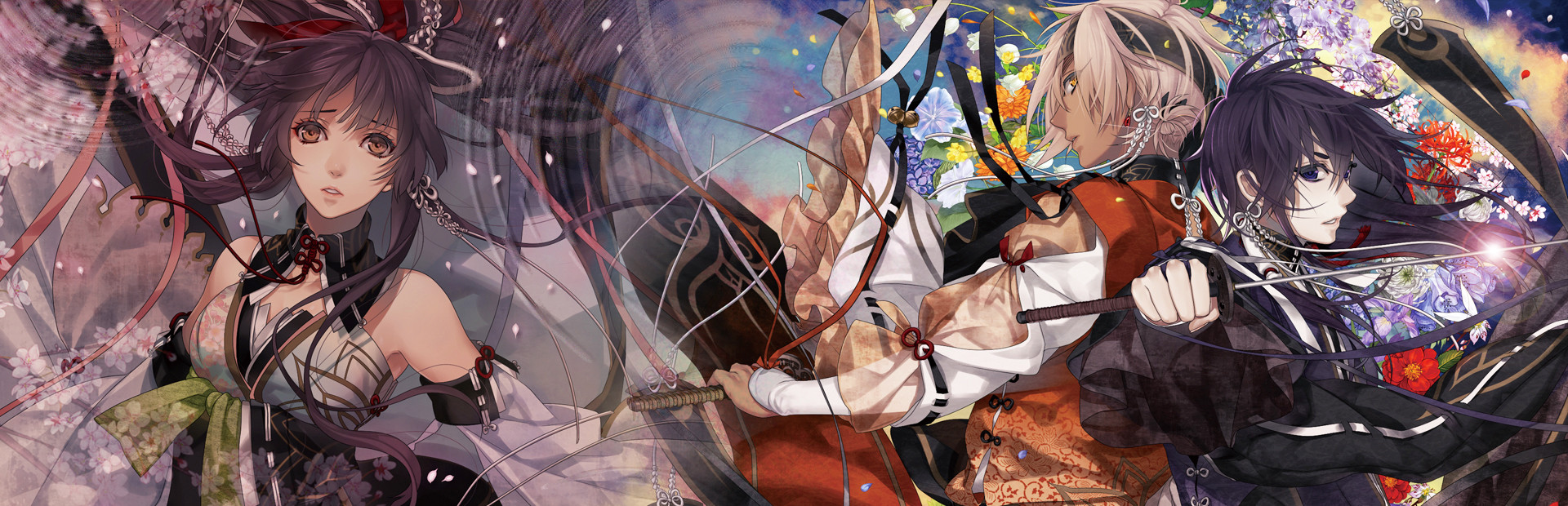
Tsuzuramara Voiced by Ono Yuuki
Kei Voiced by KENN
Kuroba Saneaki Voiced by Maeno Tomoaki
Enishi Voiced by Okiayu Ryoutarou
Sagihara Sakyou Voiced by Hoshi Souichirou
Suzukake Voiced by Oosaka Ryouta
How to play KEN ga KIMI Momoyo Tsudzuri
1.How to advance the story
Choose a BOOK from STACK.
One book include several stories.
When you select a story, the plot will begin.
Stories will be unlocked while reading and you can start with the one you like.
◆About 100 Stories
-Sweet love stories;
-Untold stories about Sword;
-The past of Samurais;
-Interesting stories about the way back;
-Funny stories happened in Edo;
-Stories between Samurais;
-Stories of sub charactors.
2.Collecting Magatama
You should read the story and collecting the Magatama.
◆Ways to gain the Magatama
-Read stories;
-Narrative choices;
-Today's Restaurant and Tea House
◆About Today's Restaurant and Tea House
Charactors and sub charactors will visit the restaurant once a day
when starting the game and you can get Magatama as well.
Magatama can be exchanged for bonus.
◆Charactor's Details
Bonus voices from charactors which including 6 main charactors and 24 sub charactors!
◆Special Graphics
Special Graphics of the original game are available.
3.Chosing charactor
There are special choices in some stories.
Story will be continued from the viewpoint of which you choosed.
◆Collecting Bookmark
Player will gain a bookmark when chosing a charactor.
If you collect enough bookmarks, bonuses will be offered.
Controls
- About ADV
Confirm/Next: Left Click/D(Keyboard)/A(Xbox Controller)
Dictionary: Left Click/Z(Keyboard)/X(Xbox Controller)
Menu: Left Click/S(Keyboard)/Y(Xbox Controller)
AUTO: Q(Keyboard)/W(Keyboard)/LB/RB Once
SKIP: Q(Keyboard)/W(Keyboard)/LB/RB Twice
Quickload: 1/View
Quicksave: 2/Menu
Select: Arrow Keys(Keyboard)/Arrow Keys(Xbox Controller)/Left Stick
History: Arrow Keys←↑→(Keyboard&Xbox Controller)
Display Window: Left Click/Right Click/X(Keyboard)/B(Xbox Controller)
Cancel AUTO/SKIP: Left Click/Right Click/Q(Keyboard)/W(Keyboard)/LB/RB
- Others
Confirm: Left Click/D(Keyboard)/A(Xbox Controller)
Back: Right Click/X(Keyboard)/B(Xbox Controller)
Page: Q(Keyboard)/W(Keyboard)/LB/RB
Delete(Enter Name): Z(Keyboard)/X(Xbox Controller)
Initialize(Enter Name&Setting): S(Keyboard)/Y(Xbox Controller)
Touch CG(Gallery): Z(Keyboard)/X(Xbox Controller)
Hide Manual(Gallery): S(Keyboard)/Y(Xbox Controller)
Play BGM: D(Keyboard)/A(Xbox Controller)
Pause BGM: Z(Keyboard)/X(Xbox Controller)
About the story
It all started in 1633, when Tokugawa Tadanaga committed suicide.
Heroine lives in Edo with her father and works in their little restaurant and tea house.
One day her life changes because she has to play the role of the Shogun's sister, Lady Hisahime.
She is protected by six highly-skilled bodyguards and then fall in love with then during the procession. But there is another thinking behind the bridal procession, which is to deliver the one of the Tenka-Goken—Juzumaru.
When they returned Edo, fate also bring they together and at which stories begin. And there are also untold stories about the past which waiting for you.
Dieser Text stammt direkt von der Store-Seite des Spiels und wird automatisch übernommen. Wir schreiben und bearbeiten ihn nicht, er kann also Spoiler enthalten.
Systemanforderungen
- Min
- Windows7 32bit
- Empf
- Windows10 64bit
- Min
- Intel Core2DUO 2GHz
- Empf
- Intel Core2DUO 2GHz
- Min
- 1 GB RAM
- Empf
- 4 GB RAM
- Min
- DirectX9.0 Compatible Graphics Card with 128MB VRAM
- Empf
- DirectX9.0 Compatible Graphics Card with 128MB VRAM
- Min
- Version 9.0
- Empf
- Version 11
- Min
- 26 GB available space
- Empf
- 35 GB available space
- Min
- DirectX9.0 Compatible Sound Card/PCM Sound Card
- Empf
- DirectX9.0 Compatible Sound Card/PCM Sound Card
Dies sind die vom Entwickler angegebenen Anforderungen, die möglicherweise nicht zu 100 % genau sind. Wenn deine Hardware unter dem Minimum liegt, probiere das Spiel trotzdem aus; viele Spiele laufen auch außerhalb der Spezifikationen gut. Im Zweifel schau dir Performance-Benchmarks auf YouTube an.
Ken ga Kimi: Momoyo Tsuzuri installieren
Ken ga Kimi: Momoyo Tsuzuri ist ein vorinstalliertes PC-Spiel, aktuell Build 7821297, 10.5 GB. Aktualisiert Jul 2026.
- Lade alle Teile von einem Mirror herunter und speichere sie im selben Ordner.
- Entpacke das erste Archiv mit 7-Zip oder WinRAR. Die übrigen Teile werden automatisch entpackt.
- Öffne den entpackten Ordner und starte die .exe des Spiels. Ein Installer ist nicht nötig.
- Vorinstalliert heißt: Nach dem Entpacken ist das Spiel spielbereit. Nichts einzurichten.
Herunterladen
Lade die Dateien von einem der untenstehenden Mirror herunter. Alle Teile werden benötigt. Speichere sie im selben Ordner und entpacke dann die erste Datei.
Pixeldrain drosselt kostenlose Downloads auf wenige MB/s. Die Schaltfläche Schnellen Link kopieren liefert einen Bypass-Link ohne Tempolimit. Füge ihn in deinen Downloadmanager oder in die Adressleiste deines Browsers ein.
Wir nehmen keine Fix-Anfragen an, wenn nur ein Host ausfällt. Nutze bitte einen anderen Mirror oben. Links defekt? Sag uns Bescheid.
Wir schützen Archive nie mit Passwörtern und verstecken keine Installer. Wenn eine Seite nach einem Passwort oder einer Zahlung fragt, ist das die Werbung des Hosters, nicht wir. Siehe unseren Sicherheitsleitfaden.