
MEGATON MUSASHI W: WIRED - Free PC Download
Über MEGATON MUSASHI W: WIRED
to take back the Earth from alien invaders in this mecha
action RPG. Defeat enemies with flashy and exhilarating attacks!
■ Engage in exciting robot battles while being immersed in a thrilling story!
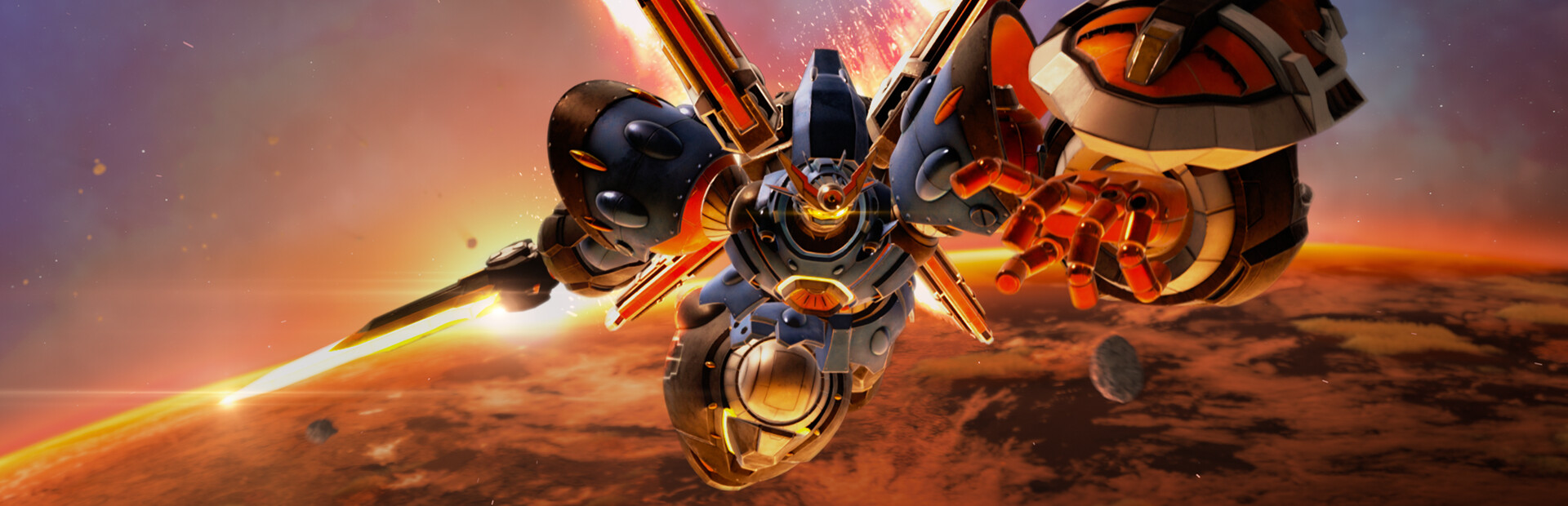
As Earth faces invasion by an alien force, a number of young people are chosen to pilot giant robots called Rogues to take back their home in this enthralling mecha action RPG.
Customize your Rogue to make it your own, master flashy attacks in the midst of battle, and enjoy an intricate tale full of rich characters.
■ Hack and slash through missions to obtain legendary items!
Eliminate your enemies with invigorating attacks to clear missions! Win battles and obtain parts to upgrade your Rogue! Collect rare items including custom parts, weapons, and power-up materials! Find legendary items to assemble the ultimate mecha!
■ Fight alongside your friends to defeat powerful enemies, or take them on in head-to-head battles!
Up to three players can either play cooperatively or participate in fiery versus battles against other teams of up to three online!
■ Collab mechs join the action!
The classic super robots, Mazinger Z, Getter Robo, Combattler V, and Voltes V join Megaton Musashi in an epic collaboration! Both the mecha and their weapons are ready for battle! Collect all of the parts to assemble your own personalized battle machine!
*Check the official website for more details.
Dieser Text stammt direkt von der Store-Seite des Spiels und wird automatisch übernommen. Wir schreiben und bearbeiten ihn nicht, er kann also Spoiler enthalten.
Systemanforderungen
- Min
- Windows 10 64bit
- Empf
- Windows 10 64bit Windows 11 64bit
- Min
- Intel Core i3-3225 / AMD A10-7850K
- Empf
- Intel Core i7-4770K / AMD Ryzen 5 1600
- Min
- 8 GB RAM
- Empf
- 8 GB RAM
- Min
- GeForce GTX 650Ti / Radeon R7 370
- Empf
- NVIDIA GeForce GTX 1060 / Radeon RX570
- Min
- Version 11
- Empf
- Version 11
- Min
- 45 GB available space
- Empf
- 45 GB available space
- Min
- DirectX 11 sound device
- Empf
- DirectX 11 sound device
- Min
- Broadband Internet connection
- Empf
- Broadband Internet connection
- Min
- Assuming that the game is running on 1920x1080 standard @ 30fps environment / 画面解像度1920x1080 30fps グラフィック品質標準で動作想定
- Empf
- Assuming that the game is running on 1920x1080 high @ 60fps environment / 画面解像度1920x1080 60fps グラフィック品質高水準で動作想定
Dies sind die vom Entwickler angegebenen Anforderungen, die möglicherweise nicht zu 100 % genau sind. Wenn deine Hardware unter dem Minimum liegt, probiere das Spiel trotzdem aus; viele Spiele laufen auch außerhalb der Spezifikationen gut. Im Zweifel schau dir Performance-Benchmarks auf YouTube an.
MEGATON MUSASHI W: WIRED installieren
MEGATON MUSASHI W: WIRED ist ein vorinstalliertes PC-Spiel, aktuell Build 16808447, 43.3 GB. Aktualisiert Aug 2026.
- Lade alle Teile von einem Mirror herunter und speichere sie im selben Ordner.
- Entpacke das erste Archiv mit 7-Zip oder WinRAR. Die übrigen Teile werden automatisch entpackt.
- Öffne den entpackten Ordner und starte die .exe des Spiels. Ein Installer ist nicht nötig.
- Vorinstalliert heißt: Nach dem Entpacken ist das Spiel spielbereit. Nichts einzurichten.
Herunterladen
Lade die Dateien von einem der untenstehenden Mirror herunter. Alle Teile werden benötigt. Speichere sie im selben Ordner und entpacke dann die erste Datei.
Lade jeden Teil herunter. Du brauchst alle.
Wir nehmen keine Fix-Anfragen an, wenn nur ein Host ausfällt. Nutze bitte einen anderen Mirror oben. Links defekt? Sag uns Bescheid.
Wir schützen Archive nie mit Passwörtern und verstecken keine Installer. Wenn eine Seite nach einem Passwort oder einer Zahlung fragt, ist das die Werbung des Hosters, nicht wir. Siehe unseren Sicherheitsleitfaden.