METALLIC CHILD - Free PC Download
Über METALLIC CHILD
[IMPORTANT NOTICE] Regarding the METALLIC CHILD Original Soundtrack
We have finally identified and fixed the issues that have been pointed out in the forums regarding the METALLIC CHILD Original Soundtrack.
The issues that have been fixed are as follows:
- The track "Chasing (Arranged)" was accidentally replaced by a version of the track "Theme of Icela."
- The version of "Run, Run" included in the album was an older version which differed from the actual track used in the game.
Note: The older version of "Run, Run" is still included in the album, but renamed as "Run, Run (Initial Version)."
Those who have already purchased the album,
please follow the steps below to obtain the updated files.
-Automatic updates enabled:
Go to your library, open up the METALLIC CHILD Original Soundtrack, and click "Browse Local Files" to open up the download folder (METALLIC CHILD Original Soundtrack).
-Automatic updates disabled:
First, go to your library, open up the METALLIC CHILD Original Soundtrack, and click "Update."
Then, click "Browse Local Files" to open up the download folder (METALLIC CHILD Original Soundtrack).
Please accept our apologies for taking so long to resolve this problem.
We thank all of you who have contributed to drawing attention to this issue.
[ISSUE RESOLVED] Regarding the METALLIC CHILD Digital Artbook
The issue has been resolved regarding the announcement we made on September 24th, in which the actual product cannot be obtained when purchasing the METALLIC CHILD Digital Artbook and the bundles that include it.
Turns out, it was a technical glitch.
The products that were affected are listed below:
METALLIC CHILD - Digital Deluxe Edition
METALLIC CHILD - Digital Artbook Package
METALLIC CHILD Digital Artbook
Those who have already purchased the artbook,
please follow the steps below to obtain the file.
-Automatic updates enabled:
Open up the game's Properties and select the LOCAL FILES tab to open up the download folder.
-Automatic updates disabled:
First update the main game app, then open Properties and select the LOCAL FILES tab to open up the download folder.
Please also make sure the artbook is enabled for installation in the DLC tab of Properties.
We thank you all for your understanding.
About the Game

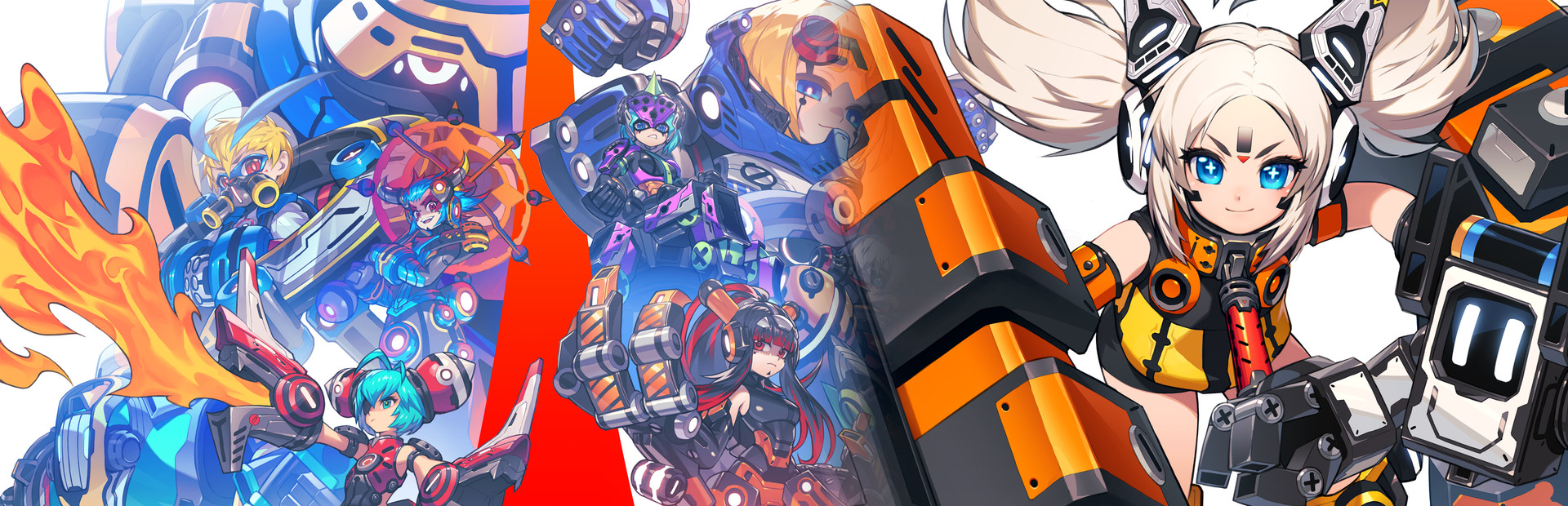
METALLIC CHILD is a rogue-lite, core-action game, featuring Rona, an android known as “Metallic Child,” taking place in a space laboratory in the latter part of the 20th century.
A large-scale rebellion has taken place in the space laboratory Life Stream.
All robots aboard, with the exception of Rona and Pan, are conspiring to crash Life Stream into planet Earth.
Rona has stood up to stop this plot, and you will be the one to guide Rona by remotely operating her through this "game."

■ Core Grabbing, Rogue-lite, Core-Action
Hardcore action utilizing randomized item distribution, characteristic of a rogue-lite game, and a system of strengthening by robbing Cores from enemies.
This game is sure to provide players with a fresh, new experience.
■ “Grab, hurl, and eliminate!”

This is not just some ordinary hack-and-slash game, but also includes elements of a beat’ em up!
You can grab enemies and use them as a shield, hurl them against others, or even mash them into a wall to deal damage.
■ Devastating Battles Against a Multifarious Fleet of Bosses
Rona will be facing numerous bosses who try to thwart her efforts.
Rona will be tormented by the unique skills possessed by these bosses.
But, by defeating them, Rona can obtain their skills and use it to go against even stronger bosses.
■ An Interactive Story and Quests
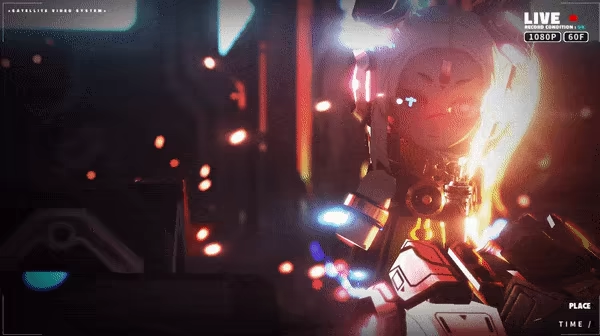
You, the gamer, will be operating Rona remotely from Earth. You and Rona will be interacting with many NPCs while exploring the ship, to get to the truth of the rebellion.
What exactly happened that day in the spaceship… You, not just as a player, but as a key character of this game, are soon to find out.
Dieser Text stammt direkt von der Store-Seite des Spiels und wird automatisch übernommen. Wir schreiben und bearbeiten ihn nicht, er kann also Spoiler enthalten.
Systemanforderungen
- Min
- Windows®10 64-bit
- Empf
- Windows®10 64-bit
- Min
- Intel® Core™ i3-3330 / AMD Ryzen™ 3100
- Empf
- Intel® Core™ i5-6500 / AMD Ryzen™ 3100
- Min
- 8 GB RAM
- Empf
- 8 GB RAM
- Min
- NVIDIA® GeForce® GTX 750 / AMD Radeon™ R7260X
- Empf
- NVIDIA® GeForce® GTX 960 / AMD Radeon™ R7370
- Min
- 3 GB available space
- Empf
- 3 GB available space
Dies sind die vom Entwickler angegebenen Anforderungen, die möglicherweise nicht zu 100 % genau sind. Wenn deine Hardware unter dem Minimum liegt, probiere das Spiel trotzdem aus; viele Spiele laufen auch außerhalb der Spezifikationen gut. Im Zweifel schau dir Performance-Benchmarks auf YouTube an.
METALLIC CHILD installieren
METALLIC CHILD ist ein vorinstalliertes PC-Spiel, aktuell Build 8466676, 893.5 MB. Aktualisiert Aug 2026.
- Lade alle Teile von einem Mirror herunter und speichere sie im selben Ordner.
- Entpacke das erste Archiv mit 7-Zip oder WinRAR. Die übrigen Teile werden automatisch entpackt.
- Öffne den entpackten Ordner und starte die .exe des Spiels. Ein Installer ist nicht nötig.
- Vorinstalliert heißt: Nach dem Entpacken ist das Spiel spielbereit. Nichts einzurichten.
Herunterladen
Lade die Dateien von einem der untenstehenden Mirror herunter. Alle Teile werden benötigt. Speichere sie im selben Ordner und entpacke dann die erste Datei.
Pixeldrain drosselt kostenlose Downloads auf wenige MB/s. Die Schaltfläche Schnellen Link kopieren liefert einen Bypass-Link ohne Tempolimit. Füge ihn in deinen Downloadmanager oder in die Adressleiste deines Browsers ein.
Wir nehmen keine Fix-Anfragen an, wenn nur ein Host ausfällt. Nutze bitte einen anderen Mirror oben. Links defekt? Sag uns Bescheid.
Wir schützen Archive nie mit Passwörtern und verstecken keine Installer. Wenn eine Seite nach einem Passwort oder einer Zahlung fragt, ist das die Werbung des Hosters, nicht wir. Siehe unseren Sicherheitsleitfaden.