
Neko Station - Free PC Download
Über Neko Station

Welcome to Neko Station!
Ever dreamed of owning your own train... that's completely filled with cats? Neko Station is a 2D Pixel Art Cozy Desktop Idle game that transforms your screen into an adorable, moving cat paradise!

Desktop idle screen 

Adorable cat actions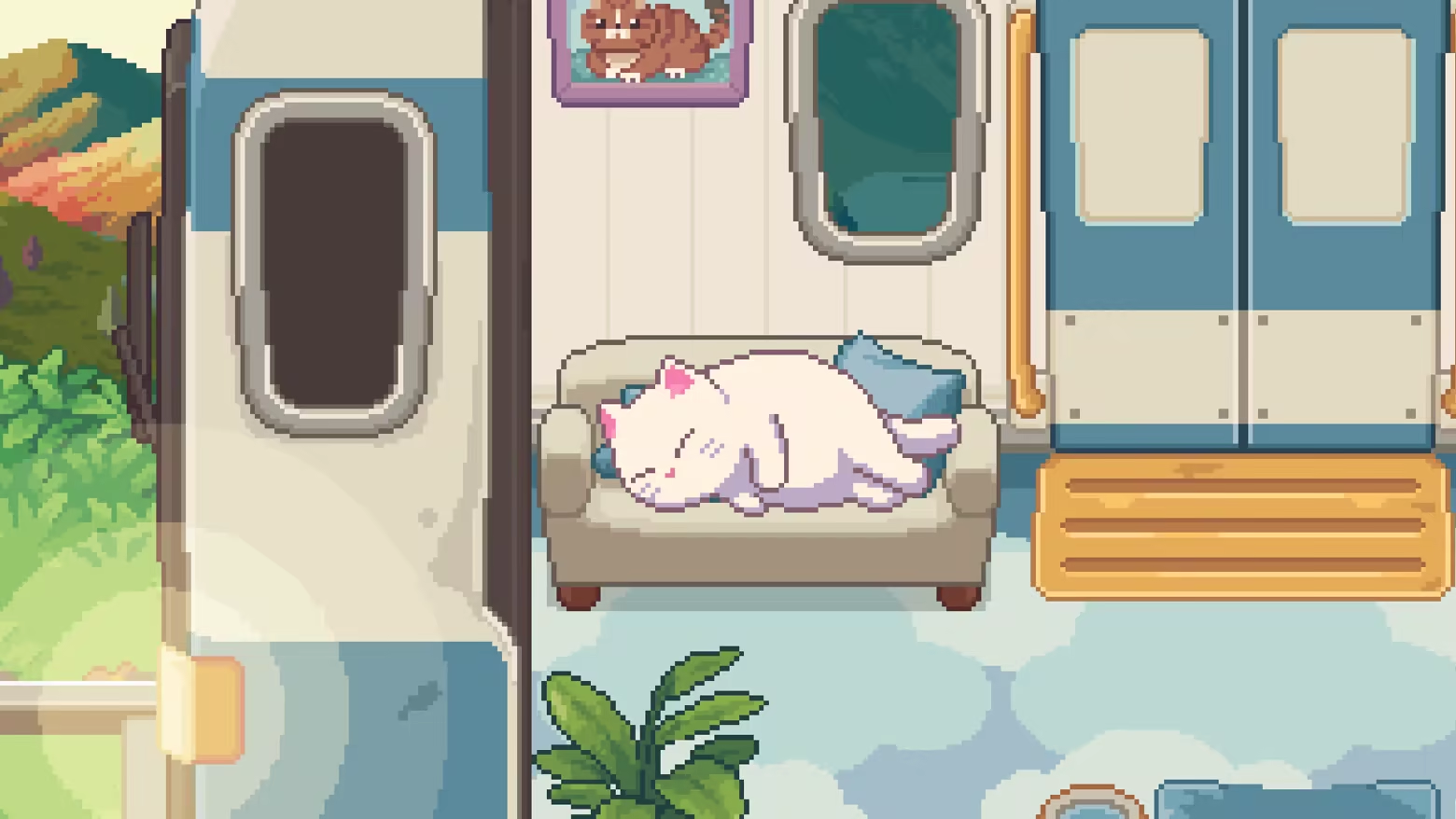
 In this game, you take on the role of a cat train manager. Your duty is to travel to various stations, picking up a wide array of feline customers waiting to board your special, customized train.
Build Your Dream Train
Attracting feline clients isn't just about showing up. You must decorate your train cars with a huge selection of cute furniture and decorations. Each cat has its own unique preferences! Some might love a soft cushion, others a scratching post, and some might just want a simple cardboard box. The right layout will attract different types of cats, and maybe even rare, special ones!

Befriend Your Feline Passengers Once the cats are aboard, it's time to interact! You can:
Pet them: Show your affection and help them relax.
Feed them: Offer delicious treats to build your relationship.
Take Photos: Capture their adorable moments for your collection.
The better you care for them, the deeper your bond will become.

Discover Special Cats Beyond decorations, the stations you visit also influence which cats will appear. Pay close attention! You might find special cats in unique costumes or even legendary felines waiting to be discovered, all depending on your train's setup and destination.

Key Features:
A Relaxing Idle Experience: Runs comfortably on your desktop. Let the train run and watch the cats come and go.
Adorable Pixel Art: Enjoy a heartwarming and charming 2D pixel art style.
Endless Decoration: Choose from hundreds of furniture items to create a one-of-a-kind train.
A Wide Variety of Cats: Meet countless cats of different breeds, each with unique personalities and preferences.
Relationship System: Pet, feed, and photograph your way to friendship with every cat.
Discovery & Secrets: Find special cats tied to specific decorations and stations.
Get ready, and let's begin a truly heartwarming journey on the Neko Station train!
Dieser Text stammt direkt von der Store-Seite des Spiels und wird automatisch übernommen. Wir schreiben und bearbeiten ihn nicht, er kann also Spoiler enthalten.
Systemanforderungen
- Min
- Windows 10
- Empf
- Windows 11
- Min
- i3
- Empf
- i5
- Min
- 4 GB RAM
- Empf
- 8 GB RAM
- Min
- Modern GPU recommended
- Empf
- Modern GPU recommended
- Min
- 2 GB available space
- Empf
- 2 GB available space
Dies sind die vom Entwickler angegebenen Anforderungen, die möglicherweise nicht zu 100 % genau sind. Wenn deine Hardware unter dem Minimum liegt, probiere das Spiel trotzdem aus; viele Spiele laufen auch außerhalb der Spezifikationen gut. Im Zweifel schau dir Performance-Benchmarks auf YouTube an.
Neko Station installieren
Neko Station ist ein vorinstalliertes PC-Spiel, aktuell Build 24227616, 458.1 MB. Aktualisiert Jul 2026.
- Lade alle Teile von einem Mirror herunter und speichere sie im selben Ordner.
- Entpacke das erste Archiv mit 7-Zip oder WinRAR. Die übrigen Teile werden automatisch entpackt.
- Öffne den entpackten Ordner und starte die .exe des Spiels. Ein Installer ist nicht nötig.
- Vorinstalliert heißt: Nach dem Entpacken ist das Spiel spielbereit. Nichts einzurichten.
Herunterladen
Lade die Dateien von einem der untenstehenden Mirror herunter. Alle Teile werden benötigt. Speichere sie im selben Ordner und entpacke dann die erste Datei.
Pixeldrain drosselt kostenlose Downloads auf wenige MB/s. Die Schaltfläche Schnellen Link kopieren liefert einen Bypass-Link ohne Tempolimit. Füge ihn in deinen Downloadmanager oder in die Adressleiste deines Browsers ein.
Wir nehmen keine Fix-Anfragen an, wenn nur ein Host ausfällt. Nutze bitte einen anderen Mirror oben. Links defekt? Sag uns Bescheid.
Wir schützen Archive nie mit Passwörtern und verstecken keine Installer. Wenn eine Seite nach einem Passwort oder einer Zahlung fragt, ist das die Werbung des Hosters, nicht wir. Siehe unseren Sicherheitsleitfaden.


