Neptunia Virtual Stars - Free PC Download
Über Neptunia Virtual Stars
Story
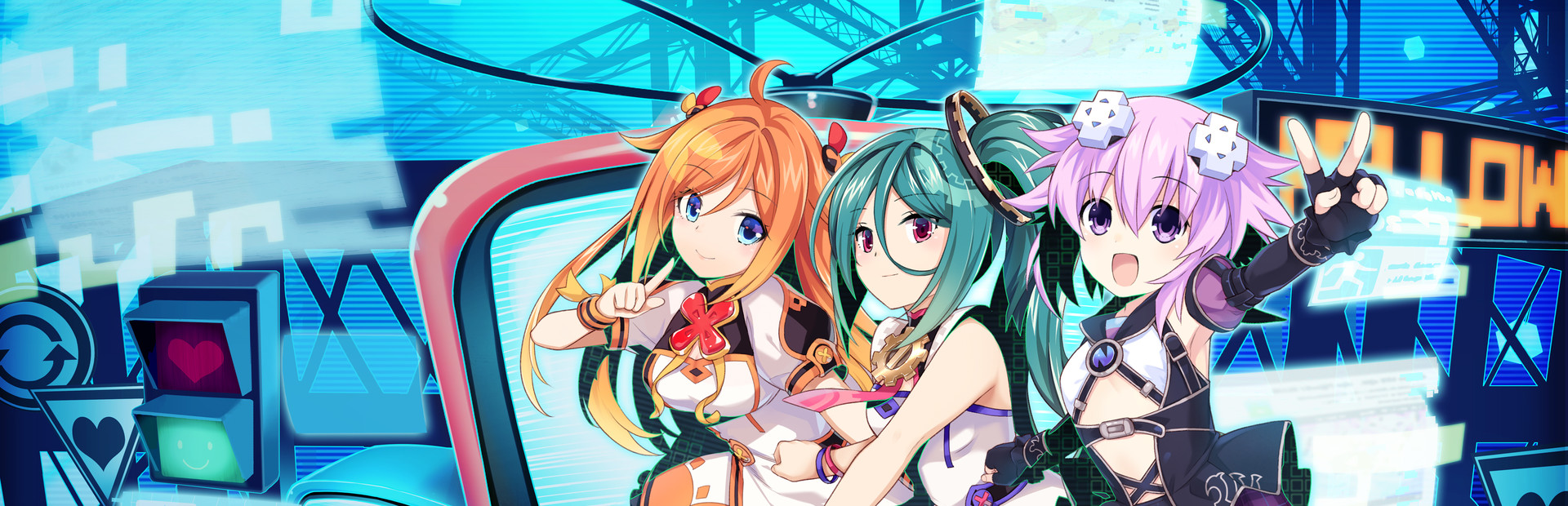
Enter Virtualand - a digital world that exists alongside the networks of various dimensions. Within Virtualand lies the planet Emote - a planet faced with extinction due to the maleficent group of Content destroyers known as Antis.In an act of desperation, the Digital Goddess of the planet Emote, Faira, sends a distress signal to other dimensions in hopes to find a savior of this planet.
And the saviors that were reached? The rising Vtuber stars, Me and You, members of MEWTRAL, as well as the Goddesses of Gamindustri: Neptune, Noire, Blanc, and Vert!
Can MEWTRAL and the Goddesses band together and save the planet Emote from complete destruction?
Key Features
Switch Up & Keep Movin' – Seamlessly switch perspectives between the four Goddesses & playable VTubers in fast-paced hack 'n' slash battles. Rock enemies with lightning-fast combos and glide across the map to dodge incoming attacks.Feel the BeatTik Rhythm – Keep tempo in the BeatTik rhythm game! Accessorize your favorite characters and have them groove to your favorite Neptunia Virtual Stars tracks. Record your BeatTik performance, then use the video on the Video Battler section to unlock unique items, songs, and even more dance moves!
Take your EMOtions to Overdrive – The Emotional Overdrive special attack can bring the Goddesses and Vtubers to a harmonious victory. Fill up the Emote Gauge to activate your Emotional Overdrive and watch the Vtubers come to life. You may even find yourself receiving extra loot for your stunning performance!
Rescue a Vtuber, Save the Planet – Find and save the Vtubers scattered throughout Virtualand! Do you find yourself falling flat in battle? With the Guest Connect System, Vtubers can support you with their special powers to topple any enemy!
Dieser Text stammt direkt von der Store-Seite des Spiels und wird automatisch übernommen. Wir schreiben und bearbeiten ihn nicht, er kann also Spoiler enthalten.
Systemanforderungen
- Min
- Windows 8 (64-bit)
- Empf
- Windows 10 Home (64-bit)
- Min
- Intel i5 2.3GHz or AMD A9 2.9GHz equivalent
- Empf
- Intel i5 3.3GHz or AMD FX-8350 4.0GHz equivalent
- Min
- 4 GB RAM
- Empf
- 8 GB RAM
- Min
- NVIDIA GeForce GTX 670 or AMD Radeon HD 7970 / R9 280X
- Empf
- Nvidia Geforce GTX 1060 3GB or AMD Radeon RX 580
- Min
- Version 11
- Empf
- Version 11
- Min
- 20 GB available space
- Empf
- 20 GB available space
- Min
- DirectSound (DirectX) compatible sound card
- Empf
- DirectSound (DirectX) compatible sound card
- Min
- Optimal 4k performance may require better than Recommended System Requirements
- Empf
- Optimal 4k performance may require better than Recommended System Requirements
Dies sind die vom Entwickler angegebenen Anforderungen, die möglicherweise nicht zu 100 % genau sind. Wenn deine Hardware unter dem Minimum liegt, probiere das Spiel trotzdem aus; viele Spiele laufen auch außerhalb der Spezifikationen gut. Im Zweifel schau dir Performance-Benchmarks auf YouTube an.
Neptunia Virtual Stars installieren
Neptunia Virtual Stars ist ein vorinstalliertes PC-Spiel, aktuell Build 7086240, 21.3 GB. Aktualisiert Jul 2026.
- Lade alle Teile von einem Mirror herunter und speichere sie im selben Ordner.
- Entpacke das erste Archiv mit 7-Zip oder WinRAR. Die übrigen Teile werden automatisch entpackt.
- Öffne den entpackten Ordner und starte die .exe des Spiels. Ein Installer ist nicht nötig.
- Vorinstalliert heißt: Nach dem Entpacken ist das Spiel spielbereit. Nichts einzurichten.
Herunterladen
Lade die Dateien von einem der untenstehenden Mirror herunter. Alle Teile werden benötigt. Speichere sie im selben Ordner und entpacke dann die erste Datei.
Pixeldrain drosselt kostenlose Downloads auf wenige MB/s. Die Schaltfläche Schnellen Link kopieren liefert einen Bypass-Link ohne Tempolimit. Füge ihn in deinen Downloadmanager oder in die Adressleiste deines Browsers ein.
Wir nehmen keine Fix-Anfragen an, wenn nur ein Host ausfällt. Nutze bitte einen anderen Mirror oben. Links defekt? Sag uns Bescheid.
Wir schützen Archive nie mit Passwörtern und verstecken keine Installer. Wenn eine Seite nach einem Passwort oder einer Zahlung fragt, ist das die Werbung des Hosters, nicht wir. Siehe unseren Sicherheitsleitfaden.