The Lord of the Rings: War in the North™ - Legacy Edition - Free PC Download
Über The Lord of the Rings: War in the North™ - Legacy Edition
Form Your Own Fellowship. It’s Time for War!
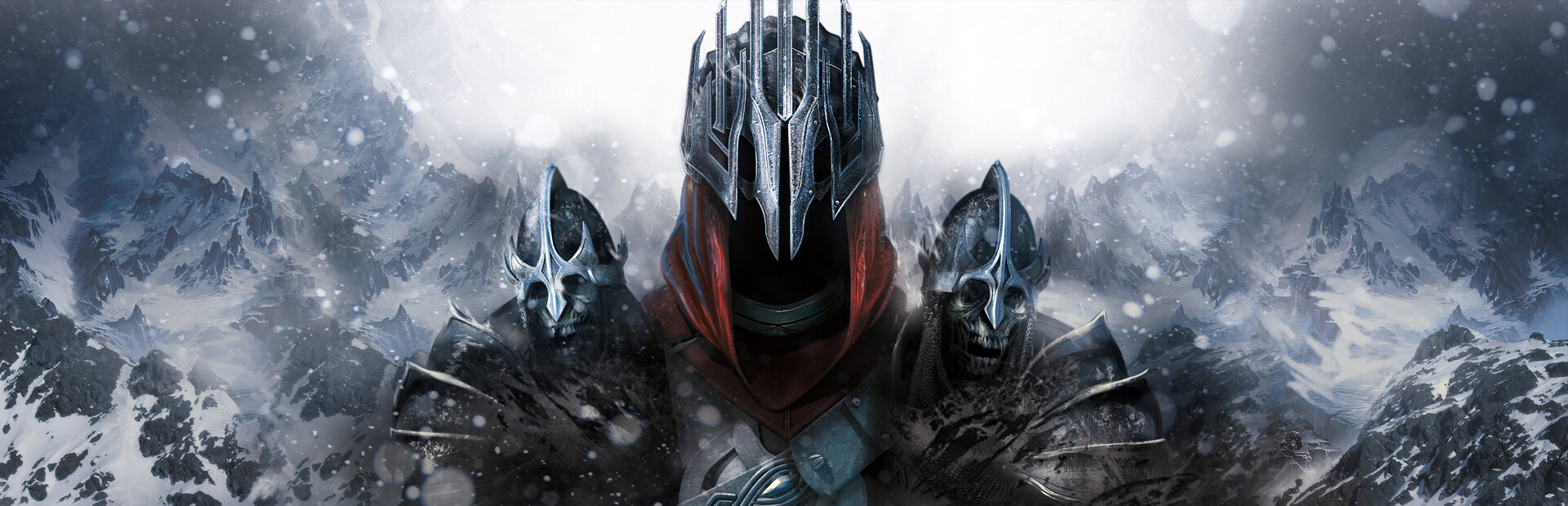
A Shadow rises in the North. Step into a darker, grittier Middle-earth where war rages beyond the Fellowship’s path. The Lord of the Rings: War in the North™ - Legacy Edition expands Tolkien’s epic legendarium, delving into the brutal, untold story of Agandaûr, a Black Númenórean and servant of Sauron who has rallied an immense force in the ruins of Fornost. While Frodo and Samwise embark on their journey to Mount Doom, a new Fellowship must rise and defend the North. Let this be the hour when we draw swords together!
Choose Your Orc-Bane – Seamlessly hot-swap between three uniquely skilled characters.
Eradan: Dúnedain Ranger–Stealth and precision with bows and swords
Andriel: Elven Loremaster–Magical support with healing and area-of-effect spells
Farin: Dwarven Champion–Tank-like durability and devastating melee attacks
Co-op Fellowship – Play with up to 2 friends online or in split-screen co-op. The survival of your Fellowship and all of Middle-earth depends upon your uniquely skilled heroes working together. Fight together or die alone!
Deep RPG Progression – Customize your hero with unique skills, abilities, and gear. Collect powerful weapons and armor to shape your playstyle.
Command a Great Eagle – Call upon Beleram, a mighty Great Eagle, to strike from the skies and turn the tide of battle.
Iconic Cameos & Locations – Encounter familiar faces like Aragorn, Gandalf, and Elrond as you journey through lore-rich locations including the Elven sanctuaries of Rivendell and Lórien, the daunting heights of The Lonely Mountain, and the fog-laden paths of Mirkwood.
Darker, Grittier Middle-earth – Experience the brutal reality of war with mature storytelling, blood-soaked battlefields, and the desperate fight to defend the North against Sauron’s advancing armies.
A World Full of Peril – The world is gnawed by nameless things. Face ruthless Orcs, monstrous Trolls, deadly Wargs, spectral Barrow-wights, and the dark sorcery of Agandaûr’s forces in epic battles across Middle-earth. Don’t be hasty—Agandaûr commands even greater terrors, summoning Fell Beasts and Creatures of Shadow to his aid.
Forth, and Fear No Darkness! What Say You?!
Dieser Text stammt direkt von der Store-Seite des Spiels und wird automatisch übernommen. Wir schreiben und bearbeiten ihn nicht, er kann also Spoiler enthalten.
Systemanforderungen
- Min
- Windows 11
- Empf
- Windows 11
- Min
- Intel Core i5-6400 / AMD Ryzen 5 3600
- Empf
- Intel Core i5-12400F /AMD Ryzen 5 5600x
- Min
- 8 GB RAM
- Empf
- 16 GB RAM
- Min
- NVIDIA GeForce GTX 970 / Radeon R9 290X
- Empf
- NVIDIA GeForce RTX 2060 / Radeon RX 6600
- Min
- Version 12
- Empf
- Version 12
- Min
- 25 GB available space
- Empf
- 25 GB available space
Dies sind die vom Entwickler angegebenen Anforderungen, die möglicherweise nicht zu 100 % genau sind. Wenn deine Hardware unter dem Minimum liegt, probiere das Spiel trotzdem aus; viele Spiele laufen auch außerhalb der Spezifikationen gut. Im Zweifel schau dir Performance-Benchmarks auf YouTube an.
The Lord of the Rings: War in the North™ - Legacy Edition installieren
The Lord of the Rings: War in the North™ - Legacy Edition ist ein vorinstalliertes PC-Spiel, aktuell Build 24381077, 14.2 GB. Aktualisiert Aug 2026.
- Lade alle Teile von einem Mirror herunter und speichere sie im selben Ordner.
- Entpacke das erste Archiv mit 7-Zip oder WinRAR. Die übrigen Teile werden automatisch entpackt.
- Öffne den entpackten Ordner und starte die .exe des Spiels. Ein Installer ist nicht nötig.
- Vorinstalliert heißt: Nach dem Entpacken ist das Spiel spielbereit. Nichts einzurichten.
Herunterladen
Lade die Dateien von einem der untenstehenden Mirror herunter. Alle Teile werden benötigt. Speichere sie im selben Ordner und entpacke dann die erste Datei.
Pixeldrain drosselt kostenlose Downloads auf wenige MB/s. Die Schaltfläche Schnellen Link kopieren liefert einen Bypass-Link ohne Tempolimit. Füge ihn in deinen Downloadmanager oder in die Adressleiste deines Browsers ein.
Wir nehmen keine Fix-Anfragen an, wenn nur ein Host ausfällt. Nutze bitte einen anderen Mirror oben. Links defekt? Sag uns Bescheid.
Wir schützen Archive nie mit Passwörtern und verstecken keine Installer. Wenn eine Seite nach einem Passwort oder einer Zahlung fragt, ist das die Werbung des Hosters, nicht wir. Siehe unseren Sicherheitsleitfaden.