
UFO ROBOT GRENDIZER – The Feast of the Wolves - Free PC Download
Über UFO ROBOT GRENDIZER – The Feast of the Wolves
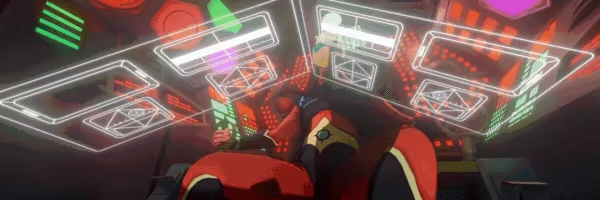
Get ready to experience an unforgettable adventure with Grendizer, the famous giant robot. This action/adventure game adapted from the cult animated series will immerse you in the heart of the universe of its creator, Go Nagai, and will give you the chance to pilot the most powerful robot and fight the forces of evil.
After Planet Fleed is destroyed by the Empire of Vega, Daisuke takes refuge on our planet. Taken in and adopted by Genzo Umon, he lives at the Shirakaba Farm. While Vega's invasion of Earth is imminent, Daisuke will defend the planet Earth with the help of Grendizer, the titanic robot hidden deep inside Genzo Umon's observatory. With the help of Kôji Kabuto, the prince of Planet Fleed will constantly repel Vegas' attacks and fight his terrible robots, the Monstronefs, which were sent to destroy him.

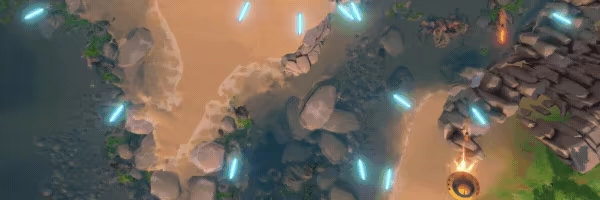
Play as Umon Daisuke and his colossal robot while fighting in epic battles with multiple gameplays: Piloting the Spazer (flying module where Grendizer is housed), vertical shoot-them-up in the Kôji Kabuto’s TFO, and 3rd person action/combat by controlling Grendizer. Use his iconic and devastating attacks to destroy the terrifying Monstronefs and save the earth.
Find yourself in Umon Daisuke's shoes and meet many essential characters during dialog sequences in the iconic environments of the series, which was so diligently reproduced in accordance with the designs of the original series.
And finally, earn experience points while completing missions to achieve new abilities and upgrade your powers.
Broadcasted for over 40 years, the cult animated series Grendizer has marked several generations with its history, which is so rich in twists and turns. Million people around the world still remember his metamorphoses and lightning fists.

FEATURES
- For the very first time, play as Grendizer and Umon Daisuke in this action/adventure game, which is all about the metal colossus.
- Execute and improve the famous must-have attacks of the giant robot
- Find all the characters, iconic places, and enemies of the TV series.
- A new gaming experience is offered to you in multiple game phases: Action/Brawler, 3rd person Shooter, Shoot Them Up and Exploration.
- Rediscover the iconic themes of the animated series, reimagined by Marcin Przybyłowicz (The Witcher 3: Wild Hunt) and Magda Urbańska (Gwent: Rouge Mage).
Dieser Text stammt direkt von der Store-Seite des Spiels und wird automatisch übernommen. Wir schreiben und bearbeiten ihn nicht, er kann also Spoiler enthalten.
Systemanforderungen
- Min
- Windows 10
- Empf
- Windows 10
- Min
- Intel Core i5-10500
- Empf
- Intel Core i7-11700K
- Min
- 8 GB RAM
- Empf
- 16 GB RAM
- Min
- GTX 970
- Empf
- RTX 3060
- Min
- Version 11
- Empf
- Version 11
- Min
- 8 GB available space
- Empf
- 8 GB available space
Dies sind die vom Entwickler angegebenen Anforderungen, die möglicherweise nicht zu 100 % genau sind. Wenn deine Hardware unter dem Minimum liegt, probiere das Spiel trotzdem aus; viele Spiele laufen auch außerhalb der Spezifikationen gut. Im Zweifel schau dir Performance-Benchmarks auf YouTube an.
UFO ROBOT GRENDIZER – The Feast of the Wolves installieren
UFO ROBOT GRENDIZER – The Feast of the Wolves ist ein vorinstalliertes PC-Spiel, aktuell (18.04.2024 | Build 13873194), 4.5 GB. Aktualisiert Jun 2026.
- Lade alle Teile von einem Mirror herunter und speichere sie im selben Ordner.
- Entpacke das erste Archiv mit 7-Zip oder WinRAR. Die übrigen Teile werden automatisch entpackt.
- Öffne den entpackten Ordner und starte die .exe des Spiels. Ein Installer ist nicht nötig.
- Vorinstalliert heißt: Nach dem Entpacken ist das Spiel spielbereit. Nichts einzurichten.
Herunterladen
Lade die Dateien von einem der untenstehenden Mirror herunter. Alle Teile werden benötigt. Speichere sie im selben Ordner und entpacke dann die erste Datei.
Pixeldrain drosselt kostenlose Downloads auf wenige MB/s. Die Schaltfläche Schnellen Link kopieren liefert einen Bypass-Link ohne Tempolimit. Füge ihn in deinen Downloadmanager oder in die Adressleiste deines Browsers ein.
Wir nehmen keine Fix-Anfragen an, wenn nur ein Host ausfällt. Nutze bitte einen anderen Mirror oben. Links defekt? Sag uns Bescheid.
Wir schützen Archive nie mit Passwörtern und verstecken keine Installer. Wenn eine Seite nach einem Passwort oder einer Zahlung fragt, ist das die Werbung des Hosters, nicht wir. Siehe unseren Sicherheitsleitfaden.