
When The Past Was Around - Free PC Download
Über When The Past Was Around
From Brigitta Rena, the creator of A Raven Monologue and She & The Light Bearer.
When the Past was Around is an adventure point-and-click puzzle game about love, moving on, letting go, and the joy and pain of everything in between.
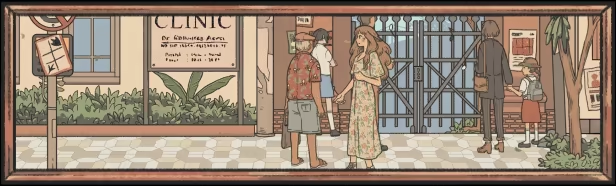
This is the story of Eda, a girl in her early 20s.
Like anyone in her age, she’s lost.
She lost her way in the journey to achieve her dreams.
She lost her way in the journey to find love.
That until she met The Owl.
The man that would help her burn her passion,
the man that would help her find the spark in a relationship,
and also the man that would teach her about heartbreak.

The game tells a bittersweet tale between a girl and her lover in a surreal world consisting of disjointed rooms from memories and time. With each gathered clue, solved puzzles, and unlocked door, the girl will find her way, unraveling the secrets between her and her lover, the secrets which she used to know.

Features:
- A picture speaks a thousand words.
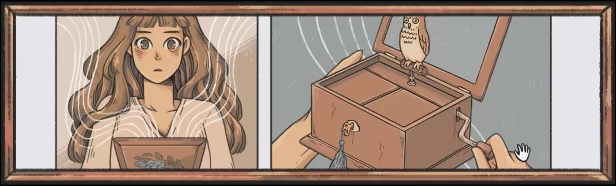
Experience the game’s story not through words nor dialogues but beautifully hand-drawn art created by famous Indonesian artist, Brigitta Rena. - A short, sweet and whimsical journey.
Explore a bittersweet tale between a girl and her lover in a surreal world consisting of disjointed rooms of memories and time. - Personal and ubiquitous.
a game about overcoming the past and finding the self. - Solve brain-teasing puzzles.
Various intriguing puzzles to solve and stories to uncover. - Let the music guide you.
Atmospheric violin music will accompany you from the peaceful days to the angstiest moments
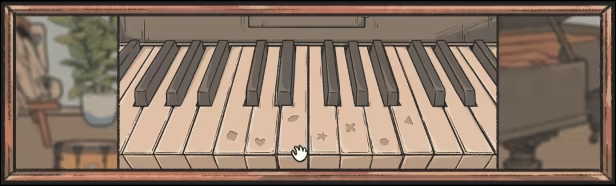
When The Past Was Around is a short silent narrative experience that can be finished in less than 2 hours. Even though it is a short game, we’ve put all our hearts into delivering a deep and meaningful experience for you. We hope that the brief moment you spend with Eda and Owl would be priceless and unforgettable.
Dieser Text stammt direkt von der Store-Seite des Spiels und wird automatisch übernommen. Wir schreiben und bearbeiten ihn nicht, er kann also Spoiler enthalten.
Systemanforderungen
- Min
- Windows 7 Service Pack 1
- Empf
- Windows 10
- Min
- 1.8 GHz or faster processor
- Empf
- 2.8 GHz or faster processor
- Min
- 1 GB RAM
- Empf
- 1 GB RAM
- Min
- Direct X 9.0c compatible video card
- Empf
- Direct X 9.0c compatible video card
- Min
- Version 9.0c
- Empf
- Version 9.0c
- Min
- 2 GB available space
- Empf
- 2 GB available space
- Min
- Any
- Empf
- Any
Dies sind die vom Entwickler angegebenen Anforderungen, die möglicherweise nicht zu 100 % genau sind. Wenn deine Hardware unter dem Minimum liegt, probiere das Spiel trotzdem aus; viele Spiele laufen auch außerhalb der Spezifikationen gut. Im Zweifel schau dir Performance-Benchmarks auf YouTube an.
When The Past Was Around installieren
When The Past Was Around ist ein vorinstalliertes PC-Spiel, aktuell (7 Dec 2020 | 5931608), 1.3 GB. Aktualisiert May 2026.
- Lade alle Teile von einem Mirror herunter und speichere sie im selben Ordner.
- Entpacke das erste Archiv mit 7-Zip oder WinRAR. Die übrigen Teile werden automatisch entpackt.
- Öffne den entpackten Ordner und starte die .exe des Spiels. Ein Installer ist nicht nötig.
- Vorinstalliert heißt: Nach dem Entpacken ist das Spiel spielbereit. Nichts einzurichten.
Herunterladen
Lade die Dateien von einem der untenstehenden Mirror herunter. Alle Teile werden benötigt. Speichere sie im selben Ordner und entpacke dann die erste Datei.
Pixeldrain drosselt kostenlose Downloads auf wenige MB/s. Die Schaltfläche Schnellen Link kopieren liefert einen Bypass-Link ohne Tempolimit. Füge ihn in deinen Downloadmanager oder in die Adressleiste deines Browsers ein.
Wir nehmen keine Fix-Anfragen an, wenn nur ein Host ausfällt. Nutze bitte einen anderen Mirror oben. Links defekt? Sag uns Bescheid.
Wir schützen Archive nie mit Passwörtern und verstecken keine Installer. Wenn eine Seite nach einem Passwort oder einer Zahlung fragt, ist das die Werbung des Hosters, nicht wir. Siehe unseren Sicherheitsleitfaden.