
Desktop Explorer - Free PC Download
About Desktop Explorer
Discord Server

About the Game
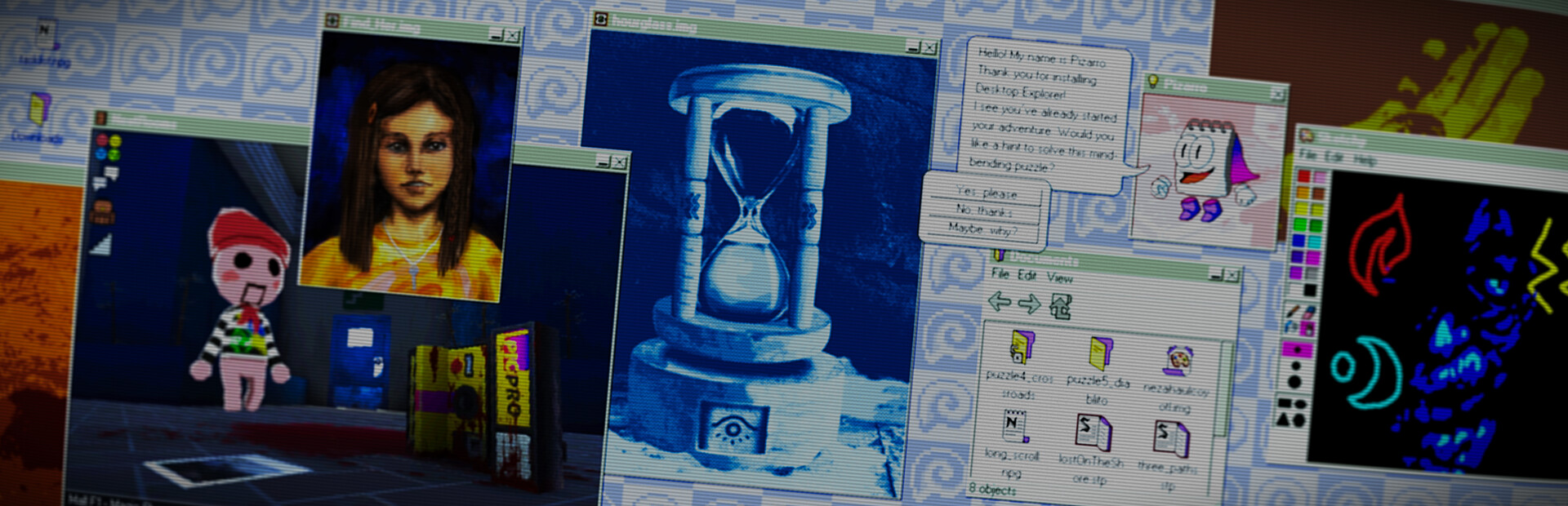
Your uncle has given you his old PC as living inheritance. To your surprise, it still turns on! Inside, a letter tasks you with investigating a missing person’s case along with a mysterious puzzle game named Desktop Explorer. You’ll learn that your uncle wasn’t the only one who used this computer before, and that the program inside it has a deeper role in this 90s atmospheric digital mystery.

Features
Explore a 90’s operating system where every window hides a clue.
Solve puzzles using classic OS tools like: file explorers, chat logs, and corrupted applications.
Dig through abandoned software and forgotten files to uncover the truth.
Experience a psychological horror mystery told through eerie interfaces and fragmented memories.
Navigate immersive 3D environments rendered in retro-digital aesthetics.
Listen to an original evocative soundtrack and nostalgic computer sounds
Play classic pre-installed computer games

Photosensitivity Warning
This game contains occasional flashing lights, screen effects, and rapidly changing imagery that may affect players with photosensitive epilepsy or light sensitivities.
Desktop Explorer does not use generative AI-created content.
All artwork, writing, music, sound design, programming, and game assets have been created by our development team and through traditional creative processes.
This text comes straight from the game's store page and is pulled in automatically. We don't write or edit it, so it may contain spoilers.
System requirements
- Min
- Windows 7 SP1+ (or later)
- Min
- Intel or AMD Dual Core at 2 GHz or better
- Min
- 2 GB RAM
- Min
- Intel Graphics 4400 or better
- Min
- Version 11
- Min
- 400 MB available space
These are the developer's listed requirements and may not be 100% accurate. If your specs fall below the minimum, try the game anyway; many games run fine below the listed requirements. When in doubt, check YouTube for performance benchmarks.
How to install Desktop Explorer
Desktop Explorer is a pre-installed PC game, currently at Build 24476671, 724.1 MB. Updated Aug 2026.
- Download every part from one mirror and save them in the same folder.
- Extract the first archive with 7-Zip or WinRAR. The rest unpack automatically.
- Open the extracted folder and run the game's .exe. No installer is needed.
- Pre-installed means the game is ready to play after extracting. Nothing to set up.
Download
Download the files from any mirror below. All parts are needed. Save them to the same folder, then extract the first one.
We don't accept fix requests when only one host is down. Please use another mirror above. Links broken? Let us know.
We never password-protect files or hide installers. If a page asks for a password or payment, that is the host's ad, not us. See our safety guide.
Comments
You might also like

The Roottrees are Dead
Mystery, Puzzle, Point & Click

Ace Attorney Investigations Collection
Adventure, Mystery, Visual Novel

Apollo Justice: Ace Attorney Trilogy
Adventure, Visual Novel, Mystery

7 Days to End with You
Puzzle, Visual Novel, Mystery

Dimhaven - The Lost Source
Adventure, Puzzle, Mystery

Danganronpa: Trigger Happy Havoc
Visual Novel, Mystery, Horror