Elven Huntress: Sunveil Free Download
Satur Entertainment2026Action, RPG
16.3GBBuild 27001011Updated 7 hours ago
About Elven Huntress: Sunveil
An atmospheric action RPG about an elven huntress exploring fantasy worlds through magical portals. Fight, collect rare equipment, and improve your character.
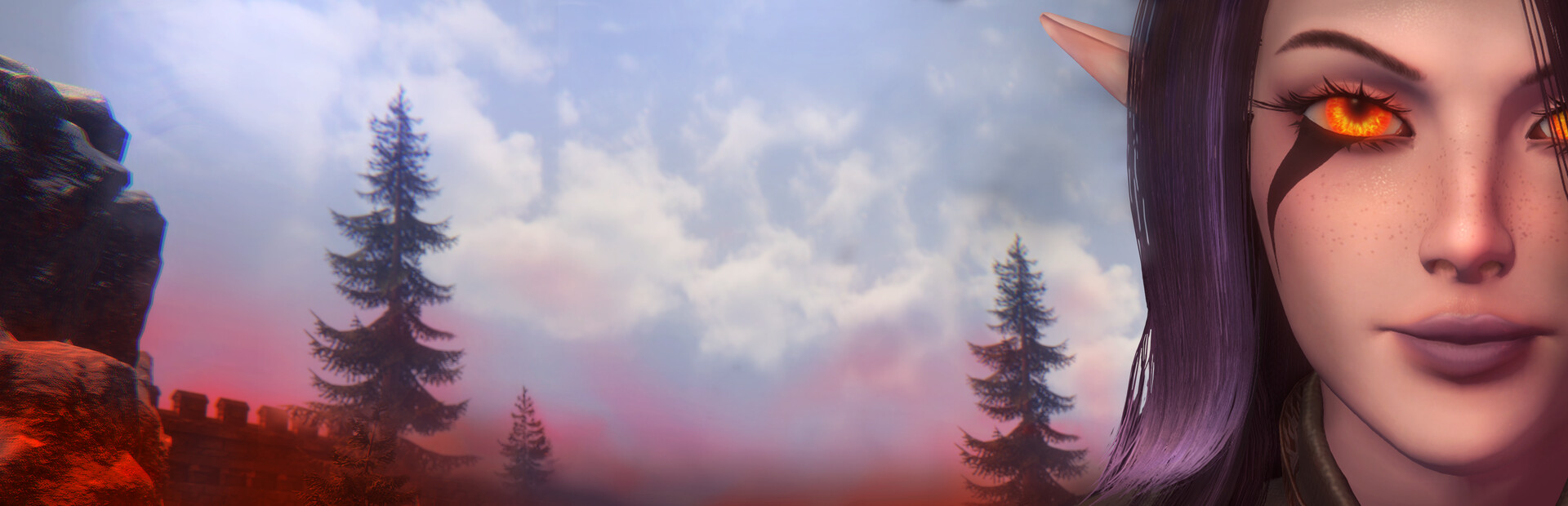
Elven Huntress: Sunveil is an atmospheric third-person 3D action RPG with exploration, loot, crafting, and character customization.
Play as an elven huntress, explore fantasy locations through magical portals, fight orcs, humans, and the undead, find rare equipment, and improve your character.

Explore a fantasy world
Travel through the portal to a variety of locations:
Snow-covered mountain ruins.
Coniferous forests.
Ancient fortresses.
Dungeons.
Dark lands of the undead.
Fight enemies, gather resources, unlock new equipment, and improve your character.
Create your own elven huntress
Use the character creator, customize your appearance, and collect unique sets of equipment.
Sunveil Fortress
Sunveil is your main hub and progression center.
Between raids, upgrade your fortress and unlock new features:
Weapon and armor crafting.
Alchemy and potion making.
Equipment transmogrification.
Item enhancement with runes.
Shop.
Character progression system.
Elven Huntress: Sunveil is an atmospheric single-player adventure with a beautiful protagonist, enjoyable progression, and a world you'll want to return to.
From the store page, unedited. May contain spoilers.
This release
Reviews and playtime
Mostly Positive
77% of 188
The game
Genres and features
How to install Elven Huntress: Sunveil
Pre-installed, so there is no setup wizard. Follow these in order.
- 01
Create a games folder
Make a folder like C:\Games\ and keep every game in it. Avoid Program Files, Downloads and the Desktop.
- 02
Exclude it from Windows Defender
Defender often deletes cracked files by mistake while they extract. Add C:\Games\ as an excluded folder:
Windows Security -> Virus & threat protection -> Manage settings -> Exclusions -> Add an exclusion -> Folder
- 03
Download into C:\Games\
Save the archive straight into that folder. This release is one 16.3GB file.
- 04
Extract it there
Use 7-Zip or WinRAR. Keep about 35.9 GB free while it unpacks.
- One file
- Right-click it -> Extract here.
- Several parts
- Extract only part1 (or .001). The other parts are read automatically.
- 05
Open README.html
It is inside the extracted folder and explains how to start the game.
Still stuck? Read the install help
Download
Set up your games folder and the Defender exclusion before you extract. The Install tab has the steps.
FilesYard
The whole game in one file
VikingFile
The whole game in one file
We don't accept fix requests when only one host is down. Please use another mirror above. Links broken? Let us know.
We never password-protect files or hide installers. If a page asks for a password or payment, that is the host's ad, not us. See our safety guide.
System requirements
- Min
- Windows 10 64-bit
- Rec
- -
- Min
- Intel Core i7-8700K or AMD Ryzen 5 1600X
- Rec
- -
- Min
- 16 GB RAM
- Rec
- -
- Min
- NVIDIA GTX 970/1650 / AMD Radeon R9 290X
- Rec
- -
- Min
- Version 11
- Rec
- -
- Min
- 15 GB available space
- Rec
- -
These are the developer's listed requirements and may not be 100% accurate. If your specs fall below the minimum, try the game anyway; many games run fine below the listed requirements. When in doubt, check YouTube for performance benchmarks.