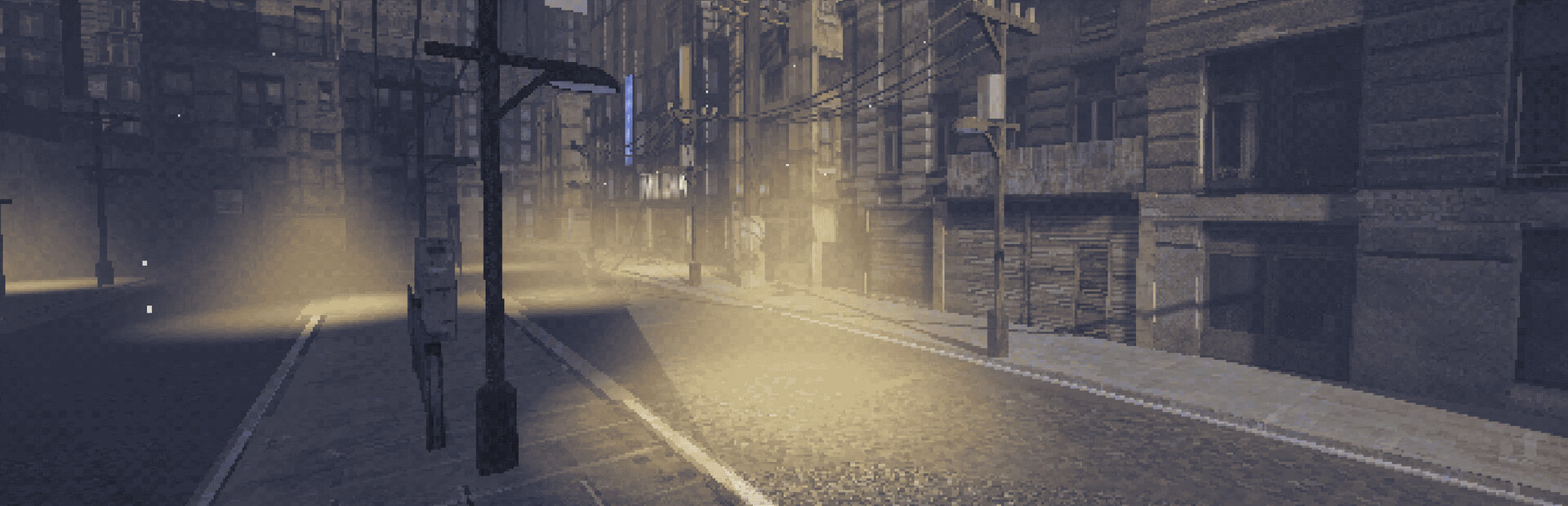
HOOD
AOZ2026Simulation, Management
1.0GBBuild 26989130Updated 1 day ago
About HOOD
Local gangs got you laid off your shit job. In the urban jungle of possibilities, your survival instincts kick in to keep a roof over your head, find ways to make bread alone or with your buddies.
You're a brokie ended up losing your job because of the local mafia. No other jobs are available and your parents are not alive to help you. Find ways to get your bread to survive the urban jungle.
Contend against intensifying law enforcement and deadly mafia syndicates to expand your income sources, pay the bills and feed your homies and yourself.
Explore and survive the urban jungle of Brokhattan,NY.

- Prepare yourself for heists and missions against rival gang members alone or with friends!
Take back what belongs to you and take control of the street ruft, use the money stolen to invest back into better equipment or even buy real estate!

Produce your own stuff at home!Wire printers, grow plants, manage inventory, and redistribute product for more profit and automate your passive income!
Commit different types of crimes.Extort, mug, hijack or breach into people's apartments to get some loot or valuable items to then resell for profit. But be careful as cops might be searching for you or the rival gang might get the rumors in a bad light.

Lots customization and stuff to spend your money on!

Or, goof around with friends! (My favorite part)
From the store page, unedited. May contain spoilers.
This release
Reviews and playtime
Very Positive
88% of 276
The game
Genres and features
How to install HOOD
Pre-installed, so there is no setup wizard. Follow these in order.
- 01
Create a games folder
Make a folder like C:\Games\ and keep every game in it. Avoid Program Files, Downloads and the Desktop.
- 02
Exclude it from Windows Defender
Defender often deletes cracked files by mistake while they extract. Add C:\Games\ as an excluded folder:
Windows Security -> Virus & threat protection -> Manage settings -> Exclusions -> Add an exclusion -> Folder
- 03
Download into C:\Games\
Save the archive straight into that folder. This release is one 1.0GB file.
- 04
Extract it there
Use 7-Zip or WinRAR. Keep about 2.2 GB free while it unpacks.
- One file
- Right-click it -> Extract here.
- Several parts
- Extract only part1 (or .001). The other parts are read automatically.
- 05
Open README.html
It is inside the extracted folder and explains how to start the game.
Still stuck? Read the install help
Download
Set up your games folder and the Defender exclusion before you extract. The Install tab has the steps.
FilesYard
The whole game in one file
VikingFile
The whole game in one file
We don't accept fix requests when only one host is down. Please use another mirror above. Links broken? Let us know.
We never password-protect files or hide installers. If a page asks for a password or payment, that is the host's ad, not us. See our safety guide.
System requirements
Windows 10 (64-bit)
Any
2 GB RAM
Any
Version 11
600 MB available space
Any
These are the developer's listed requirements and may not be 100% accurate. If your specs fall below the minimum, try the game anyway; many games run fine below the listed requirements. When in doubt, check YouTube for performance benchmarks.