Lost Luggage
Massive Rex2026Casual, Simulation
847.0MBBuild 26821613Updated 1 day ago
About Lost Luggage
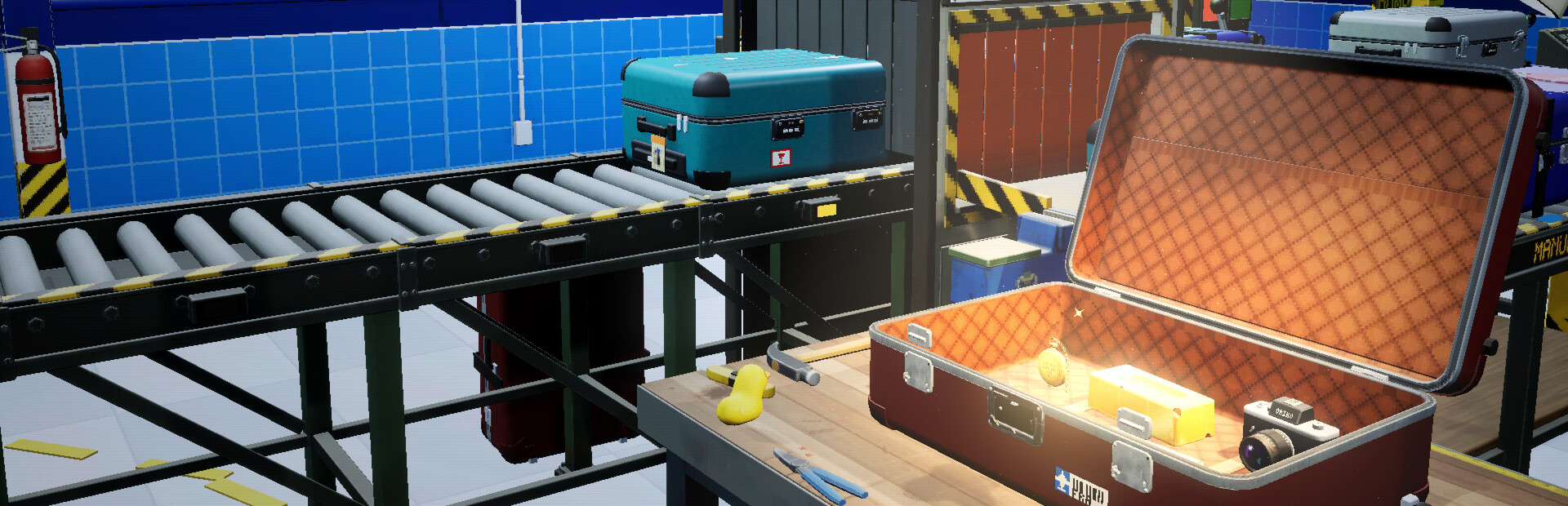
Buy lost suitcases from flights around the world, crack them open and see what is inside: socks, cameras, gold bricks or a rubber duck. Sell every find on the baggage belt and grow your dusty garage into an automated luggage business.
Every suitcase is a surprise
Lost bags never find their owners. You buy them by the flight, unseen, and crack them open in your garage. Most hold socks and shampoo. Some hold a film camera, a stack of cash or a gold pocket watch.
Buy, crack, sell
Book a flight on the old terminal and the cases roll in. Hit the weak spot to break the lock faster, throw your finds on the sell belt and scoop up the cash.
Bigger tools
Start with a crowbar, then work up to a sledgehammer, a pressure washer, a breaching shotgun, blast putty, a flamethrower and a laser cutter. Not all luggage is luggage either: guitar cases, coffins, safes and fridges come down the line too.
Some of it fights back
Not every case wants to be opened. One hides a spring-loaded boxing glove, one leaks ink and swings a kraken arm at you, and one grows legs, bites and runs.
Feeling lucky?
Behind the strip curtain waits the gambling den. Bet your cash, or your finds, on the roulette wheel and the slot machines.
A garage that runs itself
Spend your earnings on the Garage Planner. Machines feed, open and empty the cases for you while you hunt for the rare finds.
From the store page, unedited. May contain spoilers.
This release
Reviews and playtime
Mostly Positive
73% of 26
The game
Genres and features
How to install Lost Luggage
Pre-installed, so there is no setup wizard. Follow these in order.
- 01
Create a games folder
Make a folder like C:\Games\ and keep every game in it. Avoid Program Files, Downloads and the Desktop.
- 02
Exclude it from Windows Defender
Defender often deletes cracked files by mistake while they extract. Add C:\Games\ as an excluded folder:
Windows Security -> Virus & threat protection -> Manage settings -> Exclusions -> Add an exclusion -> Folder
- 03
Download into C:\Games\
Save the archive straight into that folder. This release is one 847.0MB file.
- 04
Extract it there
Use 7-Zip or WinRAR. Keep about 1.8 GB free while it unpacks.
- One file
- Right-click it -> Extract here.
- Several parts
- Extract only part1 (or .001). The other parts are read automatically.
- 05
Open README.html
It is inside the extracted folder and explains how to start the game.
Still stuck? Read the install help
Download
Set up your games folder and the Defender exclusion before you extract. The Install tab has the steps.
FilesYard
The whole game in one file
VikingFile
The whole game in one file
We don't accept fix requests when only one host is down. Please use another mirror above. Links broken? Let us know.
We never password-protect files or hide installers. If a page asks for a password or payment, that is the host's ad, not us. See our safety guide.
System requirements
- Min
- Windows 10 64-bit
- Rec
- Windows 10/11 64-bit
- Min
- Intel Core i5-4590 / AMD FX-8350
- Rec
- Intel Core i5-8400 / AMD Ryzen 5 2600
- Min
- 8 GB RAM
- Rec
- 16 GB RAM
- Min
- NVIDIA GeForce GTX 960 (2 GB) / AMD Radeon RX 460
- Rec
- NVIDIA GeForce GTX 1060 (6 GB) / AMD Radeon RX 580
Version 12
4 GB available space
These are the developer's listed requirements and may not be 100% accurate. If your specs fall below the minimum, try the game anyway; many games run fine below the listed requirements. When in doubt, check YouTube for performance benchmarks.