
Nidhogg - Free PC Download
Über Nidhogg
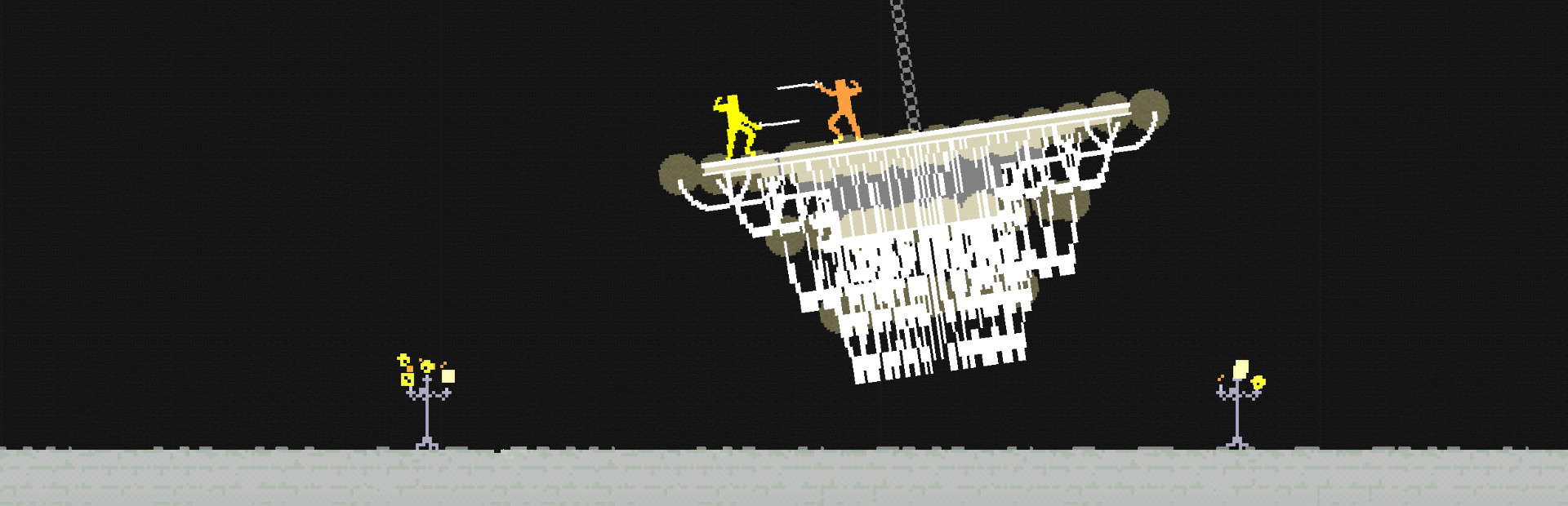
Nidhogg is the epic award-winning fencing tug-of-war, full of graceful acrobatics and clumsy stabs. IRL yelling and excitement may occur, in this ultimate two-player showdown of fast-paced fencing and melee attacks.
Beware, advantages in Nidhogg are often fleeting, as new opponents continually spawn in your way. Use a variety of fencing maneuvers while armed -- lunges, parries, and even dirty tricks like throwing your sword. If swordless, press forward with punches, sweep kicks, dive kicks, rolls, and wall jumps.
The combat arena stretches in both directions, although besting an opponent only gains you ground. Matches aren’t won or lost with a single kill, but with a series of kills granting you right-of-way to run/fight/flee to your own goal-zone.
Each arena holds different strategic formations and chokepoints to use to your advantage. Until you reach your goal-zone, anything is possible. Only one thing is certain in Nidhogg… the only way to win is to outwit your opponent. En Garde!
Dieser Text stammt direkt von der Store-Seite des Spiels und wird automatisch übernommen. Wir schreiben und bearbeiten ihn nicht, er kann also Spoiler enthalten.
Systemanforderungen
- Min
- Microsoft® Windows® 10
- Min
- 1.2GHz processor
- Min
- 512 MB RAM
- Min
- DirectX 8-compatible graphics card with at least 32MB of video memory
- Min
- Version 9.0c
- Min
- 200 MB available space
- Min
- Broadband Internet connection
Dies sind die vom Entwickler angegebenen Anforderungen, die möglicherweise nicht zu 100 % genau sind. Wenn deine Hardware unter dem Minimum liegt, probiere das Spiel trotzdem aus; viele Spiele laufen auch außerhalb der Spezifikationen gut. Im Zweifel schau dir Performance-Benchmarks auf YouTube an.
Nidhogg installieren
Nidhogg ist ein vorinstalliertes PC-Spiel, aktuell (v15.09.2021 | Build 7341652), 310.6 MB. Aktualisiert Mar 2026.
- Lade alle Teile von einem Mirror herunter und speichere sie im selben Ordner.
- Entpacke das erste Archiv mit 7-Zip oder WinRAR. Die übrigen Teile werden automatisch entpackt.
- Öffne den entpackten Ordner und starte die .exe des Spiels. Ein Installer ist nicht nötig.
- Vorinstalliert heißt: Nach dem Entpacken ist das Spiel spielbereit. Nichts einzurichten.
Herunterladen
Lade die Dateien von einem der untenstehenden Mirror herunter. Alle Teile werden benötigt. Speichere sie im selben Ordner und entpacke dann die erste Datei.
Pixeldrain drosselt kostenlose Downloads auf wenige MB/s. Die Schaltfläche Schnellen Link kopieren liefert einen Bypass-Link ohne Tempolimit. Füge ihn in deinen Downloadmanager oder in die Adressleiste deines Browsers ein.
Wir nehmen keine Fix-Anfragen an, wenn nur ein Host ausfällt. Nutze bitte einen anderen Mirror oben. Links defekt? Sag uns Bescheid.
Wir schützen Archive nie mit Passwörtern und verstecken keine Installer. Wenn eine Seite nach einem Passwort oder einer Zahlung fragt, ist das die Werbung des Hosters, nicht wir. Siehe unseren Sicherheitsleitfaden.