Piano Glow - Free PC Download
关于 Piano Glow

PianoGlow, created by pianists, features:
Multiplayer
Show-off your piano skills & listen to others around the world.
Queue-based mode to take turns playing piano.
Several multiplayer modes, including queue, Mania (4K/7K), guess drawing (draw while playing piano), guess songs (players play a song and guess each other's song).
Global and private chatrooms. Voice chat and friend/block lists.
Offline and single-player mode.

Any keyboard: QWERTY computer/laptop, digital piano, any MIDI device or acoustic piano
Play any music or song with a QWERTY keyboard (laptop/computer).
Or connect to a real digital piano or MIDI controller via Bluetooth or USB-B.
Any song works with any size keyboard, even as small as 25, since the PianoGlow app can auto-convert any song or MIDI to a smaller one.
Velocity integration with Wooting Analog QWERTY keyboards so that you can play with dynamics on the computer keyboard (loud & soft).
Record & load MIDI files (live play or render as video from within the app).
Any songs can be converted to computer key controls, where each computer key corresponds to a note on the piano.
Training modes & tools
Unlimited use of AI converter tools, converting any piano video, PDF or audio into tutorials (MIDI files, falling notes).
Ear training, rhythm, falling notes, chord, scales, arpeggios & sheet music game modes. Perfect for all levels (including beginners with no experience).
Customizable setting in many training modes to auto-pause until you hit the next correct note/chord (auto-pause on by default).
Tracks stats and shows wrong answers more often to focus on your weaknesses. Unlock achievements!
Detailed calendar that shows exactly how much you practiced each day and month.
AI-based fingering, help determine which fingers to use on any MIDI file or song.
AI-based converter that adjusts any MIDI/MusicXML or song to fit into a smaller piano/keyboard.
Interactive Circle-of-Fifths cheat sheet - clicking shows the common chord triads, key signature and the 7th chords.
Automated Chord Name Identifier & Intervals when you play any chord on the piano.
Lighted Keyboards - lights up the indicators on your MIDI keyboard in falling notes.
Upload any MIDI or MusicXML file to practice music with, and it will show both Falling Notes and Sheet Music notation.
Set any custom time-range and loop practice it. It will remember the time-range for when you re-visit the song.
MIDI Editor - create new songs and edit your performances/recordings.
MIDI Loop - loop your playing and layer in different SoundFonts.
 Customizable themes
3D piano + 3D virtual hands that emulate playing, includes various 3D venues and 3D characters that can play.
Automatic cinematic camera movements, including POV camera to emulate POV playing.
3D cats that sleep and walk around.
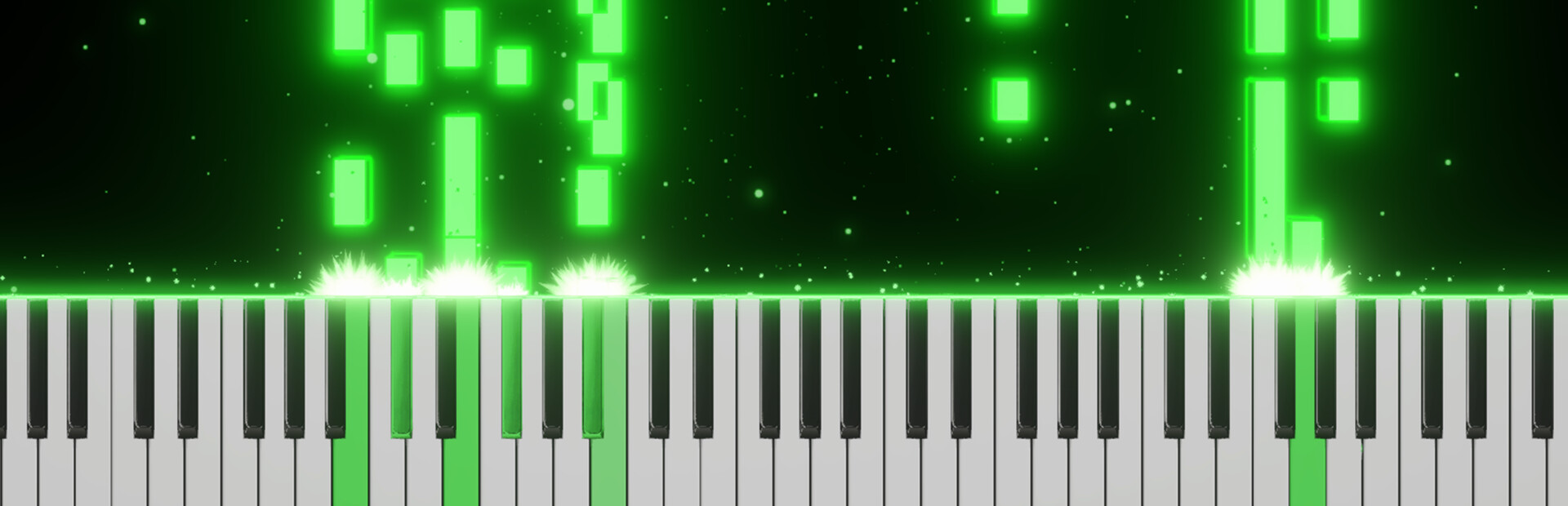
Stunning visuals & particle effects that move in sync with the tempo of your playing.
Upload video files as the background.
3D sheet music visualization with glowing orbs and 3D lighting effects.
QWERTY features
Auto-play QWERTY sheet music (semi-auto included).
Typing game modes, where falling notes (and sheet music based notation) are also shown with QWERTY notes.
Velocity settings such as predictive or random velocity, adjust velocity curve and more.
Transpose detection - press TAB to auto-transpose to the next auto-detected transpose in QWERTY sheets, or hold transpose and press a number to manually jump to a specific transpose.
In-game notepad for you to load or edit QWERTY sheets, with transpose tools and OCR.
Convert MIDI files to QWERTY.
Customizable Audio
Customizable reverb & equalizer audio effects.
Upload custom SoundFont (.sf2, .sf3) files, VST3 support and ASIO support.
Load multiple SoundFonts simultaneously (e.g. one for left-hand vs right-hand).
Create your own SoundFonts (by loading an MP3 or WAV and it will let you export a SoundFont file)!
Community
Discord community server, chat and share tips about piano.
Dedicated website and regular social media content.
Pay once and it's for a lifetime: all updates in the future will be included free as part of your one-time purchase (instead of DLCs), with a heavy focus on user-feedback as seen on the news. No hidden costs.
这段文字直接取自游戏的商店页面,由系统自动抓取。我们不撰写也不修改它,因此其中可能包含剧透。
系统需求
- 最低
- Windows 7 (SP1+) and Windows 10
- 最低
- 1.7 GHz Dual Core CPU
- 最低
- 2000 MB RAM
- 最低
- Recommend at least a dedicated GPU
- 最低
- 800 MB available space
- 最低
- Any
这些是开发商列出的配置要求,可能并非 100% 准确。如果你的配置低于最低要求,也可以试着运行;很多游戏在低于要求的配置下也能流畅运行。拿不准时,可以在 YouTube 查看性能实测。
如何安装 Piano Glow
Piano Glow 是一款预安装的 PC 游戏,当前版本 Build 26529957, 1.8GB。更新于 Nov 2026。
- 从同一个镜像下载所有分卷,并保存在同一文件夹。
- 用 7-Zip 或 WinRAR 解压第一个压缩包,其余分卷会自动解压。
- 打开解压后的文件夹,运行游戏的 .exe。无需安装程序。
- 预安装意味着解压后即可游玩,无需任何设置。
下载
从下方任意镜像下载文件。所有分卷都需要下载。保存到同一文件夹,然后解压第一个分卷。
如果只有一个主机失效,我们不接受修复请求。请使用上面的其他镜像。 链接失效了?告诉我们。
我们从不给压缩包加密码,也不夹带安装程序。如果某个页面要求输入密码或付款,那是文件主机的广告,不是我们。请查看我们的安全指南。