
Ken ga Kimi: Momoyo Tsuzuri - Free PC Download
Sobre Ken ga Kimi: Momoyo Tsuzuri
KEN ga KIMI is Japanese legend ADV and is highly recommended since released at Japan.
KEN ga KIMI Momoyo Tsudzuri is the FD of the original game and it has 100 stories included.
◆100 Stories Added Up!
Player can enjoy stories couldn't be told in KEN ga KIMI.
There are also many new event graphic for the stories.
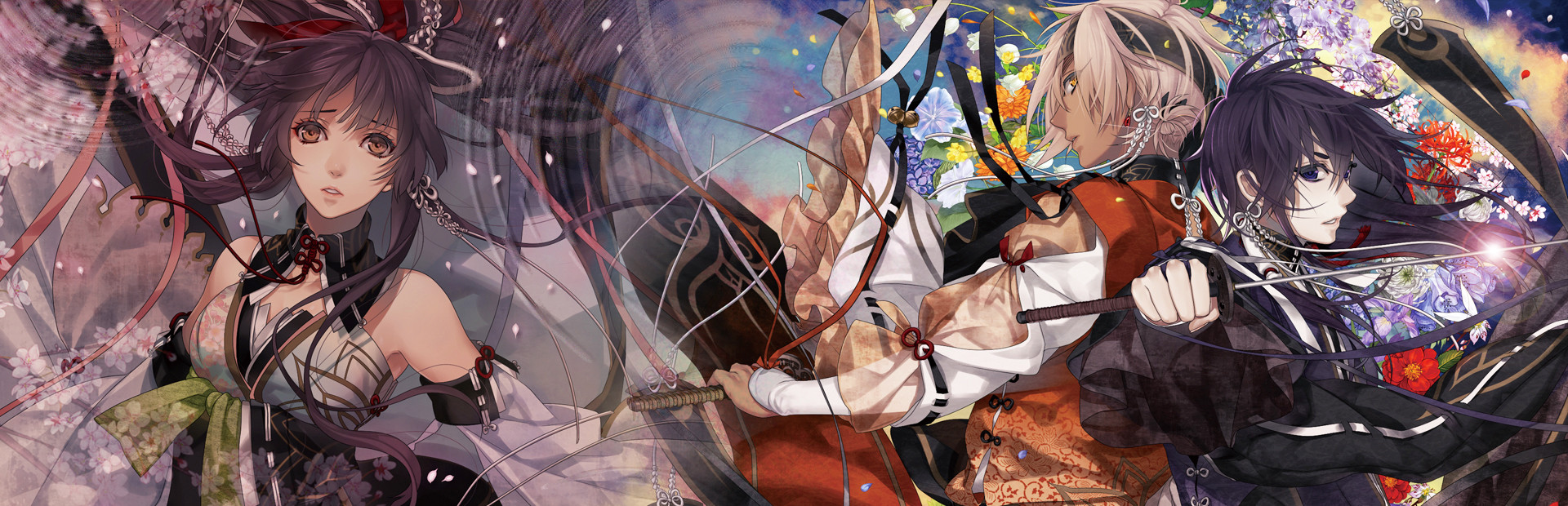
◆Famous Voice Actor and Unique Charactors!
Tsuzuramara Voiced by Ono Yuuki
Kei Voiced by KENN
Kuroba Saneaki Voiced by Maeno Tomoaki
Enishi Voiced by Okiayu Ryoutarou
Sagihara Sakyou Voiced by Hoshi Souichirou
Suzukake Voiced by Oosaka Ryouta
How to play KEN ga KIMI Momoyo Tsudzuri
1.How to advance the story
Choose a BOOK from STACK.
One book include several stories.
When you select a story, the plot will begin.
Stories will be unlocked while reading and you can start with the one you like.
◆About 100 Stories
-Sweet love stories;
-Untold stories about Sword;
-The past of Samurais;
-Interesting stories about the way back;
-Funny stories happened in Edo;
-Stories between Samurais;
-Stories of sub charactors.
2.Collecting Magatama
You should read the story and collecting the Magatama.
◆Ways to gain the Magatama
-Read stories;
-Narrative choices;
-Today's Restaurant and Tea House
◆About Today's Restaurant and Tea House
Charactors and sub charactors will visit the restaurant once a day
when starting the game and you can get Magatama as well.
Magatama can be exchanged for bonus.
◆Charactor's Details
Bonus voices from charactors which including 6 main charactors and 24 sub charactors!
◆Special Graphics
Special Graphics of the original game are available.
3.Chosing charactor
There are special choices in some stories.
Story will be continued from the viewpoint of which you choosed.
◆Collecting Bookmark
Player will gain a bookmark when chosing a charactor.
If you collect enough bookmarks, bonuses will be offered.
Controls
- About ADV
Confirm/Next: Left Click/D(Keyboard)/A(Xbox Controller)
Dictionary: Left Click/Z(Keyboard)/X(Xbox Controller)
Menu: Left Click/S(Keyboard)/Y(Xbox Controller)
AUTO: Q(Keyboard)/W(Keyboard)/LB/RB Once
SKIP: Q(Keyboard)/W(Keyboard)/LB/RB Twice
Quickload: 1/View
Quicksave: 2/Menu
Select: Arrow Keys(Keyboard)/Arrow Keys(Xbox Controller)/Left Stick
History: Arrow Keys←↑→(Keyboard&Xbox Controller)
Display Window: Left Click/Right Click/X(Keyboard)/B(Xbox Controller)
Cancel AUTO/SKIP: Left Click/Right Click/Q(Keyboard)/W(Keyboard)/LB/RB
- Others
Confirm: Left Click/D(Keyboard)/A(Xbox Controller)
Back: Right Click/X(Keyboard)/B(Xbox Controller)
Page: Q(Keyboard)/W(Keyboard)/LB/RB
Delete(Enter Name): Z(Keyboard)/X(Xbox Controller)
Initialize(Enter Name&Setting): S(Keyboard)/Y(Xbox Controller)
Touch CG(Gallery): Z(Keyboard)/X(Xbox Controller)
Hide Manual(Gallery): S(Keyboard)/Y(Xbox Controller)
Play BGM: D(Keyboard)/A(Xbox Controller)
Pause BGM: Z(Keyboard)/X(Xbox Controller)
About the story
It all started in 1633, when Tokugawa Tadanaga committed suicide.
Heroine lives in Edo with her father and works in their little restaurant and tea house.
One day her life changes because she has to play the role of the Shogun's sister, Lady Hisahime.
She is protected by six highly-skilled bodyguards and then fall in love with then during the procession. But there is another thinking behind the bridal procession, which is to deliver the one of the Tenka-Goken—Juzumaru.
When they returned Edo, fate also bring they together and at which stories begin. And there are also untold stories about the past which waiting for you.
Este texto vem direto da página do jogo na loja e é puxado automaticamente. Não somos nós que o escrevemos ou editamos, então pode conter spoilers.
Requisitos do sistema
- Mín
- Windows7 32bit
- Rec
- Windows10 64bit
- Mín
- Intel Core2DUO 2GHz
- Rec
- Intel Core2DUO 2GHz
- Mín
- 1 GB RAM
- Rec
- 4 GB RAM
- Mín
- DirectX9.0 Compatible Graphics Card with 128MB VRAM
- Rec
- DirectX9.0 Compatible Graphics Card with 128MB VRAM
- Mín
- Version 9.0
- Rec
- Version 11
- Mín
- 26 GB available space
- Rec
- 35 GB available space
- Mín
- DirectX9.0 Compatible Sound Card/PCM Sound Card
- Rec
- DirectX9.0 Compatible Sound Card/PCM Sound Card
Estes são os requisitos listados pela desenvolvedora e podem não ser 100% precisos. Se sua configuração ficar abaixo do mínimo, tente o jogo mesmo assim; muitos jogos rodam bem fora das especificações. Na dúvida, veja benchmarks de desempenho no YouTube.
Como instalar Ken ga Kimi: Momoyo Tsuzuri
Ken ga Kimi: Momoyo Tsuzuri é um jogo de PC pré-instalado, atualmente em Build 7821297, 10.5 GB. Atualizado em Jul 2026.
- Baixe todas as partes de um mesmo mirror e salve na mesma pasta.
- Extraia o primeiro arquivo com 7-Zip ou WinRAR. As demais partes são extraídas automaticamente.
- Abra a pasta extraída e execute o .exe do jogo. Não é preciso instalador.
- Pré-instalado significa que o jogo está pronto para jogar após extrair. Nada a configurar.
Baixar
Baixe os arquivos de qualquer mirror abaixo. Todas as partes são necessárias. Salve-as na mesma pasta e extraia a primeira.
O Pixeldrain limita downloads gratuitos a alguns MB/s. O botão Copiar link rápido gera um link de bypass sem limite de velocidade. Cole no seu gerenciador de downloads ou na barra de endereços do navegador.
Não aceitamos pedidos de correção quando só um host está fora do ar. Use outro mirror acima. Links quebrados? Avise-nos.
Nunca protegemos arquivos com senha nem escondemos instaladores. Se uma página pedir senha ou pagamento, é o anúncio do host, não nós. Veja nosso guia de segurança.