METALLIC CHILD - Free PC Download
Sobre METALLIC CHILD
[IMPORTANT NOTICE] Regarding the METALLIC CHILD Original Soundtrack
We have finally identified and fixed the issues that have been pointed out in the forums regarding the METALLIC CHILD Original Soundtrack.
The issues that have been fixed are as follows:
- The track "Chasing (Arranged)" was accidentally replaced by a version of the track "Theme of Icela."
- The version of "Run, Run" included in the album was an older version which differed from the actual track used in the game.
Note: The older version of "Run, Run" is still included in the album, but renamed as "Run, Run (Initial Version)."
Those who have already purchased the album,
please follow the steps below to obtain the updated files.
-Automatic updates enabled:
Go to your library, open up the METALLIC CHILD Original Soundtrack, and click "Browse Local Files" to open up the download folder (METALLIC CHILD Original Soundtrack).
-Automatic updates disabled:
First, go to your library, open up the METALLIC CHILD Original Soundtrack, and click "Update."
Then, click "Browse Local Files" to open up the download folder (METALLIC CHILD Original Soundtrack).
Please accept our apologies for taking so long to resolve this problem.
We thank all of you who have contributed to drawing attention to this issue.
[ISSUE RESOLVED] Regarding the METALLIC CHILD Digital Artbook
The issue has been resolved regarding the announcement we made on September 24th, in which the actual product cannot be obtained when purchasing the METALLIC CHILD Digital Artbook and the bundles that include it.
Turns out, it was a technical glitch.
The products that were affected are listed below:
METALLIC CHILD - Digital Deluxe Edition
METALLIC CHILD - Digital Artbook Package
METALLIC CHILD Digital Artbook
Those who have already purchased the artbook,
please follow the steps below to obtain the file.
-Automatic updates enabled:
Open up the game's Properties and select the LOCAL FILES tab to open up the download folder.
-Automatic updates disabled:
First update the main game app, then open Properties and select the LOCAL FILES tab to open up the download folder.
Please also make sure the artbook is enabled for installation in the DLC tab of Properties.
We thank you all for your understanding.
About the Game

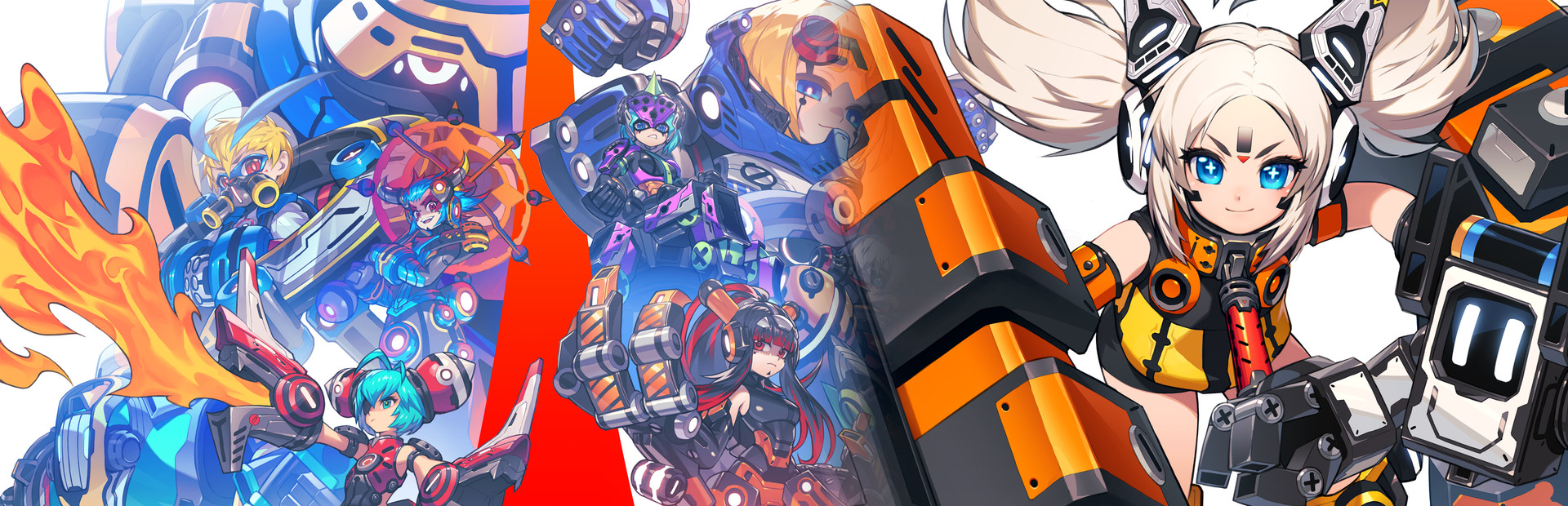
METALLIC CHILD is a rogue-lite, core-action game, featuring Rona, an android known as “Metallic Child,” taking place in a space laboratory in the latter part of the 20th century.
A large-scale rebellion has taken place in the space laboratory Life Stream.
All robots aboard, with the exception of Rona and Pan, are conspiring to crash Life Stream into planet Earth.
Rona has stood up to stop this plot, and you will be the one to guide Rona by remotely operating her through this "game."

■ Core Grabbing, Rogue-lite, Core-Action
Hardcore action utilizing randomized item distribution, characteristic of a rogue-lite game, and a system of strengthening by robbing Cores from enemies.
This game is sure to provide players with a fresh, new experience.
■ “Grab, hurl, and eliminate!”

This is not just some ordinary hack-and-slash game, but also includes elements of a beat’ em up!
You can grab enemies and use them as a shield, hurl them against others, or even mash them into a wall to deal damage.
■ Devastating Battles Against a Multifarious Fleet of Bosses
Rona will be facing numerous bosses who try to thwart her efforts.
Rona will be tormented by the unique skills possessed by these bosses.
But, by defeating them, Rona can obtain their skills and use it to go against even stronger bosses.
■ An Interactive Story and Quests
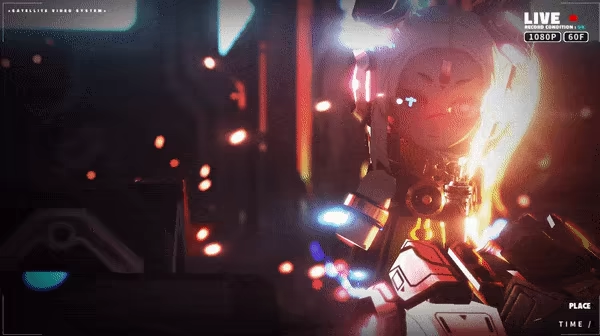
You, the gamer, will be operating Rona remotely from Earth. You and Rona will be interacting with many NPCs while exploring the ship, to get to the truth of the rebellion.
What exactly happened that day in the spaceship… You, not just as a player, but as a key character of this game, are soon to find out.
Este texto vem direto da página do jogo na loja e é puxado automaticamente. Não somos nós que o escrevemos ou editamos, então pode conter spoilers.
Requisitos do sistema
- Mín
- Windows®10 64-bit
- Rec
- Windows®10 64-bit
- Mín
- Intel® Core™ i3-3330 / AMD Ryzen™ 3100
- Rec
- Intel® Core™ i5-6500 / AMD Ryzen™ 3100
- Mín
- 8 GB RAM
- Rec
- 8 GB RAM
- Mín
- NVIDIA® GeForce® GTX 750 / AMD Radeon™ R7260X
- Rec
- NVIDIA® GeForce® GTX 960 / AMD Radeon™ R7370
- Mín
- 3 GB available space
- Rec
- 3 GB available space
Estes são os requisitos listados pela desenvolvedora e podem não ser 100% precisos. Se sua configuração ficar abaixo do mínimo, tente o jogo mesmo assim; muitos jogos rodam bem fora das especificações. Na dúvida, veja benchmarks de desempenho no YouTube.
Como instalar METALLIC CHILD
METALLIC CHILD é um jogo de PC pré-instalado, atualmente em Build 8466676, 893.5 MB. Atualizado em Aug 2026.
- Baixe todas as partes de um mesmo mirror e salve na mesma pasta.
- Extraia o primeiro arquivo com 7-Zip ou WinRAR. As demais partes são extraídas automaticamente.
- Abra a pasta extraída e execute o .exe do jogo. Não é preciso instalador.
- Pré-instalado significa que o jogo está pronto para jogar após extrair. Nada a configurar.
Baixar
Baixe os arquivos de qualquer mirror abaixo. Todas as partes são necessárias. Salve-as na mesma pasta e extraia a primeira.
O Pixeldrain limita downloads gratuitos a alguns MB/s. O botão Copiar link rápido gera um link de bypass sem limite de velocidade. Cole no seu gerenciador de downloads ou na barra de endereços do navegador.
Não aceitamos pedidos de correção quando só um host está fora do ar. Use outro mirror acima. Links quebrados? Avise-nos.
Nunca protegemos arquivos com senha nem escondemos instaladores. Se uma página pedir senha ou pagamento, é o anúncio do host, não nós. Veja nosso guia de segurança.