Neptunia Virtual Stars - Free PC Download
Sobre Neptunia Virtual Stars
Story
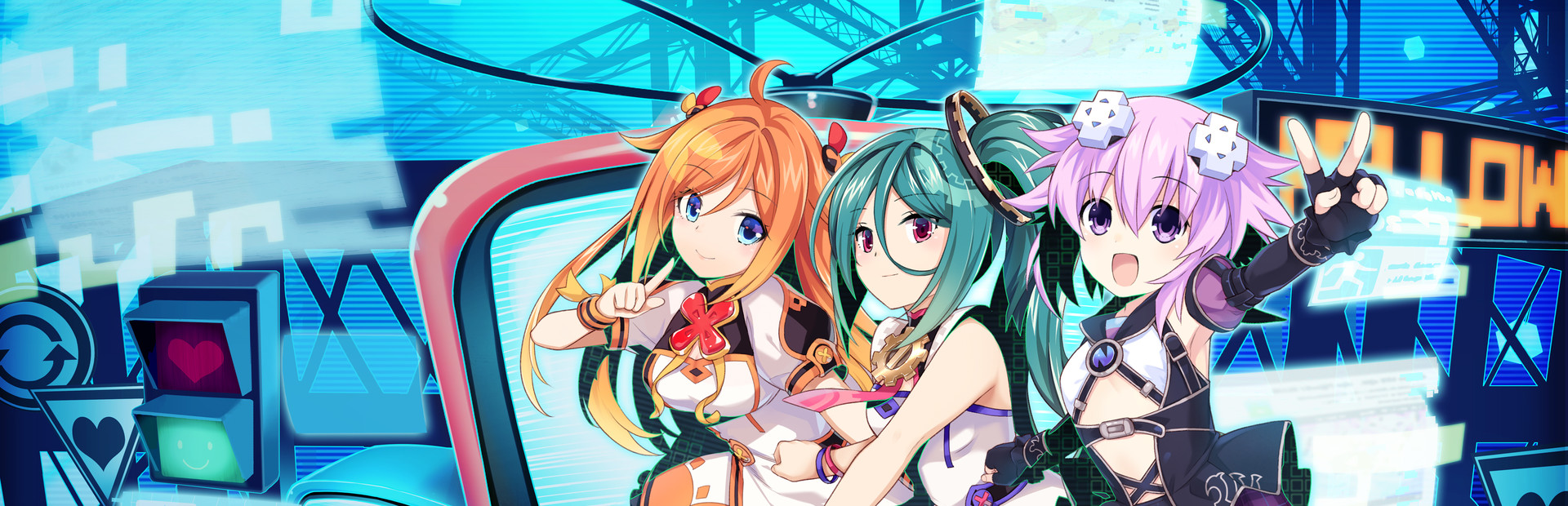
Enter Virtualand - a digital world that exists alongside the networks of various dimensions. Within Virtualand lies the planet Emote - a planet faced with extinction due to the maleficent group of Content destroyers known as Antis.In an act of desperation, the Digital Goddess of the planet Emote, Faira, sends a distress signal to other dimensions in hopes to find a savior of this planet.
And the saviors that were reached? The rising Vtuber stars, Me and You, members of MEWTRAL, as well as the Goddesses of Gamindustri: Neptune, Noire, Blanc, and Vert!
Can MEWTRAL and the Goddesses band together and save the planet Emote from complete destruction?
Key Features
Switch Up & Keep Movin' – Seamlessly switch perspectives between the four Goddesses & playable VTubers in fast-paced hack 'n' slash battles. Rock enemies with lightning-fast combos and glide across the map to dodge incoming attacks.Feel the BeatTik Rhythm – Keep tempo in the BeatTik rhythm game! Accessorize your favorite characters and have them groove to your favorite Neptunia Virtual Stars tracks. Record your BeatTik performance, then use the video on the Video Battler section to unlock unique items, songs, and even more dance moves!
Take your EMOtions to Overdrive – The Emotional Overdrive special attack can bring the Goddesses and Vtubers to a harmonious victory. Fill up the Emote Gauge to activate your Emotional Overdrive and watch the Vtubers come to life. You may even find yourself receiving extra loot for your stunning performance!
Rescue a Vtuber, Save the Planet – Find and save the Vtubers scattered throughout Virtualand! Do you find yourself falling flat in battle? With the Guest Connect System, Vtubers can support you with their special powers to topple any enemy!
Este texto vem direto da página do jogo na loja e é puxado automaticamente. Não somos nós que o escrevemos ou editamos, então pode conter spoilers.
Requisitos do sistema
- Mín
- Windows 8 (64-bit)
- Rec
- Windows 10 Home (64-bit)
- Mín
- Intel i5 2.3GHz or AMD A9 2.9GHz equivalent
- Rec
- Intel i5 3.3GHz or AMD FX-8350 4.0GHz equivalent
- Mín
- 4 GB RAM
- Rec
- 8 GB RAM
- Mín
- NVIDIA GeForce GTX 670 or AMD Radeon HD 7970 / R9 280X
- Rec
- Nvidia Geforce GTX 1060 3GB or AMD Radeon RX 580
- Mín
- Version 11
- Rec
- Version 11
- Mín
- 20 GB available space
- Rec
- 20 GB available space
- Mín
- DirectSound (DirectX) compatible sound card
- Rec
- DirectSound (DirectX) compatible sound card
- Mín
- Optimal 4k performance may require better than Recommended System Requirements
- Rec
- Optimal 4k performance may require better than Recommended System Requirements
Estes são os requisitos listados pela desenvolvedora e podem não ser 100% precisos. Se sua configuração ficar abaixo do mínimo, tente o jogo mesmo assim; muitos jogos rodam bem fora das especificações. Na dúvida, veja benchmarks de desempenho no YouTube.
Como instalar Neptunia Virtual Stars
Neptunia Virtual Stars é um jogo de PC pré-instalado, atualmente em Build 7086240, 21.3 GB. Atualizado em Jul 2026.
- Baixe todas as partes de um mesmo mirror e salve na mesma pasta.
- Extraia o primeiro arquivo com 7-Zip ou WinRAR. As demais partes são extraídas automaticamente.
- Abra a pasta extraída e execute o .exe do jogo. Não é preciso instalador.
- Pré-instalado significa que o jogo está pronto para jogar após extrair. Nada a configurar.
Baixar
Baixe os arquivos de qualquer mirror abaixo. Todas as partes são necessárias. Salve-as na mesma pasta e extraia a primeira.
O Pixeldrain limita downloads gratuitos a alguns MB/s. O botão Copiar link rápido gera um link de bypass sem limite de velocidade. Cole no seu gerenciador de downloads ou na barra de endereços do navegador.
Não aceitamos pedidos de correção quando só um host está fora do ar. Use outro mirror acima. Links quebrados? Avise-nos.
Nunca protegemos arquivos com senha nem escondemos instaladores. Se uma página pedir senha ou pagamento, é o anúncio do host, não nós. Veja nosso guia de segurança.