
The Spirit of the Samurai - Free PC Download
Sobre The Spirit of the Samurai
Join our Discord

About the Game
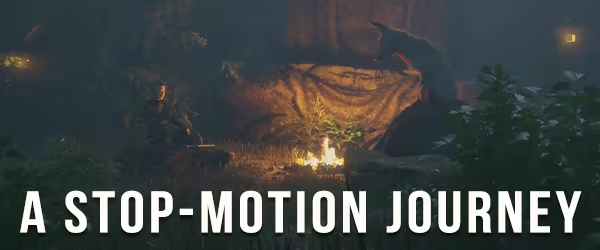

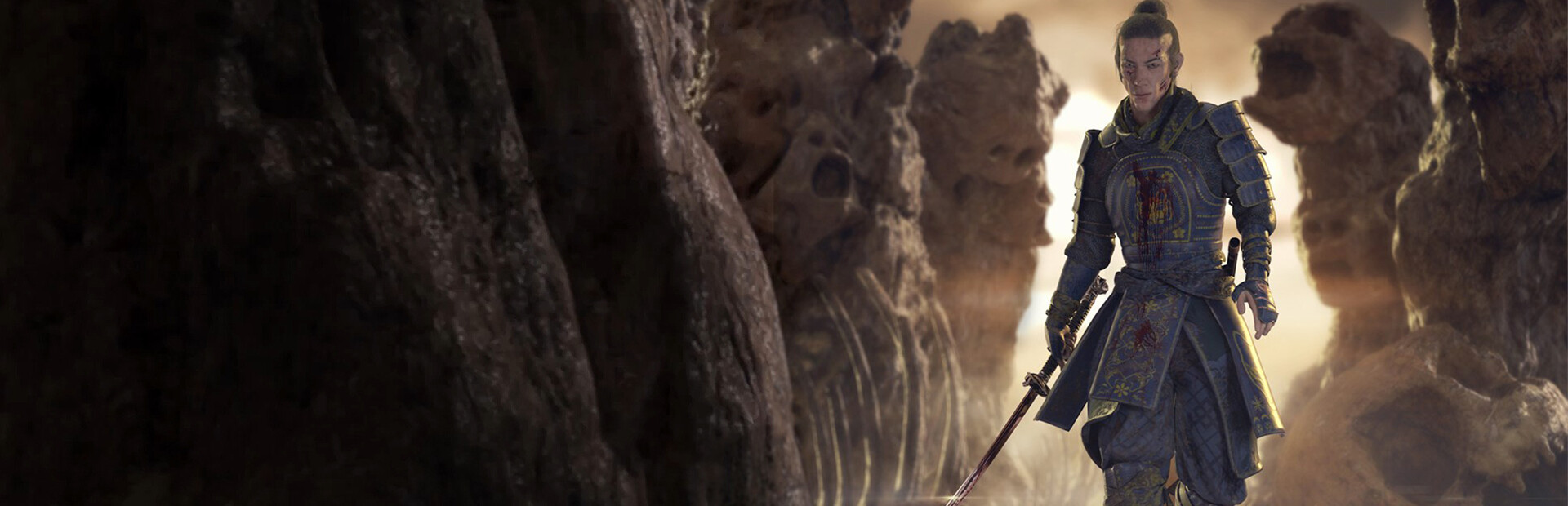
Assume the role of Takeshi, a Japanese samurai who has to protect his village from the onslaught of an Oni attempting to conquer the land with his undead army. Fight against his army of tengu, undead and the horrifying Jorogumo, all inspired by Japanese mythology, in a unique, brutal stop-motion cinematic adventure.
Defend the Forbidden Village

Explore a meticulously crafted world alive with Japanese mythology and folklore. Wander through ruined villages, mountain caves, desolate cemeteries, and more. Battle yokai, undead monsters, and demons, all expertly rendered in a highly detailed, Ray Harryhausen-esque stop-motion style.
Three Spirits Bound by Fate

Fight through the undead hordes as three distinct characters: Takeshi, a skilled samurai; Kodama, a brave but tiny spirit; and Chisai, a warrior cat. Each interacts with the world in a different way, from intense sword combat to precise platforming and exploration.
Wield Legendary Power

Confront legions of demons armed with the weapons of ancient Japan: the iconic katana, the versatile yari spear, and the formidable bow. Unleash devastating special power attacks and combos unique to each character as you fight your way to the Oni’s castle.
Every step taken and foe vanquished grants you invaluable experience. Harness this to unlock the true potential within you, enhancing your abilities, honing your stats, and above all mastering an array of awe-inspiring moves that you can form into custom combos.
Features:
Unique stop-motion-style animation, character design, and cinematics
2D Action Adventure gameplay with Metroidvania elements
Detailed, atmospheric levels full of secrets to discover
Fast, smooth and varied controls ranging from a combo-based combat system to linked magical powers
Dynamic enemy AI makes every encounter challenging and unique
Customizable combat through an in-game combo editor
Este texto vem direto da página do jogo na loja e é puxado automaticamente. Não somos nós que o escrevemos ou editamos, então pode conter spoilers.
Requisitos do sistema
- Mín
- Windows 10 64-bit
- Rec
- Windows 10 64-bit
- Mín
- AMD FX-6300 | Intel i5 4440
- Rec
- AMD Ryzen 3 1200 | Intel Core i5-7600
- Mín
- 4 GB RAM
- Rec
- 8 GB RAM
- Mín
- Nvidia GeForce GT 730 | AMD Radeon R7 240 | Intel HD Graphics 630
- Rec
- Nvidia GeForce GTX 460 | AMD Radeon HD 7850
- Mín
- Version 11
- Rec
- Version 11
- Mín
- 8 GB available space
- Rec
- 8 GB available space
- Mín
- Requires a 64-bit processor and operating system
- Rec
- Requires a 64-bit processor and operating system
Estes são os requisitos listados pela desenvolvedora e podem não ser 100% precisos. Se sua configuração ficar abaixo do mínimo, tente o jogo mesmo assim; muitos jogos rodam bem fora das especificações. Na dúvida, veja benchmarks de desempenho no YouTube.
Como instalar The Spirit of the Samurai
The Spirit of the Samurai é um jogo de PC pré-instalado, atualmente em Build 23884985, 4.5 GB. Atualizado em Jul 2026.
- Baixe todas as partes de um mesmo mirror e salve na mesma pasta.
- Extraia o primeiro arquivo com 7-Zip ou WinRAR. As demais partes são extraídas automaticamente.
- Abra a pasta extraída e execute o .exe do jogo. Não é preciso instalador.
- Pré-instalado significa que o jogo está pronto para jogar após extrair. Nada a configurar.
Baixar
Baixe os arquivos de qualquer mirror abaixo. Todas as partes são necessárias. Salve-as na mesma pasta e extraia a primeira.
O Pixeldrain limita downloads gratuitos a alguns MB/s. O botão Copiar link rápido gera um link de bypass sem limite de velocidade. Cole no seu gerenciador de downloads ou na barra de endereços do navegador.
Não aceitamos pedidos de correção quando só um host está fora do ar. Use outro mirror acima. Links quebrados? Avise-nos.
Nunca protegemos arquivos com senha nem escondemos instaladores. Se uma página pedir senha ou pagamento, é o anúncio do host, não nós. Veja nosso guia de segurança.