Red Light - Free PC Download
About Red Light

You are Max, on a mission to find your missing brother. Your only lead takes you to an old Soviet R&D Institute, now taken over by mercenaries and creepy results of human experiments.
Fight your way through enemies, complete quests, and go deeper underground with each level. The more you explore, the more secrets you uncover about what really happened here.
Gear up, stay sharp, and get ready for a dangerous journey into the unknown.

Fight against monsters, mercenaries and bosses as you head into an abandoned mega structure.
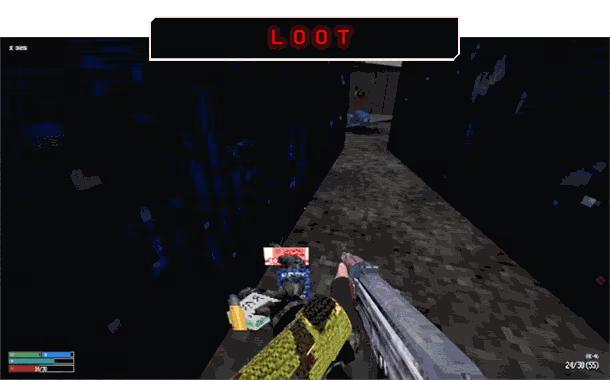
Search every corner for useful gear, supplies, and valuables. Everything you find can help you survive — or be sold later for profit.
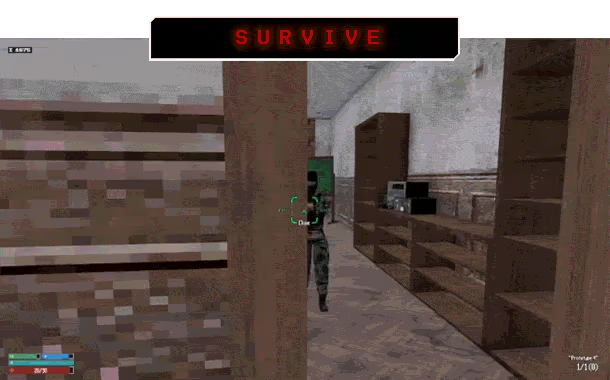
Stock up on food, water, ammo, and meds. Once you are inside, you are on your own until exits open. Complete tasks, find better gear and upgrade your stats to improve your chances for the next raid.

Make it to the exfil point to keep your loot — or die and lose everything you found and brought with you.
This text comes straight from the game's store page and is pulled in automatically. We don't write or edit it, so it may contain spoilers.
System requirements
- Min
- Windows 10 64-bit
- Rec
- Windows 10 64-bit
- Min
- Ryzen 3
- Rec
- AMD Ryzen 5 6500
- Min
- 8 GB RAM
- Rec
- 16 GB RAM
- Min
- Radeon Vega Mobile GFX
- Rec
- AMD Radeon HD 6450 / NVIDIA GeForce GT 710 / GTX 460
- Min
- Version 9.0
- Rec
- Version 11
- Min
- 1 GB available space
- Rec
- 1 GB available space
These are the developer's listed requirements and may not be 100% accurate. If your specs fall below the minimum, try the game anyway; many games run fine below the listed requirements. When in doubt, check YouTube for performance benchmarks.
How to install Red Light
Red Light is a pre-installed PC game, currently at (27 April 2026 | Build 22968051), 1.1 GB. Updated Jun 2026.
- Download every part from one mirror and save them in the same folder.
- Extract the first archive with 7-Zip or WinRAR. The rest unpack automatically.
- Open the extracted folder and run the game's .exe. No installer is needed.
- Pre-installed means the game is ready to play after extracting. Nothing to set up.
Download
Download the files from any mirror below. All parts are needed. Save them to the same folder, then extract the first one.
Pixeldrain slows free downloads to a few MB/s. The Copy fast link button gives you a bypass link with no speed limit. Paste it into your download manager, or into your browser's address bar.
We don't accept fix requests when only one host is down. Please use another mirror above. Links broken? Let us know.
We never password-protect files or hide installers. If a page asks for a password or payment, that is the host's ad, not us. See our safety guide.