Romestead - Free PC Download
About Romestead
Rome has fallen!
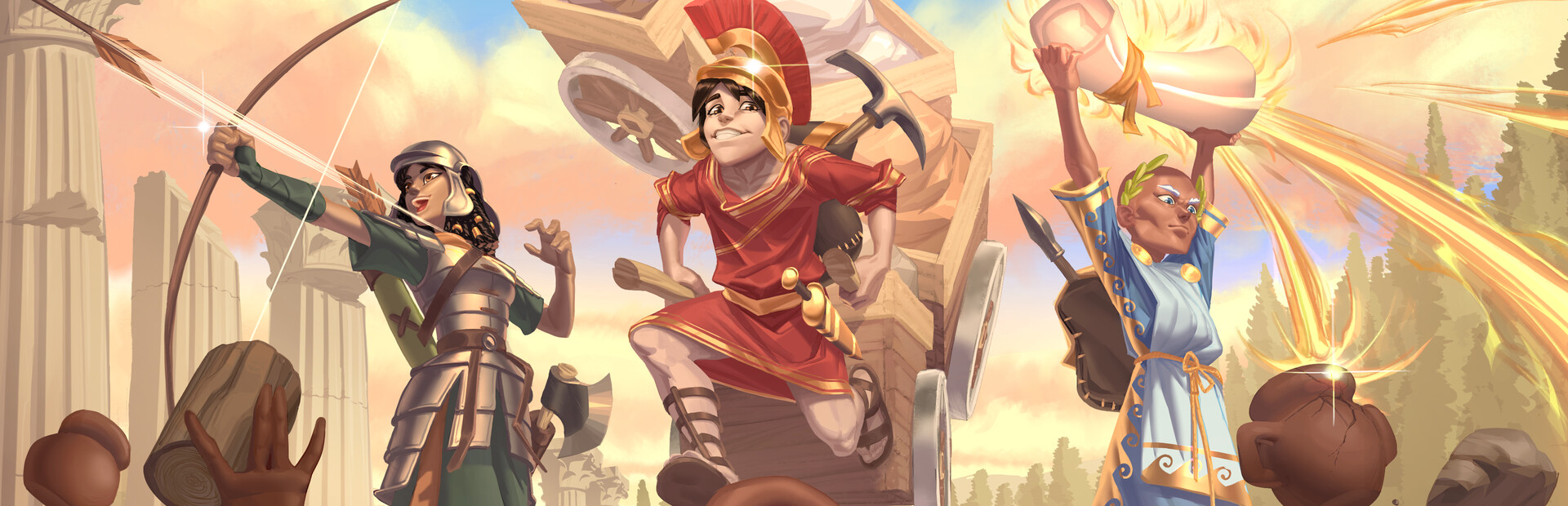
Rebuild civilization in this action-adventure survival game for 1-8 players. Fight hordes of the walking dead, build settlements, restore the Roman gods... or kick back and farm with friends.
In Romestead, the dead walk at night and the gods have gone silent. Explore, gather, build, and slowly turn a camp into a working settlement.
Progression is biome-based: explore, gather resources, craft better gear, restore the gods through offerings and sacrifices, defeat bosses to unlock the next crafting tier, and take on the next biome.
Or take your time. Decorate your settlement, experiment with automation, farm your crops, and hang out with friends.
Features
Survive Alone or With Friends
The game scales in difficulty depending on how many players are in the world. While balanced for up to eight players, we’re not stopping you from inviting more.Physical Resource Management
Romestead has a regular inventory system, but heavy resources are physical objects in the world. Pick up, carry, throw, and haul lumber and rocks, or build carts to bring resources back from the wild. An enemy closing in? Chuck a boulder in its face.Build Your Settlements
Search the world for survivors to recruit as artisans, keep your people happy, and turn your towns into hubs for crafting, farming, and production. As you discover more biomes you can build more specialized settlements and even set up trade between them.Restore the Gods
Crafting isn’t the only way to get stronger. Make offerings and sacrifices to restore the gods’ connection to the world and unlock their technologies, buffs, and upgrades.Find Your Role
Build around melee, ranged combat, magic, farming, building, or exploration. Solo players will do a bit of everything, but in co-op your group can specialize: fight, gather, craft, farm, automate production, or keep the settlement growing.Explore, Fight, and Loot
The world of Romestead is procedurally generated, but filled with handcrafted places, secrets, and dungeons. Dungeons range from short combat challenges to sprawling adventures with enemies and puzzles, and reward you with gear, trinkets, survivors, and more.
This text comes straight from the game's store page and is pulled in automatically. We don't write or edit it, so it may contain spoilers.
System requirements
- Min
- Windows 10 (64bit)
- Rec
- Windows 10 (64bit)
- Min
- Intel Core i5
- Rec
- Intel Core i7
- Min
- 8 GB RAM
- Rec
- 16 GB RAM
- Min
- Version 11
- Rec
- Version 11
- Min
- 2 GB available space
- Rec
- 4 GB available space
- Min
- -
- Rec
- Broadband Internet connection
- Min
- 16:9 screen aspect ratio recommended
- Rec
- 16:9 screen aspect ratio recommended
These are the developer's listed requirements and may not be 100% accurate. If your specs fall below the minimum, try the game anyway; many games run fine below the listed requirements. When in doubt, check YouTube for performance benchmarks.
How to install Romestead
Romestead is a pre-installed PC game, currently at Build 25128773, 275.3MB. Updated Sep 2026.
- Download every part from one mirror and save them in the same folder.
- Extract the first archive with 7-Zip or WinRAR. The rest unpack automatically.
- Open the extracted folder and run the game's .exe. No installer is needed.
- Pre-installed means the game is ready to play after extracting. Nothing to set up.
Download
Download the files from any mirror below. All parts are needed. Save them to the same folder, then extract the first one.
Pixeldrain slows free downloads to a few MB/s. The Copy fast link button gives you a bypass link with no speed limit. Paste it into your download manager, or into your browser's address bar.
We don't accept fix requests when only one host is down. Please use another mirror above. Links broken? Let us know.
We never password-protect files or hide installers. If a page asks for a password or payment, that is the host's ad, not us. See our safety guide.