
Ken ga Kimi: Momoyo Tsuzuri - Free PC Download
Об игре Ken ga Kimi: Momoyo Tsuzuri
KEN ga KIMI is Japanese legend ADV and is highly recommended since released at Japan.
KEN ga KIMI Momoyo Tsudzuri is the FD of the original game and it has 100 stories included.
◆100 Stories Added Up!
Player can enjoy stories couldn't be told in KEN ga KIMI.
There are also many new event graphic for the stories.
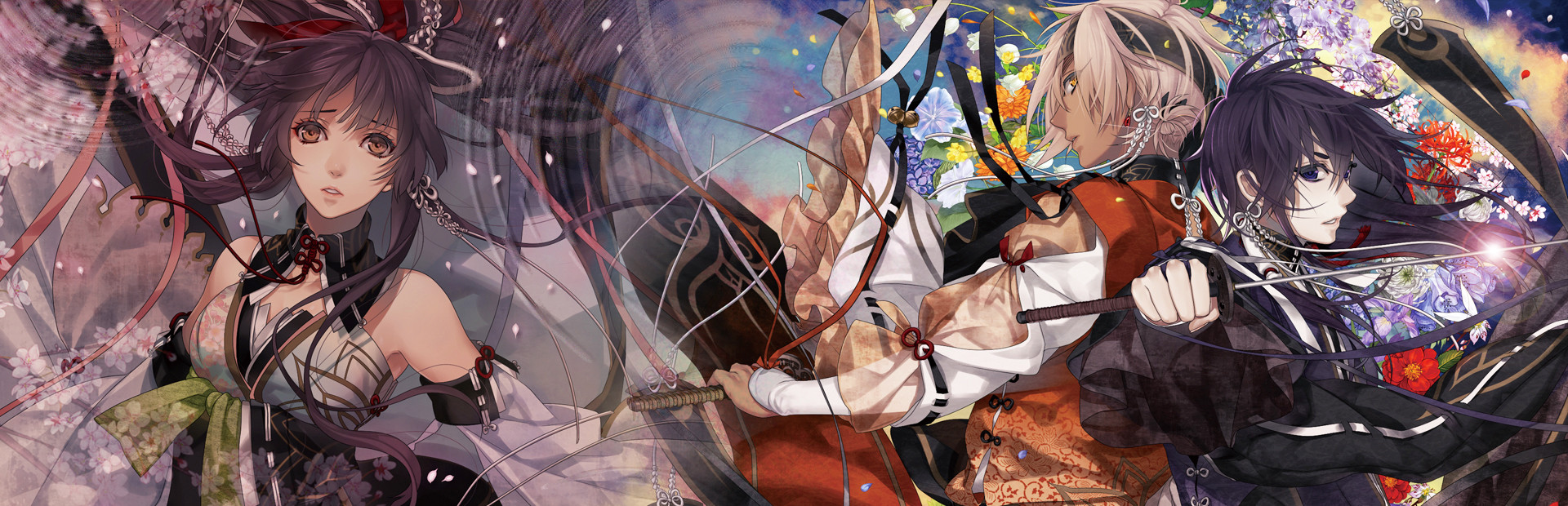
◆Famous Voice Actor and Unique Charactors!
Tsuzuramara Voiced by Ono Yuuki
Kei Voiced by KENN
Kuroba Saneaki Voiced by Maeno Tomoaki
Enishi Voiced by Okiayu Ryoutarou
Sagihara Sakyou Voiced by Hoshi Souichirou
Suzukake Voiced by Oosaka Ryouta
How to play KEN ga KIMI Momoyo Tsudzuri
1.How to advance the story
Choose a BOOK from STACK.
One book include several stories.
When you select a story, the plot will begin.
Stories will be unlocked while reading and you can start with the one you like.
◆About 100 Stories
-Sweet love stories;
-Untold stories about Sword;
-The past of Samurais;
-Interesting stories about the way back;
-Funny stories happened in Edo;
-Stories between Samurais;
-Stories of sub charactors.
2.Collecting Magatama
You should read the story and collecting the Magatama.
◆Ways to gain the Magatama
-Read stories;
-Narrative choices;
-Today's Restaurant and Tea House
◆About Today's Restaurant and Tea House
Charactors and sub charactors will visit the restaurant once a day
when starting the game and you can get Magatama as well.
Magatama can be exchanged for bonus.
◆Charactor's Details
Bonus voices from charactors which including 6 main charactors and 24 sub charactors!
◆Special Graphics
Special Graphics of the original game are available.
3.Chosing charactor
There are special choices in some stories.
Story will be continued from the viewpoint of which you choosed.
◆Collecting Bookmark
Player will gain a bookmark when chosing a charactor.
If you collect enough bookmarks, bonuses will be offered.
Controls
- About ADV
Confirm/Next: Left Click/D(Keyboard)/A(Xbox Controller)
Dictionary: Left Click/Z(Keyboard)/X(Xbox Controller)
Menu: Left Click/S(Keyboard)/Y(Xbox Controller)
AUTO: Q(Keyboard)/W(Keyboard)/LB/RB Once
SKIP: Q(Keyboard)/W(Keyboard)/LB/RB Twice
Quickload: 1/View
Quicksave: 2/Menu
Select: Arrow Keys(Keyboard)/Arrow Keys(Xbox Controller)/Left Stick
History: Arrow Keys←↑→(Keyboard&Xbox Controller)
Display Window: Left Click/Right Click/X(Keyboard)/B(Xbox Controller)
Cancel AUTO/SKIP: Left Click/Right Click/Q(Keyboard)/W(Keyboard)/LB/RB
- Others
Confirm: Left Click/D(Keyboard)/A(Xbox Controller)
Back: Right Click/X(Keyboard)/B(Xbox Controller)
Page: Q(Keyboard)/W(Keyboard)/LB/RB
Delete(Enter Name): Z(Keyboard)/X(Xbox Controller)
Initialize(Enter Name&Setting): S(Keyboard)/Y(Xbox Controller)
Touch CG(Gallery): Z(Keyboard)/X(Xbox Controller)
Hide Manual(Gallery): S(Keyboard)/Y(Xbox Controller)
Play BGM: D(Keyboard)/A(Xbox Controller)
Pause BGM: Z(Keyboard)/X(Xbox Controller)
About the story
It all started in 1633, when Tokugawa Tadanaga committed suicide.
Heroine lives in Edo with her father and works in their little restaurant and tea house.
One day her life changes because she has to play the role of the Shogun's sister, Lady Hisahime.
She is protected by six highly-skilled bodyguards and then fall in love with then during the procession. But there is another thinking behind the bridal procession, which is to deliver the one of the Tenka-Goken—Juzumaru.
When they returned Edo, fate also bring they together and at which stories begin. And there are also untold stories about the past which waiting for you.
Этот текст берётся напрямую со страницы игры в магазине и подставляется автоматически. Мы его не пишем и не редактируем, поэтому в нём могут быть спойлеры.
Системные требования
- Мин
- Windows7 32bit
- Рек
- Windows10 64bit
- Мин
- Intel Core2DUO 2GHz
- Рек
- Intel Core2DUO 2GHz
- Мин
- 1 GB RAM
- Рек
- 4 GB RAM
- Мин
- DirectX9.0 Compatible Graphics Card with 128MB VRAM
- Рек
- DirectX9.0 Compatible Graphics Card with 128MB VRAM
- Мин
- Version 9.0
- Рек
- Version 11
- Мин
- 26 GB available space
- Рек
- 35 GB available space
- Мин
- DirectX9.0 Compatible Sound Card/PCM Sound Card
- Рек
- DirectX9.0 Compatible Sound Card/PCM Sound Card
Это требования, указанные разработчиком, и они могут быть не на 100% точными. Если ваше железо ниже минимума, всё равно попробуйте игру; многие игры нормально работают и вне спецификаций. Если сомневаетесь, посмотрите тесты производительности на YouTube.
Как установить Ken ga Kimi: Momoyo Tsuzuri
Ken ga Kimi: Momoyo Tsuzuri — предустановленная игра для ПК, сейчас Build 7821297, 10.5 GB. Обновлено Jul 2026.
- Скачайте все части с одного зеркала и сохраните в одну папку.
- Распакуйте первый архив через 7-Zip или WinRAR. Остальные части распакуются автоматически.
- Откройте папку и запустите .exe игры. Установщик не нужен.
- Предустановленная игра готова к запуску сразу после распаковки. Ничего настраивать не нужно.
Скачать
Скачайте файлы из любого зеркала ниже. Все части необходимы. Сохраните их в одну папку и распакуйте первую часть.
Pixeldrain ограничивает бесплатные загрузки до нескольких МБ/с. Кнопка «Копировать быструю ссылку» даёт ссылку в обход ограничения скорости. Вставьте её в менеджер загрузок или в адресную строку браузера.
Мы не принимаем запросы на исправление, если не работает только один сервер. Используйте другое зеркало выше. Ссылки не работают? Сообщите нам.
Мы никогда не ставим пароли на архивы и не прячем внутри установщики. Если страница просит пароль или оплату, это реклама файлообменника, а не мы. Смотрите наше руководство по безопасности.