

Stonemachia - Free PC Download
About Stonemachia
Assume the role of Zefiro, a pawn capable of transforming into other chess pieces, as he embarks on a perilous Dantesque journey in a world ravaged by the Plague of Angels.
Venture into gloomy and forgotten lands and prepare to face armies of angels: statues and objects inspired by Italian art and folklore!

Discover and unlock all of the armour transformations and their unique abilities in a dark action-adventure soulslike, where the shield can truly change the outcome of every encounter.
Uncover the secret of the chess pieces and guide Zefiro through Medhelan on an epic quest to return to Heaven.
This text comes straight from the game's store page and is pulled in automatically. We don't write or edit it, so it may contain spoilers.
System requirements
- Min
- Windows 10 64-bit
- Rec
- -
- Min
- Ryzen 5 ryzen 5 PRO 3350G
- Rec
- -
- Min
- 8 GB RAM
- Rec
- -
- Min
- NVIDIA GeForce® GTX 1650 SUPER™
- Rec
- -
- Min
- Version 12
- Rec
- -
- Min
- 15 GB available space
- Rec
- -
- Min
- Be not afraid. (Update your graphic card drivers)
- Rec
- -
These are the developer's listed requirements and may not be 100% accurate. If your specs fall below the minimum, try the game anyway; many games run fine below the listed requirements. When in doubt, check YouTube for performance benchmarks.
How to install Stonemachia
Stonemachia is a pre-installed PC game, currently at Build 25775314, 11.2GB. Updated Nov 2026.
- Download every part from one mirror and save them in the same folder.
- Extract the first archive with 7-Zip or WinRAR. The rest unpack automatically.
- Open the extracted folder and run the game's .exe. No installer is needed.
- Pre-installed means the game is ready to play after extracting. Nothing to set up.
Download
Download the files from any mirror below. All parts are needed. Save them to the same folder, then extract the first one.
We don't accept fix requests when only one host is down. Please use another mirror above. Links broken? Let us know.
We never password-protect files or hide installers. If a page asks for a password or payment, that is the host's ad, not us. See our safety guide.
Comments2
You might also like

Black Myth: Wukong
Action, RPG, Souls-like
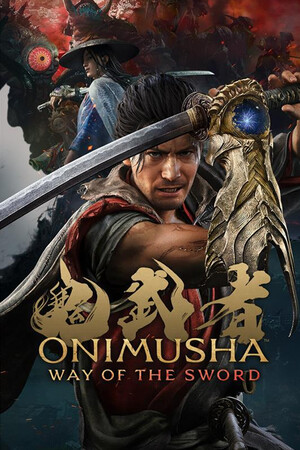
Onimusha: Way of the Sword
Action, Adventure, Souls-like

God of War Ragnarök
Action, Adventure, RPG

STAR WARS Jedi: Fallen Order™
Action, Adventure, Souls-like

WUCHANG: Fallen Feathers
Souls-like, Action, RPG

STRANGER OF PARADISE FINAL FANTASY ORIGIN
Action, RPG, Adventure