Tiny Dwellings
Oxalis Games2026Casual, Sandbox
2.9GBBuild 26868492Updated 2 days ago
About Tiny Dwellings
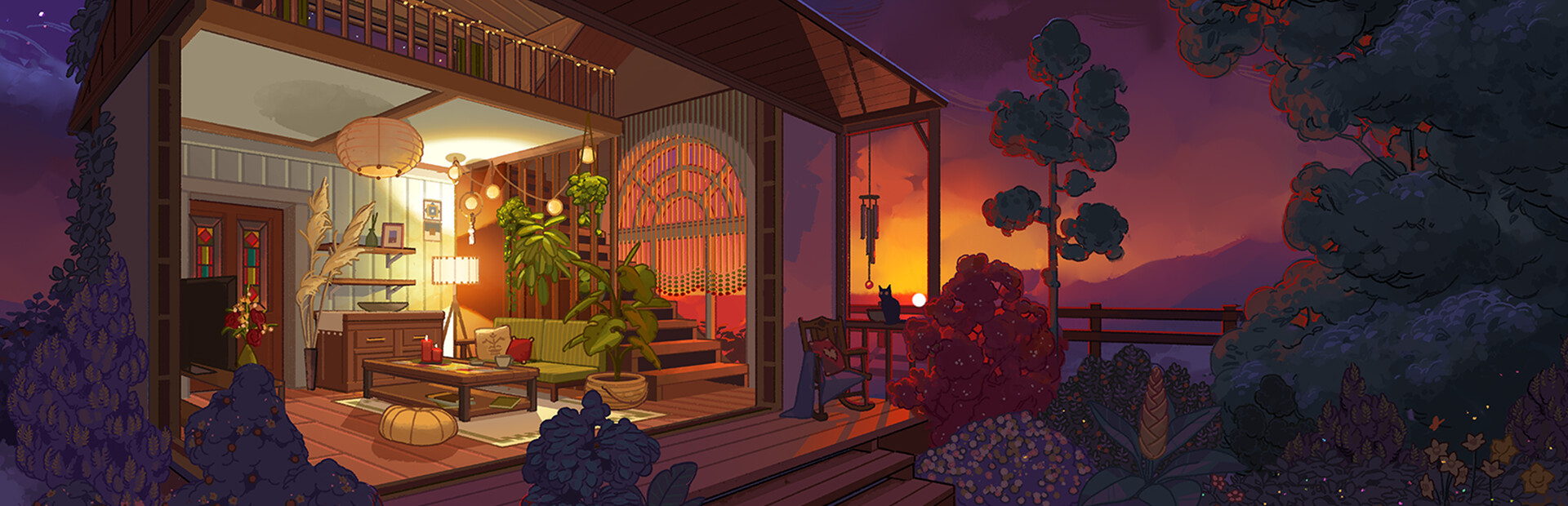
From the creators of Moonfrost, Tiny Dwellings is a whimsical hand-drawn spin-off builder with kindred pixelly vibes! Delight in designing your dream petite homesteads and charming dioramas. Unwind in a stress-free haven and dig the heartwarming lo-fi ambiences as you express your creative muse.

Tiny Dwellings is a cozy pixel-art builder where players place, decorate, and unwind.
Craft charming little homes and scenes with zero pressure - just satisfying placement, cute details, and a calm, lo-fi mood. Build tiny dioramas, add plants and props, watch as day turns to night and the lights turn on. Take a moment or two to unwind, relax and enjoy the cozy vibes of your creations.


Free Build- create anything, anywhere, at your own pace.


Over a Thousand unique decoration items
Create bespoke dioramas with Terrain Painting


Photo Mode- Snap your scene and share it with your friends
Enjoy your creations after you’re finished- let your diorama play in the background and watch day turn to night with our dynamic lighting system; rain turn to sun and enjoy our relaxing and beautiful original soundtrack.

From the store page, unedited. May contain spoilers.
This release
Reviews and playtime
Positive
90% of 30
The game
Genres and features
How to install Tiny Dwellings
Pre-installed, so there is no setup wizard. Follow these in order.
- 01
Create a games folder
Make a folder like C:\Games\ and keep every game in it. Avoid Program Files, Downloads and the Desktop.
- 02
Exclude it from Windows Defender
Defender often deletes cracked files by mistake while they extract. Add C:\Games\ as an excluded folder:
Windows Security -> Virus & threat protection -> Manage settings -> Exclusions -> Add an exclusion -> Folder
- 03
Download into C:\Games\
Save the archive straight into that folder. This release is one 2.9GB file.
- 04
Extract it there
Use 7-Zip or WinRAR. Keep about 6.4 GB free while it unpacks.
- One file
- Right-click it -> Extract here.
- Several parts
- Extract only part1 (or .001). The other parts are read automatically.
- 05
Open README.html
It is inside the extracted folder and explains how to start the game.
Still stuck? Read the install help
Download
Set up your games folder and the Defender exclusion before you extract. The Install tab has the steps.
FilesYard
The whole game in one file
VikingFile
The whole game in one file
We don't accept fix requests when only one host is down. Please use another mirror above. Links broken? Let us know.
We never password-protect files or hide installers. If a page asks for a password or payment, that is the host's ad, not us. See our safety guide.
System requirements
- Min
- Windows 7
- Rec
- -
- Min
- 1 GB RAM
- Rec
- -
- Min
- NVIDIA GeForce 450 or higher with 1GB Memory
- Rec
- -
- Min
- 100 MB available space
- Rec
- -
These are the developer's listed requirements and may not be 100% accurate. If your specs fall below the minimum, try the game anyway; many games run fine below the listed requirements. When in doubt, check YouTube for performance benchmarks.