

Tower Princess - Free PC Download
About Tower Princess
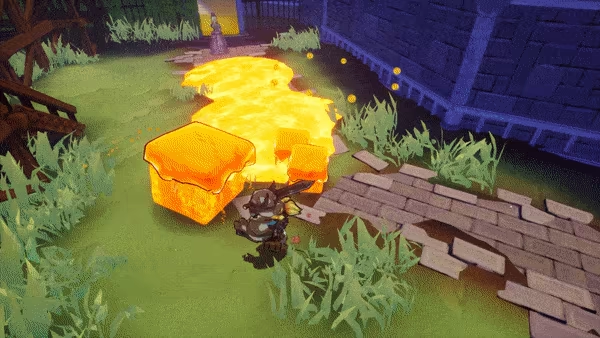
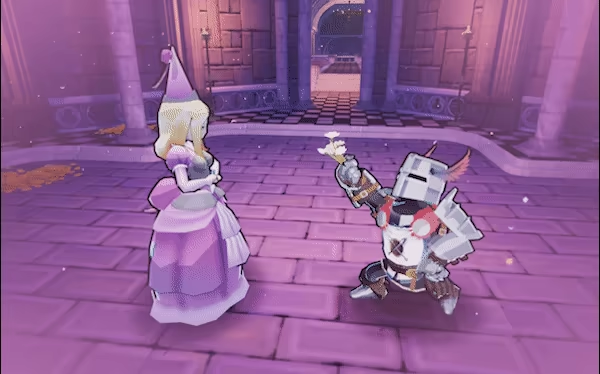
Once upon a time, in a Far Away Land, an Evil Dragon took prisoner every royal heir he could meet. Lots of worthy suitors of every kingdom tried to face the beast, without success. Now it's your turn! You'll have to do your best to beat the dungeon, defeat the dragon, and manage the most perfect date!
Every run is a unique adventure
Choose the weapon that suits your playing style!
Cheerful & light-hearted atmosphere
Let not the charming visual style trick you!
This text comes straight from the game's store page and is pulled in automatically. We don't write or edit it, so it may contain spoilers.
System requirements
- Min
- Windows 7+ / 8.1 / 10 / 11 64 bit
- Rec
- -
- Min
- Intel i3 Processor
- Rec
- -
- Min
- 6 GB RAM
- Rec
- -
- Min
- ATI 7770, Nvidia GeForce GTX 660 2GB
- Rec
- -
- Min
- Version 10
- Rec
- -
- Min
- 6 GB available space
- Rec
- -
These are the developer's listed requirements and may not be 100% accurate. If your specs fall below the minimum, try the game anyway; many games run fine below the listed requirements. When in doubt, check YouTube for performance benchmarks.
How to install Tower Princess
Tower Princess is a pre-installed PC game, currently at Build 11028488, 2.1GB. Updated Sep 2026.
- Download every part from one mirror and save them in the same folder.
- Extract the first archive with 7-Zip or WinRAR. The rest unpack automatically.
- Open the extracted folder and run the game's .exe. No installer is needed.
- Pre-installed means the game is ready to play after extracting. Nothing to set up.
Download
Download the files from any mirror below. All parts are needed. Save them to the same folder, then extract the first one.
Pixeldrain slows free downloads to a few MB/s. The Copy fast link button gives you a bypass link with no speed limit. Paste it into your download manager, or into your browser's address bar.
We don't accept fix requests when only one host is down. Please use another mirror above. Links broken? Let us know.
We never password-protect files or hide installers. If a page asks for a password or payment, that is the host's ad, not us. See our safety guide.