We March as One
dux2026Idle, Simulation
720.0MBBuild 26651298Updated 2 days ago
About We March as One
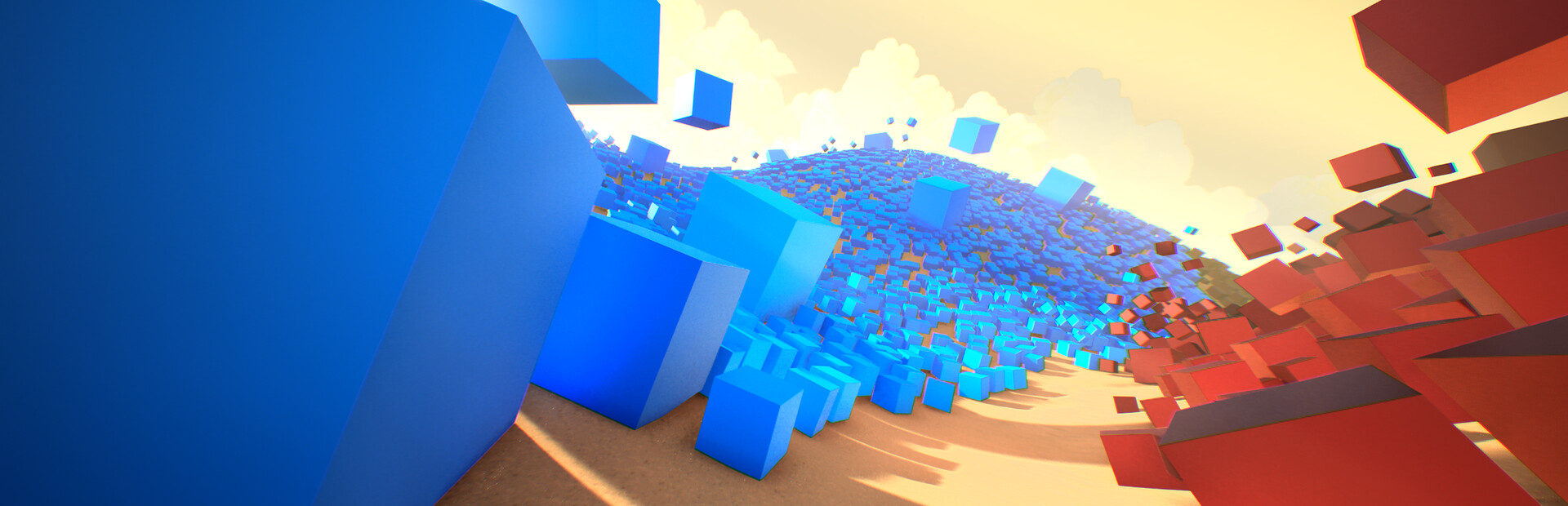
Start with a few shapes and build an army tens of thousands strong. Paint your troops onto the battlefield and send them to war against enormous hordes in this incremental auto battler where every unit is individually simulated.
We March as One is an incremental-style auto battler about building a massive army of shapes with mutliple ways to play:
Campaign - Build your army battle by battle
Tactics - Fixed army puzzles where placement and orders are everything
Command - Real-time orders and battlefield abilities
Muster - Fixed budget puzzles where you choose the army
Sandbox - Build custom levels and armies
Paint Your Army

Paint your troops directly onto the battlefield however you like
Tactically position them to counter the enemy force
Command Your Troops

Order your troops before the battle starts to plan out your tactics
Issue a MARCH command to set up a flank on the enemy or a HOLD command to play more defensively
Upgrade Your Units

Earn gold from defeated enemies, whether you win or lose the battle
Recruit more troops, unlock new unit types from a branching skill tree, and return with a stronger army
Fallen troops return for the next battle, so you keep the army you’ve built
Massive Battles

Every soldier and projectile is individually simulated
2D, 3D, or fly-through modes give you multiple ways to view the action
Sandbox Mode

Full level editor where you can build and save custom maps
Experiment with large unit counts and unusual army compositions across different battlefield layouts
Unlock troops and upgrades in the sandbox by encountering them in the other game modes
From the store page, unedited. May contain spoilers.
This release
Reviews and playtime
Very Positive
94% of 442
The game
Genres and features
How to install We March as One
Pre-installed, so there is no setup wizard. Follow these in order.
- 01
Create a games folder
Make a folder like C:\Games\ and keep every game in it. Avoid Program Files, Downloads and the Desktop.
- 02
Exclude it from Windows Defender
Defender often deletes cracked files by mistake while they extract. Add C:\Games\ as an excluded folder:
Windows Security -> Virus & threat protection -> Manage settings -> Exclusions -> Add an exclusion -> Folder
- 03
Download into C:\Games\
Save the archive straight into that folder. This release is one 720.0MB file.
- 04
Extract it there
Use 7-Zip or WinRAR. Keep about 1.5 GB free while it unpacks.
- One file
- Right-click it -> Extract here.
- Several parts
- Extract only part1 (or .001). The other parts are read automatically.
- 05
Open README.html
It is inside the extracted folder and explains how to start the game.
Still stuck? Read the install help
Download
Set up your games folder and the Defender exclusion before you extract. The Install tab has the steps.
FilesYard
The whole game in one file
VikingFile
The whole game in one file
We don't accept fix requests when only one host is down. Please use another mirror above. Links broken? Let us know.
We never password-protect files or hide installers. If a page asks for a password or payment, that is the host's ad, not us. See our safety guide.
System requirements
- Min
- Windows 10 64-bit (21H1 or newer)
- Min
- Quad-core CPU — Intel Core i5-6400 / AMD Ryzen 3 1200
- Min
- 8192 MB RAM
- Min
- Any DirectX 11 capable GPU with 1 GB VRAM (GeForce GTX 750 / Radeon R7 260 / Intel UHD 630)
- Min
- Version 11
- Min
- 2048 MB available space
These are the developer's listed requirements and may not be 100% accurate. If your specs fall below the minimum, try the game anyway; many games run fine below the listed requirements. When in doubt, check YouTube for performance benchmarks.