

Golf With Your Friends - Free PC Download
关于 Golf With Your Friends
INTRODUCING: KING OF THE CASTLE
Join the Discord Community
About the Game
Why have friends if not to play Golf... With Your Friends! Nothing is out of bounds as you take on courses filled with fast paced, exciting, simultaneous mini golf for up to 12 players!
Key Features:
12 Player Multiplayer! Make sure your skills are up to scratch as you tee off against 11 other golfers in simultaneous online multiplayer.

Themed Courses! Go head to head on courses with unique mechanics and holes. Become a pro in the pirate course, aim for an albatross in the ancient theme or wage all out Worm warfare in the Worms course!

Powerups! Drive a wedge between your friends as you trap their ball in honey, freeze it or turn it into a cube.

Three Game Modes! Tee off in classic mini golf, shoot for the pars in hoops or swap the hole for a goal in hockey
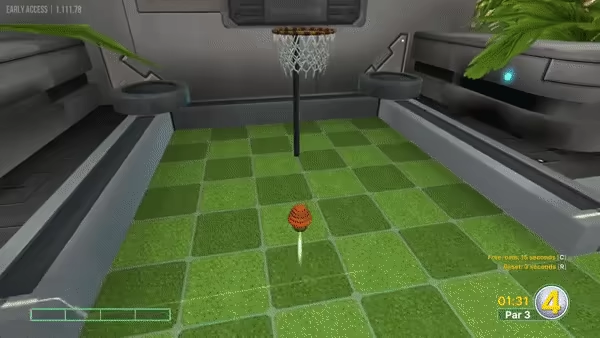
Level Editor! Putt your own spin on the game by creating, sharing and playing your own courses.

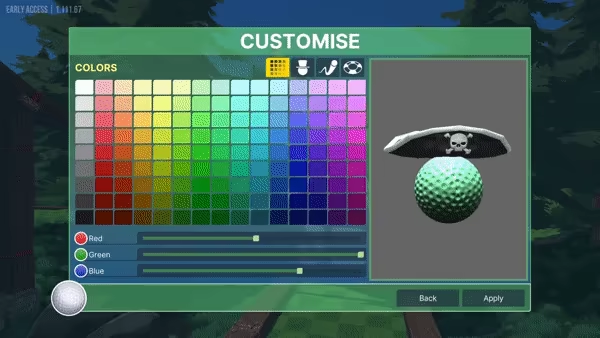
Customisations! Turn the fairway into the runway, with unlockable hats, skins and trails for your ball.
这段文字直接取自游戏的商店页面,由系统自动抓取。我们不撰写也不修改它,因此其中可能包含剧透。
系统需求
- 最低
- Windows 7 SP1 (64-bit) or Windows 10 (64-bit)
- 推荐
- Windows 10 (64-bit)
- 最低
- Intel i3-2100 / AMD FX-6300 @3.1GHz or higher
- 推荐
- Intel i5-6600 3.3GHz / AMD FX 8350 4.0GHz
- 最低
- 2 GB RAM
- 推荐
- 4 GB RAM
- 最低
- GTX 460 / Radeon 6870 / Intel HD Graphics 630
- 推荐
- GTX 960 4GB VRAM / AMD R9 280 3GB VRAM
- 最低
- 4 GB available space
- 推荐
- 4 GB available space
- 最低
- Broadband Internet connection
- 推荐
- -
这些是开发商列出的配置要求,可能并非 100% 准确。如果你的配置低于最低要求,也可以试着运行;很多游戏在低于要求的配置下也能流畅运行。拿不准时,可以在 YouTube 查看性能实测。
如何安装 Golf With Your Friends
Golf With Your Friends 是一款预安装的 PC 游戏,当前版本 Build 20236533, 4.7GB。更新于 Sep 2026。
- 从同一个镜像下载所有分卷,并保存在同一文件夹。
- 用 7-Zip 或 WinRAR 解压第一个压缩包,其余分卷会自动解压。
- 打开解压后的文件夹,运行游戏的 .exe。无需安装程序。
- 预安装意味着解压后即可游玩,无需任何设置。
下载
从下方任意镜像下载文件。所有分卷都需要下载。保存到同一文件夹,然后解压第一个分卷。
如果只有一个主机失效,我们不接受修复请求。请使用上面的其他镜像。 链接失效了?告诉我们。
我们从不给压缩包加密码,也不夹带安装程序。如果某个页面要求输入密码或付款,那是文件主机的广告,不是我们。请查看我们的安全指南。