
Ken ga Kimi: Momoyo Tsuzuri - Free PC Download
关于 Ken ga Kimi: Momoyo Tsuzuri
◆About KEN ga KIMI Momoyo Tsudzuri
KEN ga KIMI is Japanese legend ADV and is highly recommended since released at Japan.
KEN ga KIMI Momoyo Tsudzuri is the FD of the original game and it has 100 stories included.
◆100 Stories Added Up!
Player can enjoy stories couldn't be told in KEN ga KIMI.
There are also many new event graphic for the stories.
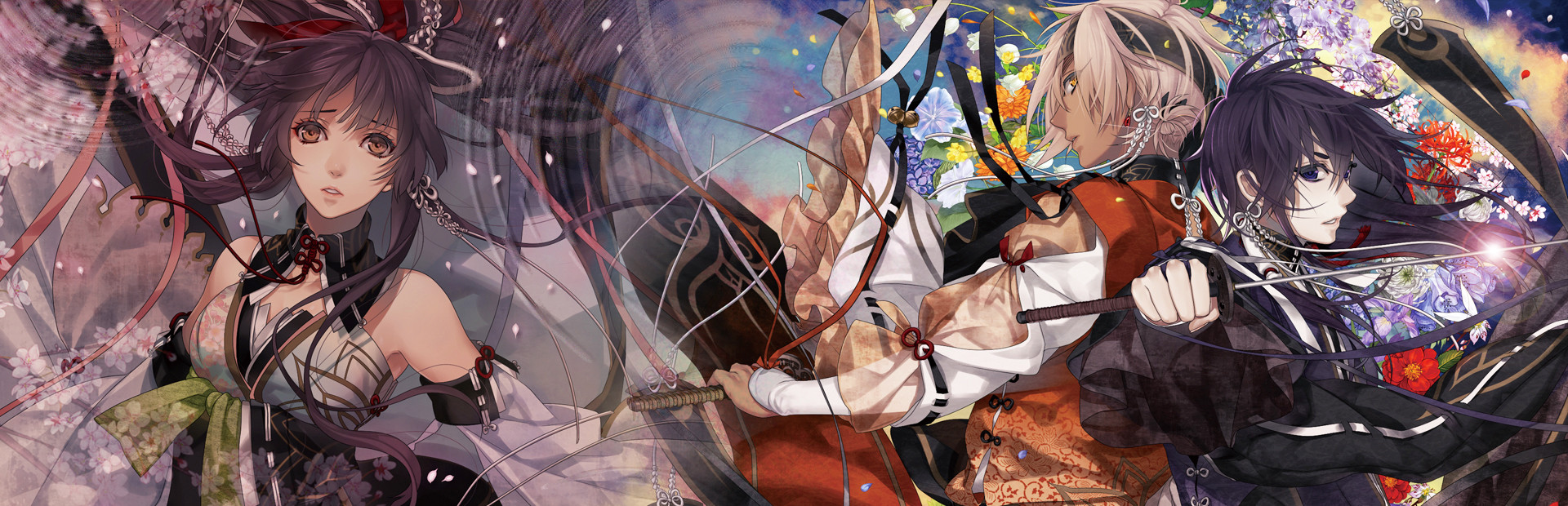
◆Famous Voice Actor and Unique Charactors!
Tsuzuramara Voiced by Ono Yuuki
Kei Voiced by KENN
Kuroba Saneaki Voiced by Maeno Tomoaki
Enishi Voiced by Okiayu Ryoutarou
Sagihara Sakyou Voiced by Hoshi Souichirou
Suzukake Voiced by Oosaka Ryouta
1.How to advance the story
Choose a BOOK from STACK.
One book include several stories.
When you select a story, the plot will begin.
Stories will be unlocked while reading and you can start with the one you like.
◆About 100 Stories
-Sweet love stories;
-Untold stories about Sword;
-The past of Samurais;
-Interesting stories about the way back;
-Funny stories happened in Edo;
-Stories between Samurais;
-Stories of sub charactors.
2.Collecting Magatama
You should read the story and collecting the Magatama.
◆Ways to gain the Magatama
-Read stories;
-Narrative choices;
-Today's Restaurant and Tea House
◆About Today's Restaurant and Tea House
Charactors and sub charactors will visit the restaurant once a day
when starting the game and you can get Magatama as well.
Magatama can be exchanged for bonus.
◆Charactor's Details
Bonus voices from charactors which including 6 main charactors and 24 sub charactors!
◆Special Graphics
Special Graphics of the original game are available.
3.Chosing charactor
There are special choices in some stories.
Story will be continued from the viewpoint of which you choosed.
◆Collecting Bookmark
Player will gain a bookmark when chosing a charactor.
If you collect enough bookmarks, bonuses will be offered.
Confirm/Next: Left Click/D(Keyboard)/A(Xbox Controller)
Dictionary: Left Click/Z(Keyboard)/X(Xbox Controller)
Menu: Left Click/S(Keyboard)/Y(Xbox Controller)
AUTO: Q(Keyboard)/W(Keyboard)/LB/RB Once
SKIP: Q(Keyboard)/W(Keyboard)/LB/RB Twice
Quickload: 1/View
Quicksave: 2/Menu
Select: Arrow Keys(Keyboard)/Arrow Keys(Xbox Controller)/Left Stick
History: Arrow Keys←↑→(Keyboard&Xbox Controller)
Display Window: Left Click/Right Click/X(Keyboard)/B(Xbox Controller)
Cancel AUTO/SKIP: Left Click/Right Click/Q(Keyboard)/W(Keyboard)/LB/RB
Confirm: Left Click/D(Keyboard)/A(Xbox Controller)
Back: Right Click/X(Keyboard)/B(Xbox Controller)
Page: Q(Keyboard)/W(Keyboard)/LB/RB
Delete(Enter Name): Z(Keyboard)/X(Xbox Controller)
Initialize(Enter Name&Setting): S(Keyboard)/Y(Xbox Controller)
Touch CG(Gallery): Z(Keyboard)/X(Xbox Controller)
Hide Manual(Gallery): S(Keyboard)/Y(Xbox Controller)
Play BGM: D(Keyboard)/A(Xbox Controller)
Pause BGM: Z(Keyboard)/X(Xbox Controller)
It all started in 1633, when Tokugawa Tadanaga committed suicide.
Heroine lives in Edo with her father and works in their little restaurant and tea house.
One day her life changes because she has to play the role of the Shogun's sister, Lady Hisahime.
She is protected by six highly-skilled bodyguards and then fall in love with then during the procession. But there is another thinking behind the bridal procession, which is to deliver the one of the Tenka-Goken—Juzumaru.
When they returned Edo, fate also bring they together and at which stories begin. And there are also untold stories about the past which waiting for you.
KEN ga KIMI is Japanese legend ADV and is highly recommended since released at Japan.
KEN ga KIMI Momoyo Tsudzuri is the FD of the original game and it has 100 stories included.
◆100 Stories Added Up!
Player can enjoy stories couldn't be told in KEN ga KIMI.
There are also many new event graphic for the stories.
◆Famous Voice Actor and Unique Charactors!
Tsuzuramara Voiced by Ono Yuuki
Kei Voiced by KENN
Kuroba Saneaki Voiced by Maeno Tomoaki
Enishi Voiced by Okiayu Ryoutarou
Sagihara Sakyou Voiced by Hoshi Souichirou
Suzukake Voiced by Oosaka Ryouta
How to play KEN ga KIMI Momoyo Tsudzuri
1.How to advance the story
Choose a BOOK from STACK.
One book include several stories.
When you select a story, the plot will begin.
Stories will be unlocked while reading and you can start with the one you like.
◆About 100 Stories
-Sweet love stories;
-Untold stories about Sword;
-The past of Samurais;
-Interesting stories about the way back;
-Funny stories happened in Edo;
-Stories between Samurais;
-Stories of sub charactors.
2.Collecting Magatama
You should read the story and collecting the Magatama.
◆Ways to gain the Magatama
-Read stories;
-Narrative choices;
-Today's Restaurant and Tea House
◆About Today's Restaurant and Tea House
Charactors and sub charactors will visit the restaurant once a day
when starting the game and you can get Magatama as well.
Magatama can be exchanged for bonus.
◆Charactor's Details
Bonus voices from charactors which including 6 main charactors and 24 sub charactors!
◆Special Graphics
Special Graphics of the original game are available.
3.Chosing charactor
There are special choices in some stories.
Story will be continued from the viewpoint of which you choosed.
◆Collecting Bookmark
Player will gain a bookmark when chosing a charactor.
If you collect enough bookmarks, bonuses will be offered.
Controls
- About ADV
Confirm/Next: Left Click/D(Keyboard)/A(Xbox Controller)
Dictionary: Left Click/Z(Keyboard)/X(Xbox Controller)
Menu: Left Click/S(Keyboard)/Y(Xbox Controller)
AUTO: Q(Keyboard)/W(Keyboard)/LB/RB Once
SKIP: Q(Keyboard)/W(Keyboard)/LB/RB Twice
Quickload: 1/View
Quicksave: 2/Menu
Select: Arrow Keys(Keyboard)/Arrow Keys(Xbox Controller)/Left Stick
History: Arrow Keys←↑→(Keyboard&Xbox Controller)
Display Window: Left Click/Right Click/X(Keyboard)/B(Xbox Controller)
Cancel AUTO/SKIP: Left Click/Right Click/Q(Keyboard)/W(Keyboard)/LB/RB
- Others
Confirm: Left Click/D(Keyboard)/A(Xbox Controller)
Back: Right Click/X(Keyboard)/B(Xbox Controller)
Page: Q(Keyboard)/W(Keyboard)/LB/RB
Delete(Enter Name): Z(Keyboard)/X(Xbox Controller)
Initialize(Enter Name&Setting): S(Keyboard)/Y(Xbox Controller)
Touch CG(Gallery): Z(Keyboard)/X(Xbox Controller)
Hide Manual(Gallery): S(Keyboard)/Y(Xbox Controller)
Play BGM: D(Keyboard)/A(Xbox Controller)
Pause BGM: Z(Keyboard)/X(Xbox Controller)
About the story
It all started in 1633, when Tokugawa Tadanaga committed suicide.
Heroine lives in Edo with her father and works in their little restaurant and tea house.
One day her life changes because she has to play the role of the Shogun's sister, Lady Hisahime.
She is protected by six highly-skilled bodyguards and then fall in love with then during the procession. But there is another thinking behind the bridal procession, which is to deliver the one of the Tenka-Goken—Juzumaru.
When they returned Edo, fate also bring they together and at which stories begin. And there are also untold stories about the past which waiting for you.
这段文字直接取自游戏的商店页面,由系统自动抓取。我们不撰写也不修改它,因此其中可能包含剧透。
系统需求
最低配置
推荐配置
操作系统
Windows7 32bit
Windows10 64bit
处理器
Intel Core2DUO 2GHz
Intel Core2DUO 2GHz
内存
1 GB RAM
4 GB RAM
显卡
DirectX9.0 Compatible Graphics Card with 128MB VRAM
DirectX9.0 Compatible Graphics Card with 128MB VRAM
DirectX
Version 9.0
Version 11
存储
26 GB available space
35 GB available space
声卡
DirectX9.0 Compatible Sound Card/PCM Sound Card
DirectX9.0 Compatible Sound Card/PCM Sound Card
操作系统
- 最低
- Windows7 32bit
- 推荐
- Windows10 64bit
处理器
- 最低
- Intel Core2DUO 2GHz
- 推荐
- Intel Core2DUO 2GHz
内存
- 最低
- 1 GB RAM
- 推荐
- 4 GB RAM
显卡
- 最低
- DirectX9.0 Compatible Graphics Card with 128MB VRAM
- 推荐
- DirectX9.0 Compatible Graphics Card with 128MB VRAM
DirectX
- 最低
- Version 9.0
- 推荐
- Version 11
存储
- 最低
- 26 GB available space
- 推荐
- 35 GB available space
声卡
- 最低
- DirectX9.0 Compatible Sound Card/PCM Sound Card
- 推荐
- DirectX9.0 Compatible Sound Card/PCM Sound Card
这些是开发商列出的配置要求,可能并非 100% 准确。如果你的配置低于最低要求,也可以试着运行;很多游戏在低于要求的配置下也能流畅运行。拿不准时,可以在 YouTube 查看性能实测。
如何安装 Ken ga Kimi: Momoyo Tsuzuri
Ken ga Kimi: Momoyo Tsuzuri 是一款预安装的 PC 游戏,当前版本 Build 7821297, 10.5 GB。更新于 Jul 2026。
- 从同一个镜像下载所有分卷,并保存在同一文件夹。
- 用 7-Zip 或 WinRAR 解压第一个压缩包,其余分卷会自动解压。
- 打开解压后的文件夹,运行游戏的 .exe。无需安装程序。
- 预安装意味着解压后即可游玩,无需任何设置。
下载
从下方任意镜像下载文件。所有分卷都需要下载。保存到同一文件夹,然后解压第一个分卷。
如果只有一个主机失效,我们不接受修复请求。请使用上面的其他镜像。 链接失效了?告诉我们。
我们从不给压缩包加密码,也不夹带安装程序。如果某个页面要求输入密码或付款,那是文件主机的广告,不是我们。请查看我们的安全指南。